




TIP TUESDAY! Bounced email reporting

WHAT IS THE TIP?
💡Hold onto your hats folks, you may want to sit down for this.
Effortlessly track bounced emails to ensure timely and reliable communication with all recipients.
New Datapaths
💡 First, you will need to add the following datapaths to your Application Data Dictionary in order to use in reports and table layouts.
application.any_email_status.any:3
- This is a boolean search that indicates whether or not the application has ANY bounced emails.
application.last_email_status.any:3
- This is a boolean search that indicates whether or not the LAST email sent bounced
📌 If you don’t know what a datapath or a data dictionary is, please reach out to your Supported User, System Admin or raise a Sugar Support case.
Create a Global Table Layout
💡 Create a global table layout to allow all users to view bounced emails in bulk. By adding columns that flag bounced emails, users can quickly filter and identify applications affected by bounced communications and take action.
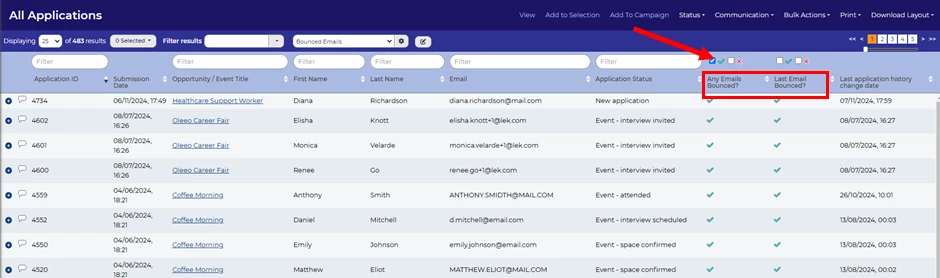
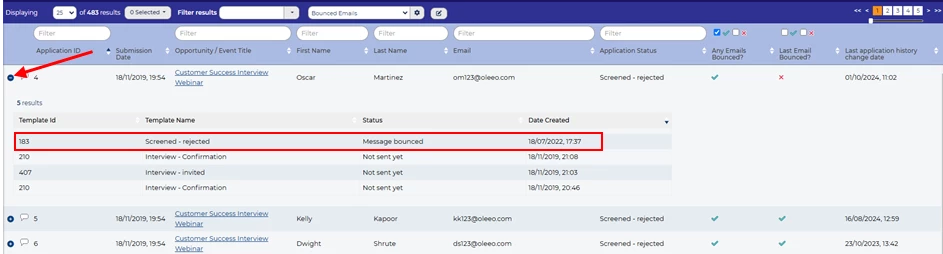
📌 Pro Tip: Add a child object layout to the table to expand rows and display specific bounced emails.
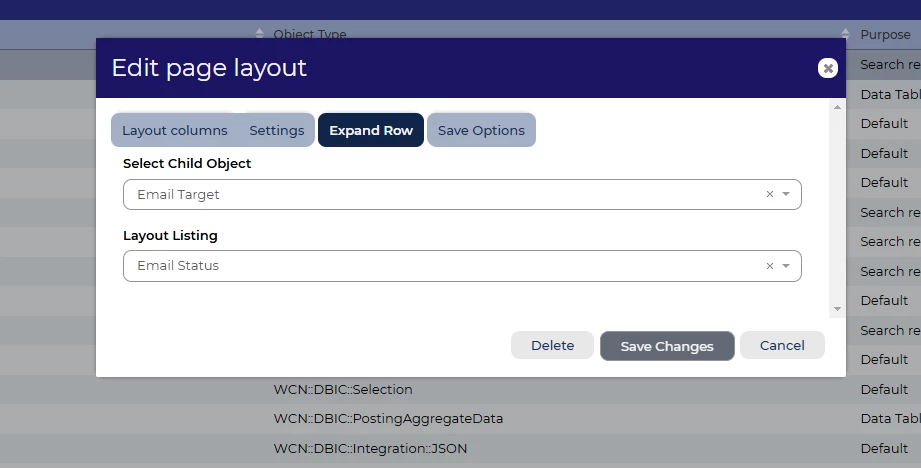
In the global table layout settings, select the child object layout in the 'Expand row' tab
- Select Child Object: Email target
- Layout Listing: Email Status
🔧 Use case: After moving applicants to 'Interview Invited,' double-check for any bounced emails. If any have bounced, verify the email address or contact the applicant through an alternative method.
Dashboard Widgets
💡 Add a widget to the Homepage Config dashboard, using a saved search, to enable the team to easily track bounced emails.
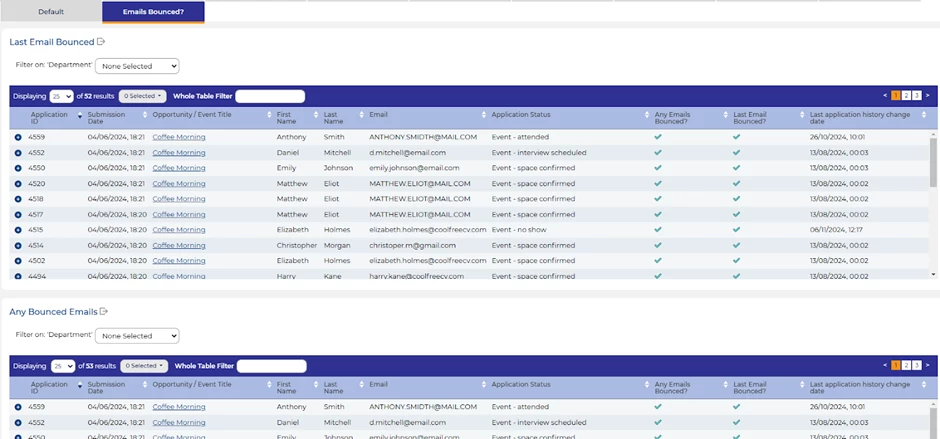
📌 Pro Tip: We recommend setting a time frame on the search to avoid an endless list of emails.
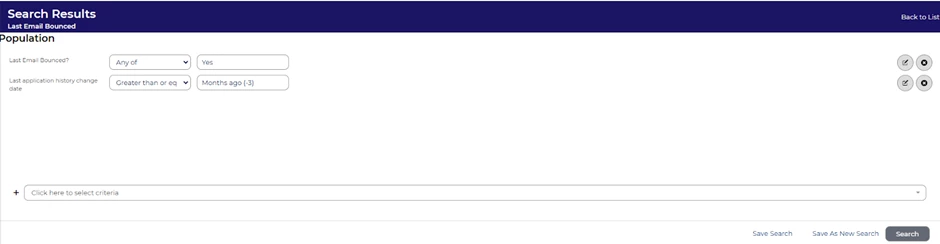
🔧 Use case: Add the widget to the profile dashboard responsible for applicant communications, making the information easily accessible.
Saved Search Alerts
💡 Get instant notifications, with Private Saved Searches. Use the 'Alert me' option to receive email updates when an application meets your criteria.
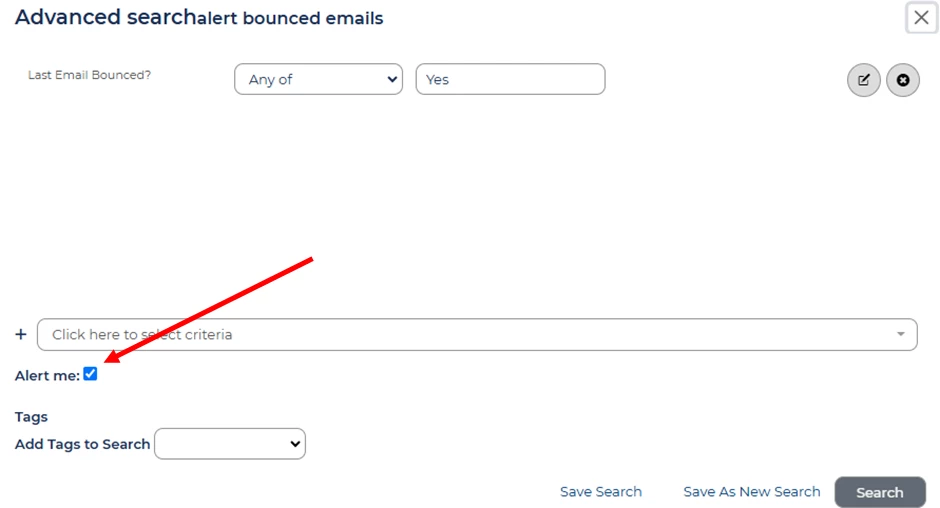
🔧 Use case: As a recruiter, I want to know right away if any of my applicants’ email communications bounce so I create a private search to receive an email notification.
😊 After learning about this tip, one SuperUser exclaimed “This is almost as good as Christmas!”. 🎅🏽
We believe this is a game changer. As this tip list grows, feel free to share your own uses with the community
BENEFITS
This offers a simpler way to identify, track, and report bounced emails, enabling quick investigation and resolution of any issues.
This will help prevent losing quality candidates who might assume they've been ghosted if emails aren't received
CONSIDERATIONS
The New Datapaths must first be added to the data dictionary in the configuration environment and pushed to live.
Global Table Layouts and Homepage Config (self config 1 & 2) will need to be created or amended in the configuration environment and pushed to live.
COSTS
This feature is part of the standard product offering.
NEXT STEPS
Speak to your Customer Success Manager for more details.
Raise a case to our Support team if you do not have self configuration access to add data dictionary entries.
ADDITIONAL INFORMATION:

