




v3.432 Release Notes 18th November 2026
NEW
Exporting users asynchronously
We’ve introduced asynchronous exporting of users so it’ll be easier for customers with a high volume of users to extract the information they need. If the amount of users to extract exceeds the threshold, you’ll see the task appear in the Async Tasks section of the platform and it will run in the background while you can do something else.
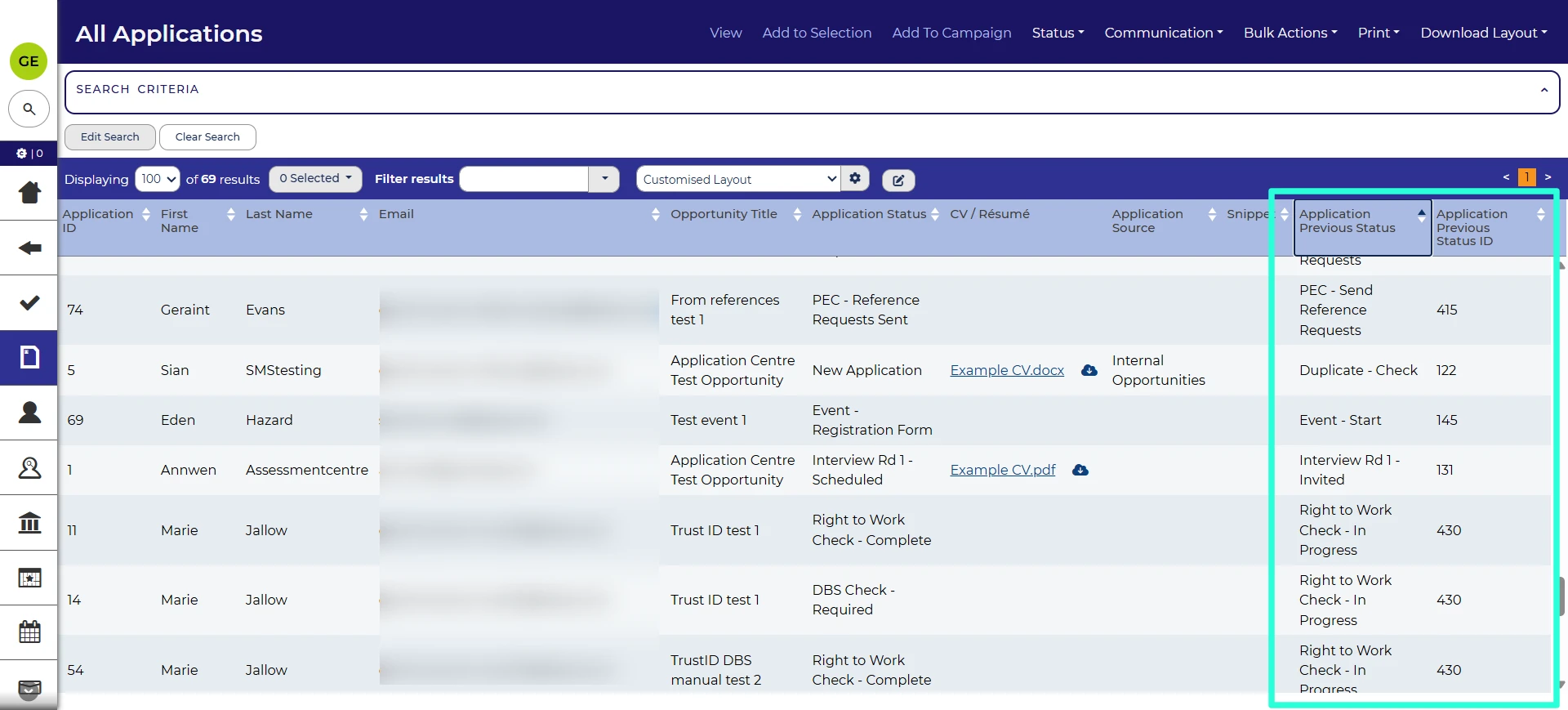
Datapaths for previous status 💡
We’ve introduced new datapaths so that you can reference the status that an application was in before its current status. For example, this can be used in a Table Layout to see at a glance which status an application was in previously.
You can use application.previous_state_label to show the previous status name and application.previous_state_id to show the previous status ID.
You can find more details on how this works in the Datapaths Reference Guide.
Accessibility improvements
We’ve made several changes to ensure that our platform can be used by everyone:
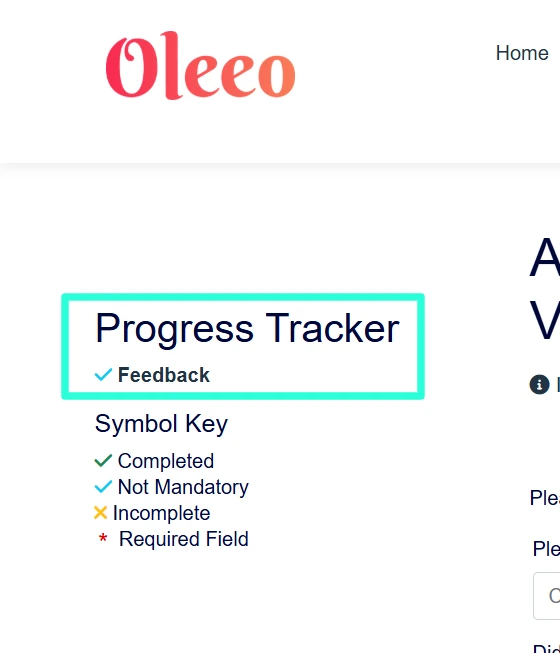
- For candidate forms that only contain one page, we’ve removed the links from the progress tracker in the left-hand sidebar. With only one page to the form, this link is not useful, so removing it presents a less confusing and more accessible view to the candidate.
- Ensuring that sortable tables are made clear for screen reader users.
- Ensuring that decorative menu elements on the candidate portal aren’t confusing to screen reader users.
- Ensuring some candidate-facing headers are marked up correctly for screen reader users.
FIXES
Fixed issue with adding widgets to the homepage dashboard 💡
We’ve fixed an issue where new homepage dashboard widgets were added to the first tab, rather than the current one.
These changes were released on 18th November in version 3.432
💡 The lightbulb icon indicates the feature was based on customer feedback
⚙️ The gear icon indicates a configurable change.
All new features and fixes will automatically appear in your system, unless they are marked as a configurable change. To have a configurable change applied to your system please speak to your Customer Success representative or email customersuccess@oleeo.com. You can also raise a Change Request case in the portal.