




v3.428 Release Notes 24th September 2026

NEW
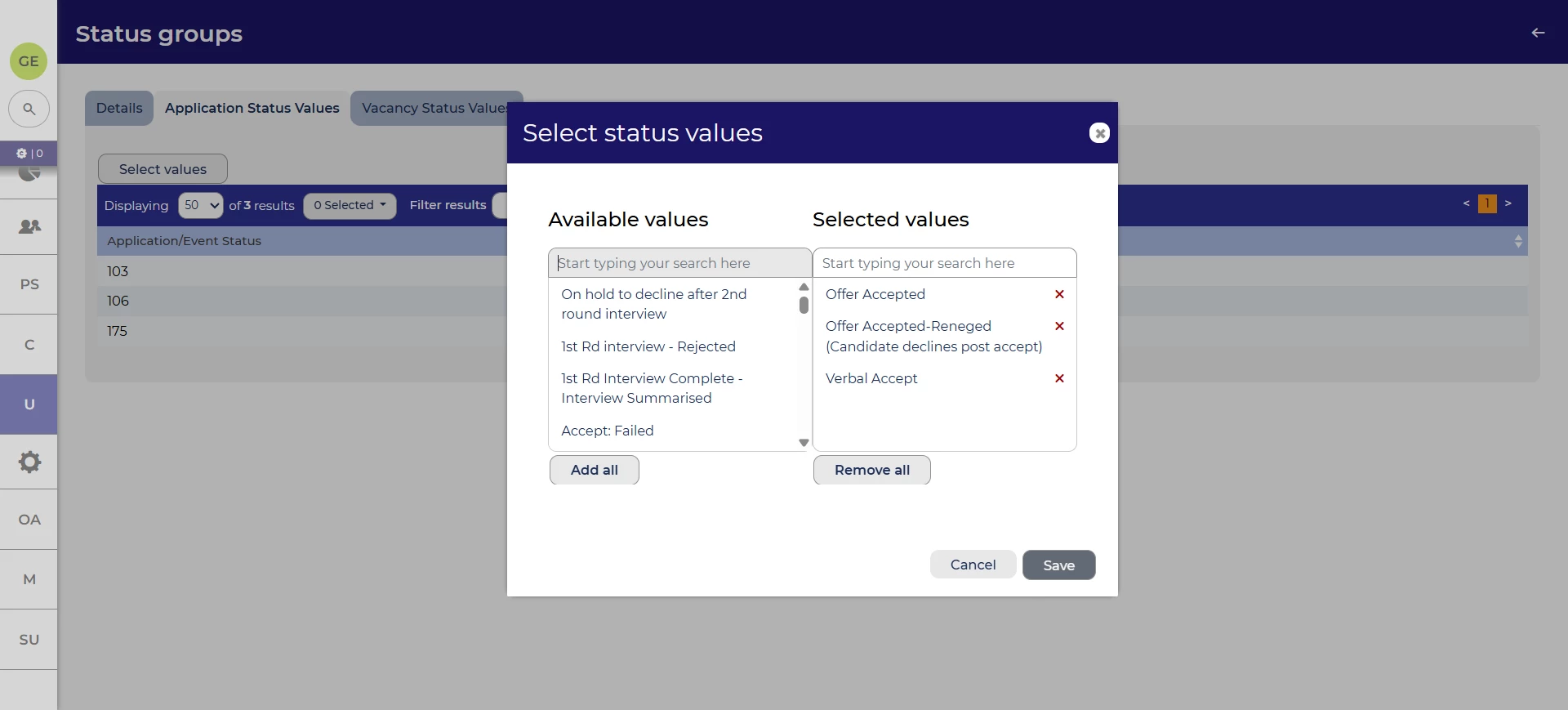
Easier method to edit status groups
We’ve changed the way that you can edit the statuses that are in a status group. Now, rather than adding and deleting one by one, you’ll have access to the familiar selection UI so you can quickly add and remove statuses.
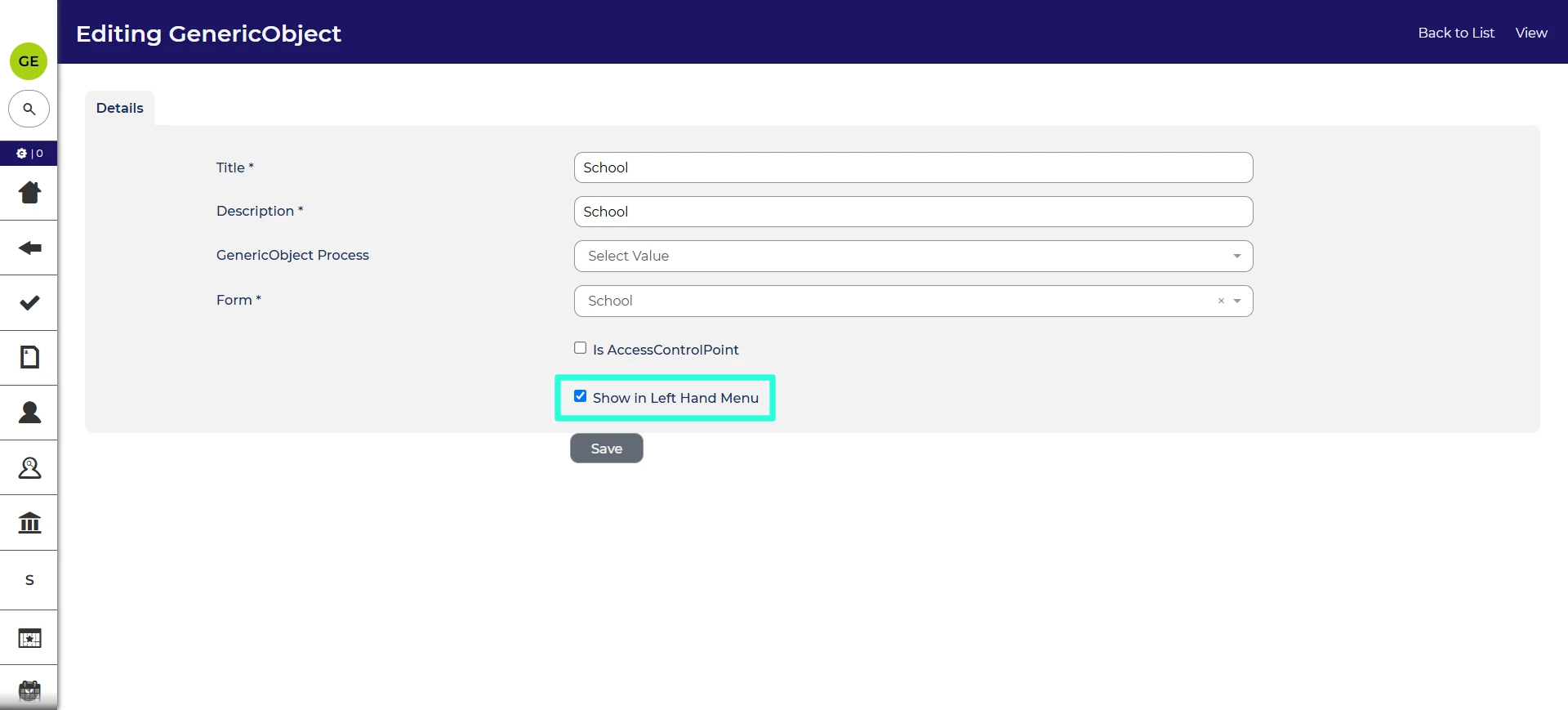
Ability to hide generic objects in left-hand menu
Generic objects are our way of expanding Oleeo Recruit to hold information on custom entities that aren’t available out of the box, for example universities. If there are unused generic objects in your system, they can now be hidden from the left-hand menu to present a cleaner interface.
These changes were released on 24th September 2026 in version 3.428
💡 The lightbulb icon indicates the feature was based on customer feedback
⚙️ The gear icon indicates a configurable change.
All new features and fixes will automatically appear in your system, unless they are marked as a configurable change. To have a configurable change applied to your system please speak to your Customer Success representative or email customersuccess@oleeo.com. You can also raise a Change Request case in the portal.