




v3.427 Release Notes 9th September 2026

NEW
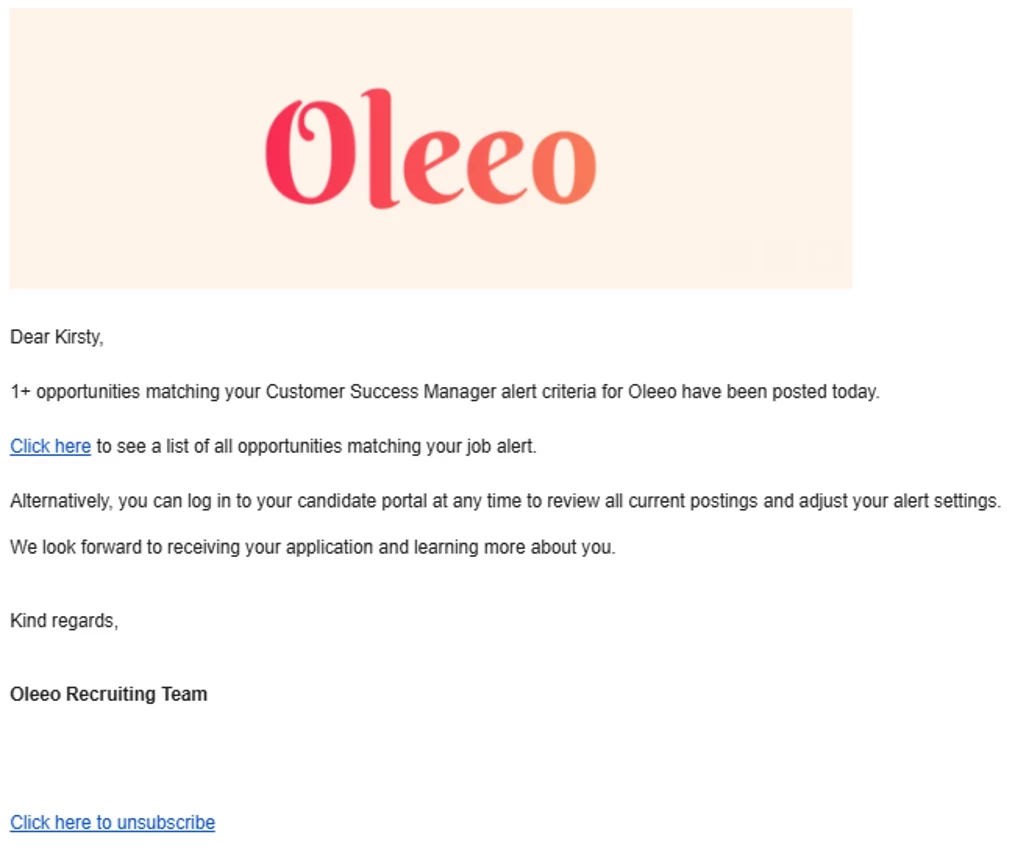
Job alert digest email
We’ve launched a new option for sending job alerts to candidates. Previously, job alerts were sent on a per-vacancy basis, so the candidate receives an email notification for each job posted that matches their alert criteria.
In this release, we offer a new ability to send a digest email. For each job alert, the candidate will receive an email with all new jobs posted that match the criteria of that alert. If there are no valid jobs, they won’t receive an email. Note that the choice between the digest and per-posting method is at the system level.
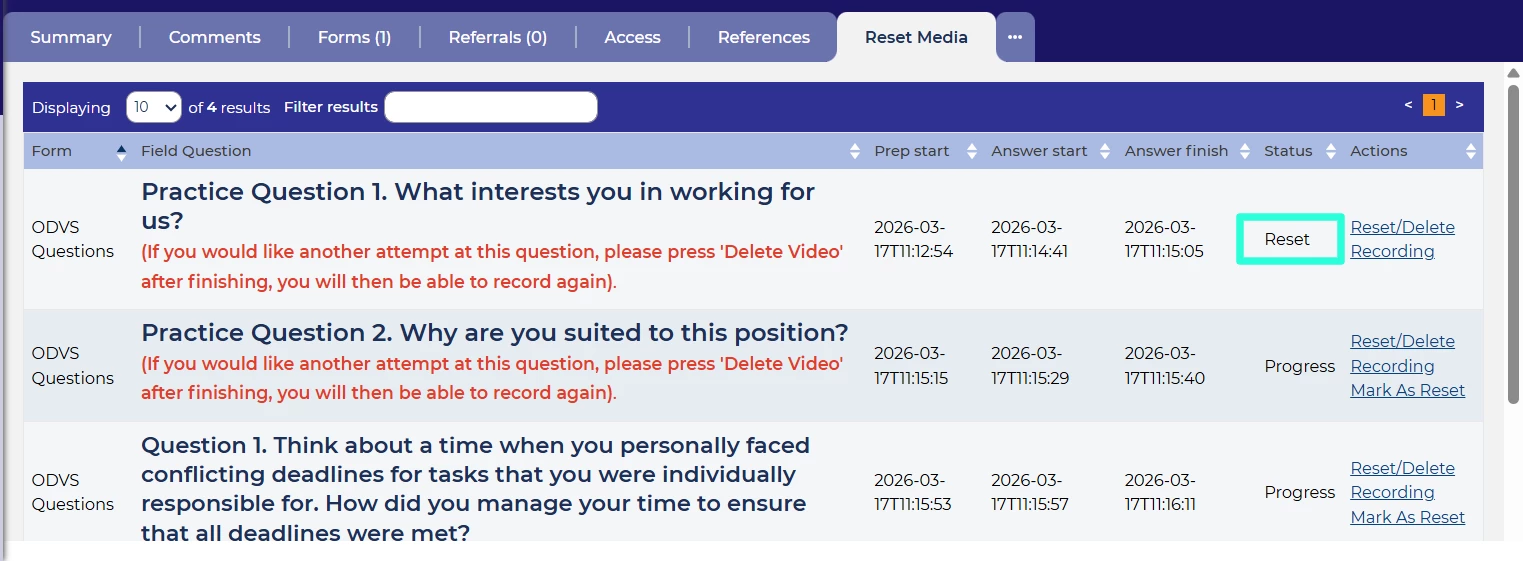
Increased clarity for ODVS resets
We’ve made an improvement to the statuses shown for candidate’s ODVS questions. You’ll now see the candidate’s status as “Reset” if their test has been reset. This reduces confusion on the candidate’s current situation.
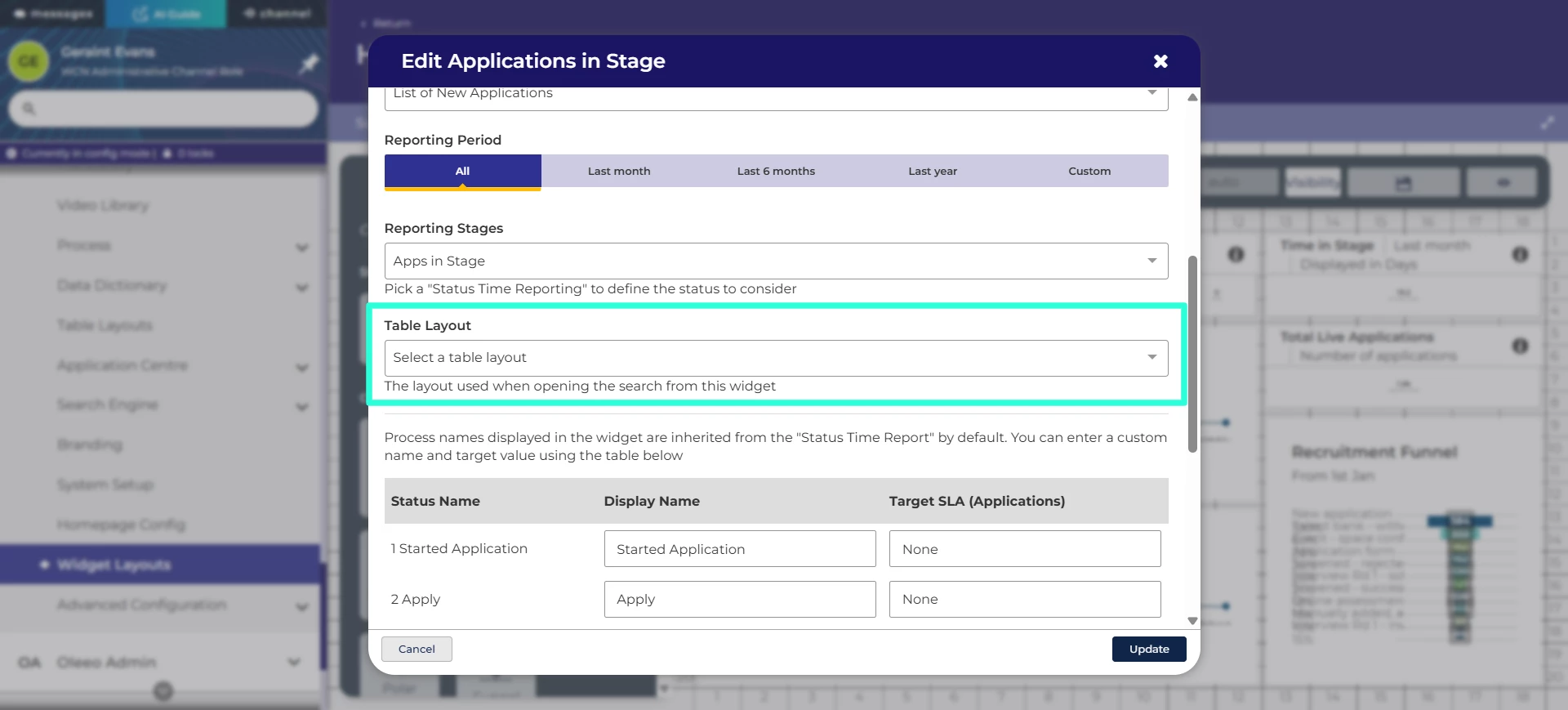
Link big number and applications in stage widgets to specific table layouts
The big number and applications in stage widgets make a great addition to a dashboard. With this update, we’ve added the ability to choose the table layout to display when you click through. This means you can easily see the most relevant table layout for the data.
Support for hybrid and remote job postings with Google Jobs
We’ve improved our integration with Google Jobs so that you can accurately mark your job posts as either hybrid or fully-remote roles. This makes the nature of the job role clear for prospective candidates.
Show the name of newly-created expressions in the editor
We’ve made an improvement to the creation of expressions. Now, when you create an expression, you’ll see the name of it at the top of the screen straight away. This gives extra reassurance that you’re working on the right one.
New phone number formats for integrations
We’ve added the ability to output datapaths of phone numbers in several formats including national, international and the country code on its own. This allows the data to be provided in whatever format needed, which is especially useful when integrations require specific formatting.
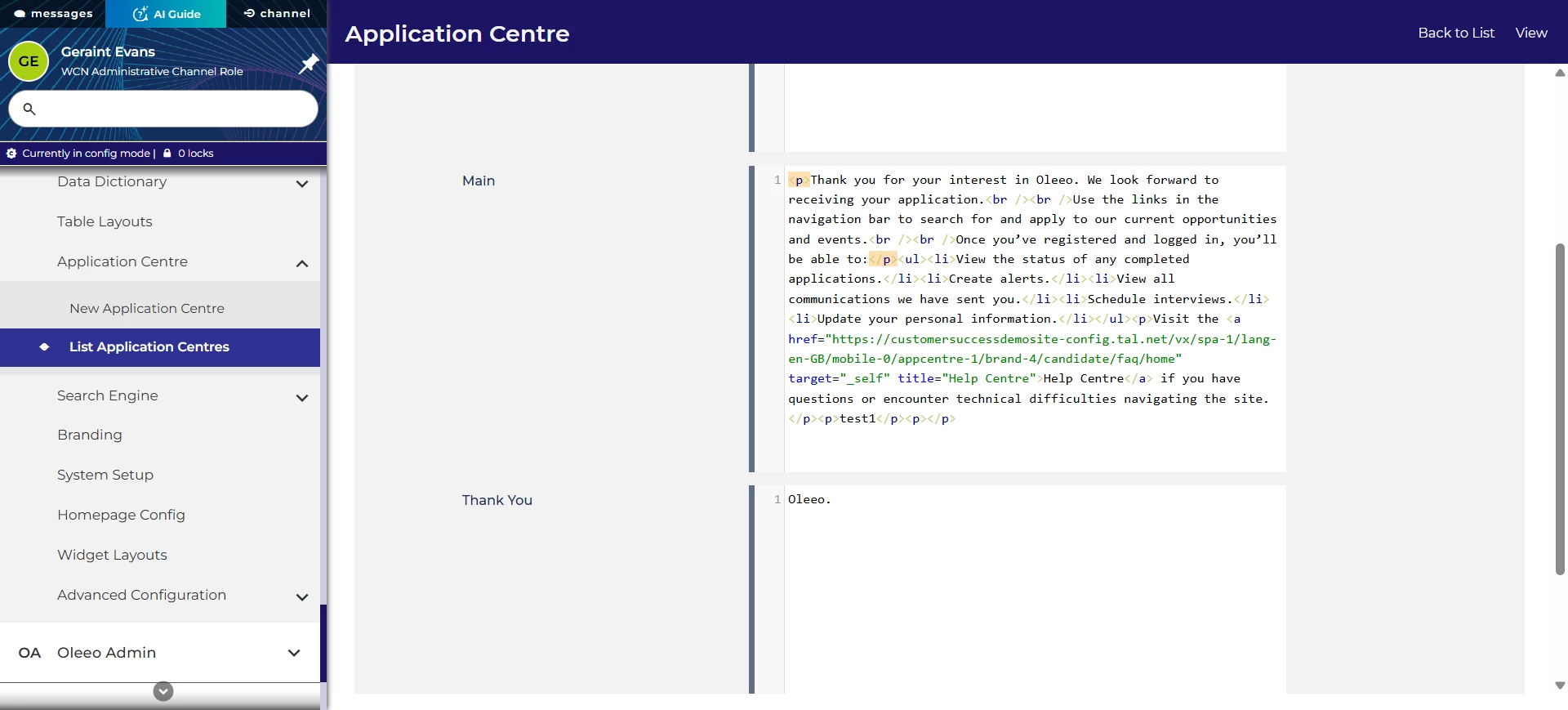
Increased configurability of application centre landing pages
We’ve be changed how you can edit the text on the landing pages of your application centres. You’ll have more control over the HTML so that you can create your own classes and IDs.
Further updates to the Screening UI
We’ve made additional updates to the Screening UI so that some of existing features can be used through this as well. This includes:
- Styling for items and actions to display correctly.
- Changes to interacting with checkboxes to match other parts of the system.
- Ensuring users only see the active choices in a lookup list.
- Ensuring that radio buttons are shown correctly.
- Ensuring that users can easily view and interact with the tool at all zoom levels.
Accessibility improvements
We’ve made numerous changes to our platform to ensure that it’s available to all our users. This includes:
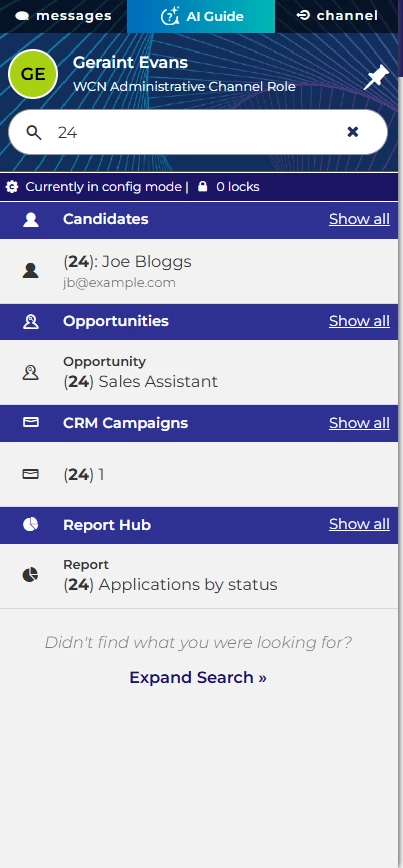
- Improving the search results so that the structure is clearer to screen reader users when results of different categories are returned.
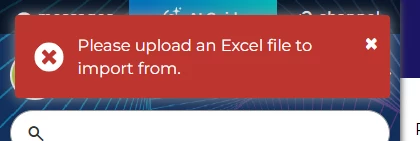
- Improving the labelling of our notification pop-ups so it’s clearer how to close them for screen reader users.
-
Making changes to how our UI modals respond to being closed with the escape key. This benefits screen reader and keyboard users to help orientate themselves in the system.
- Improving the focus and interactivity of the user profile button so it’s easier for users navigating with the keyboard.
- Ensuring that all elements of the AI Assistant have accessible names.
FIXES
Recruiter language settings
We’ve fixed an issue where recruiter users were seeing the system in its default language, even if their language was set to another available language.
Application in Stage widget numbers
We’ve also fixed an issue where the numbers shown on the Application in Stage widget and the number shown in the table layout on click through weren’t consistent.
These changes were released on 9th September 2026 in version 3.427
💡 The lightbulb icon indicates the feature was based on customer feedback
⚙️ The gear icon indicates a configurable change.
All new features and fixes will automatically appear in your system, unless they are marked as a configurable change. To have a configurable change applied to your system please speak to your Customer Success representative or email customersuccess@oleeo.com. You can also raise a Change Request case in the portal.