




v3.426 Release Notes 27th August 2026
NEW
Automatically remove characters from text fields
We’ve added a new validation option for rich text items. Unlike other methods that prevent you from submitting if the text doesn’t match the validation rules, this will remove the invalid characters and present back a cleansed version of the text. You can then review the updated items to make sure you’re happy with the content and re-submit the form.
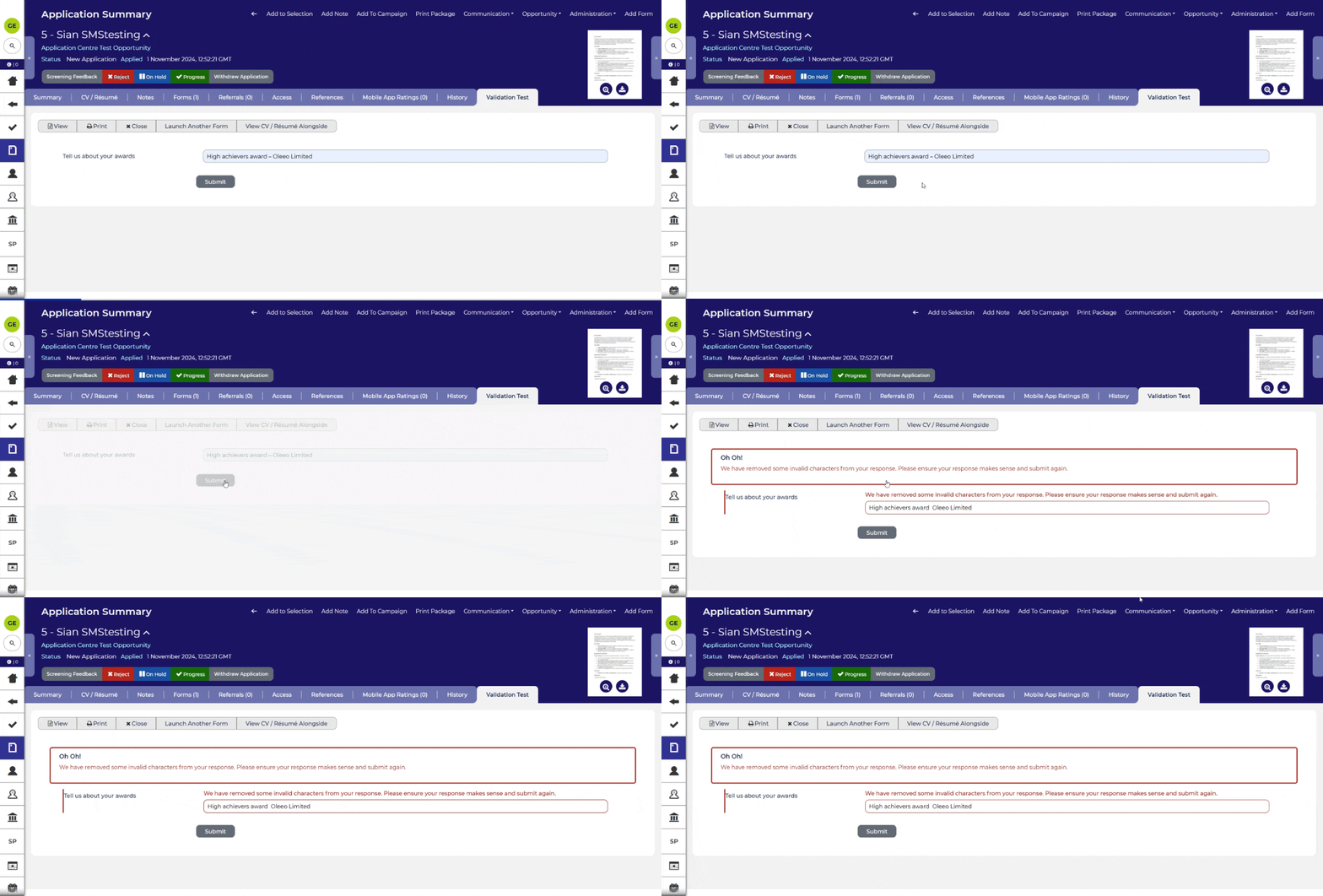
You can learn more about adding validation criteria to form fields in the config guide.
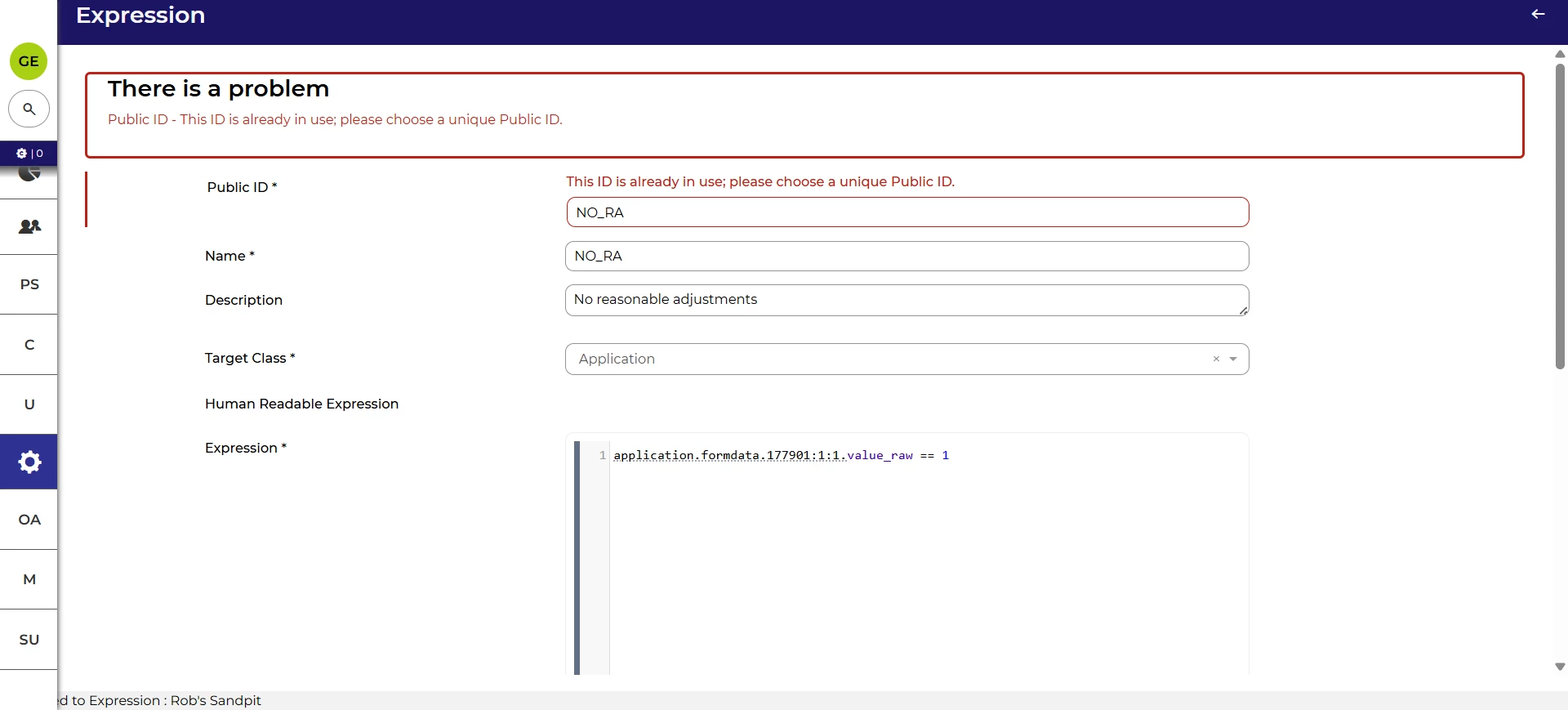
Clearer messaging when creating a duplicate Expression
In this update, we’ve added clearer messaging if you try to create an Expression where the public ID is already in use. This provides more context so that you know what to fix.
Displaying specific instances for read-only items
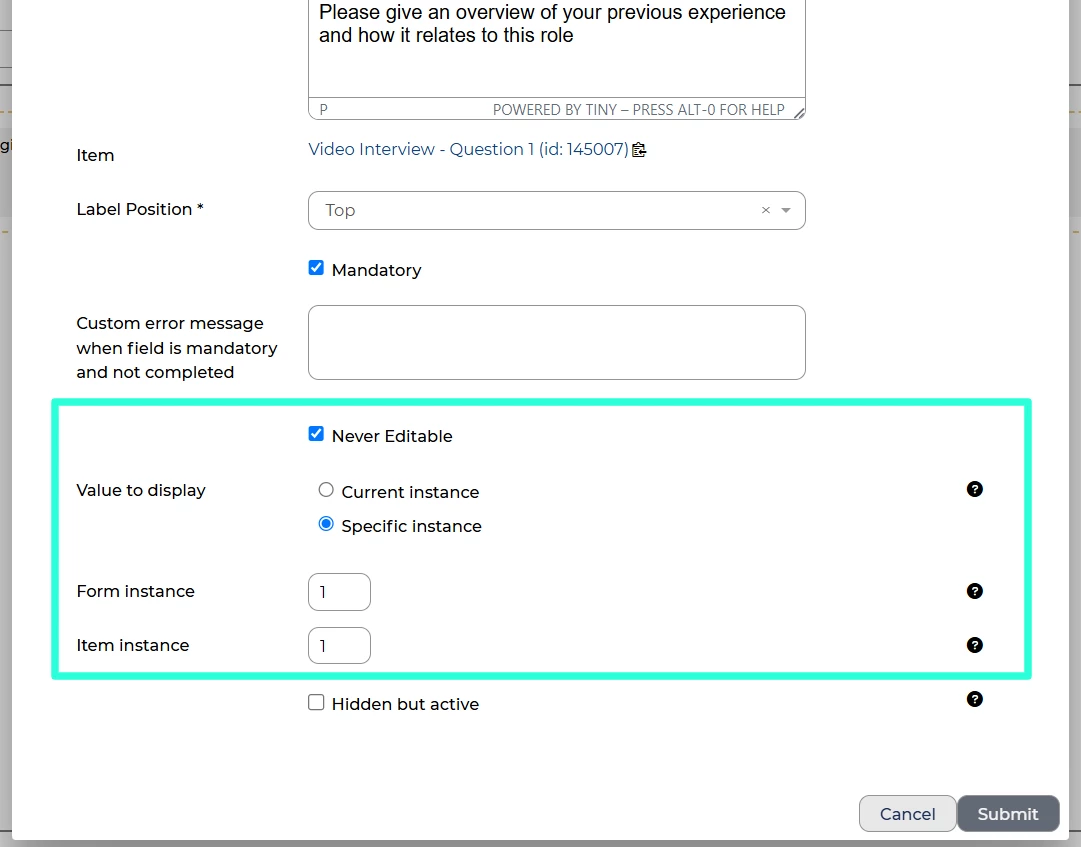
We’ve added a new option for adding read-only items to forms: the ability to choose a specific form or item instance to display. This is useful when you need to see one form item across multiple form instances for example, if you want to display a candidate’s ODVS video answers to multiple reviewers in a multi-instance feedback form.
Screening UI updates
We’ve made multiple updates to the Screening UI so that some of existing features can be used through this as well. This includes:
- The ability to incorporate datapaths into URLs
- The ability to use datapaths to show rich text formatted with BBCode
- The ability to limit the lookup values of an application item based on the options chosen for the vacancy.
Passwords hidden on configuration values screen
In line with our commitment to security, we’ve changed how passwords, keys and secrets are displayed for users that have access to configuration values. For those configuration values, the password is now replaced with a string of asterisks. When entering passwords, the user will have the option to show or reveal the text.

Accessibility improvements
We’ve continued to enhance the platform so that it can be used by everyone. Where you add icons to table layouts, we’ve improved the labelling for screen reader users so that it’s more consistent with the visible text. We’ve also updated the labelling of the star rating icons to make them clearer.
FIXES
Long labels handled better when editing saved searches and table layouts
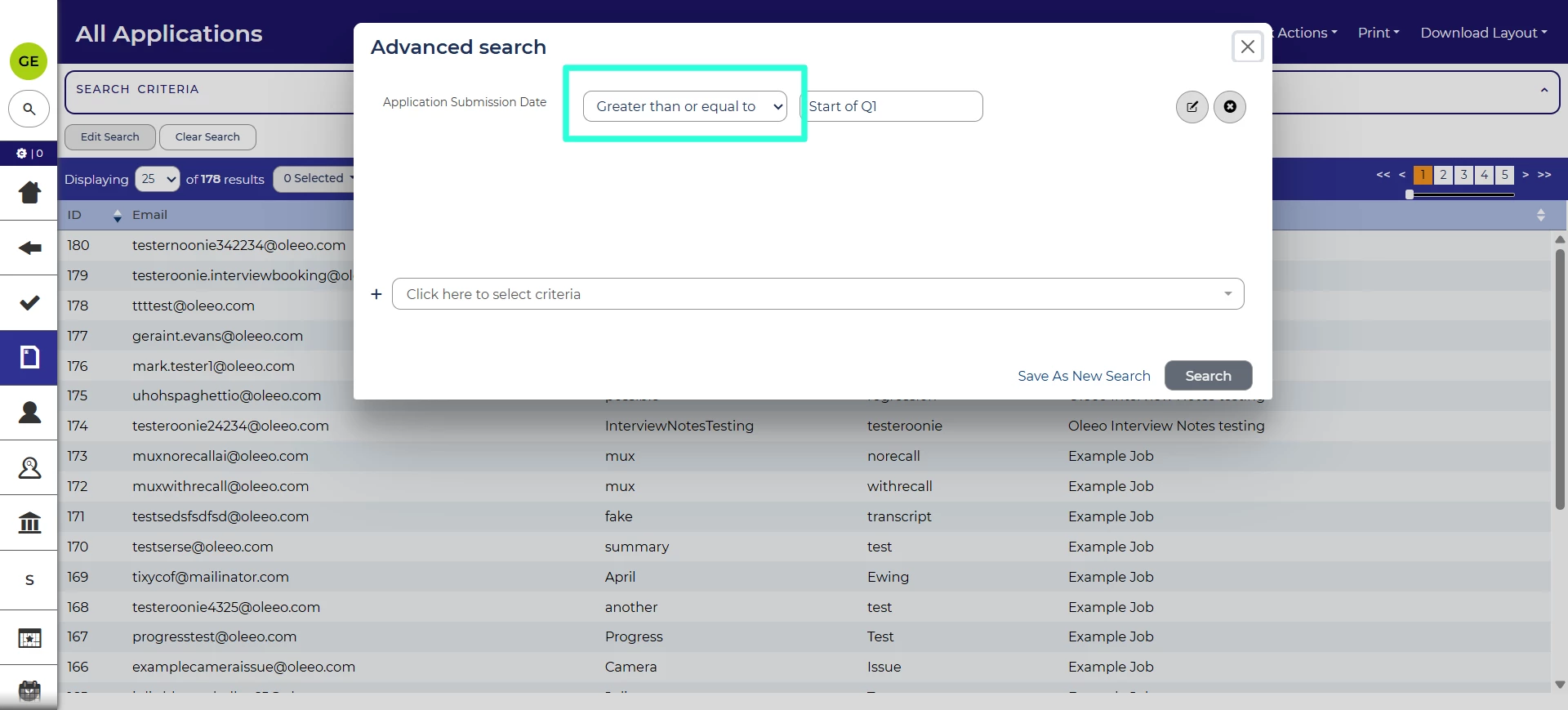
We’ve made changes to creating and editing saved searches so that the operator (e.g. “Greater than or equal to”) is visible even when a long label is used for the criteria.
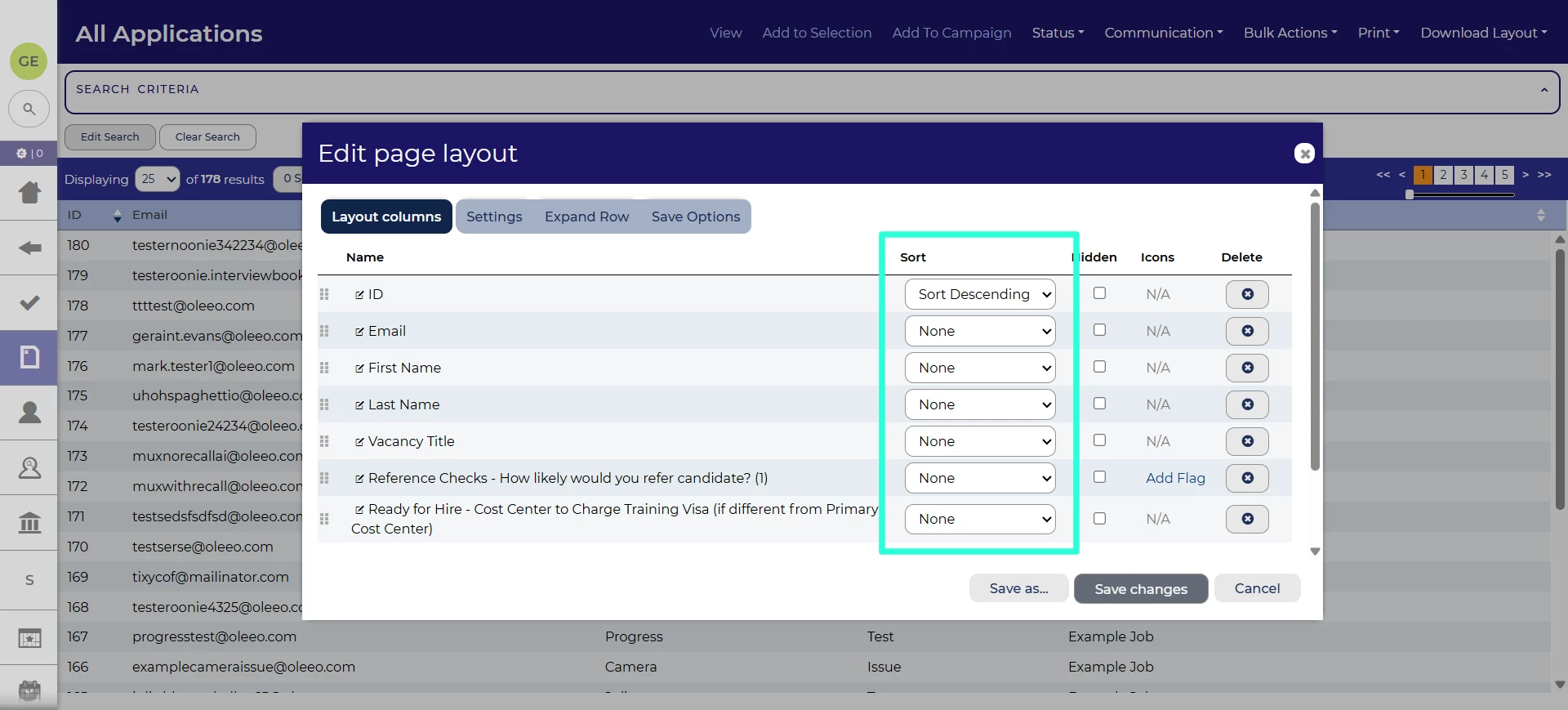
Similarly, we’ve made changes to creating and editing table layouts to ensure that the sort option (e.g. “Sort Ascending”) is also fully visible when a long label is used.
Unauthenticated feedback forms to be sent only once 💡
We’ve also fixed an issue where unauthenticated feedback forms would be sent multiple times if the same email address was associated with multiple user accounts.
These changes were released on 27th August 2026 in version 3.426
💡 The lightbulb icon indicates the feature was based on customer feedback
⚙️ The gear icon indicates a configurable change.
All new features and fixes will automatically appear in your system, unless they are marked as a configurable change. To have a configurable change applied to your system please speak to your Customer Success representative or email customersuccess@oleeo.com. You can also raise a Change Request case in the portal.