



v3.425 Release Notes 22 July 2026
NEW
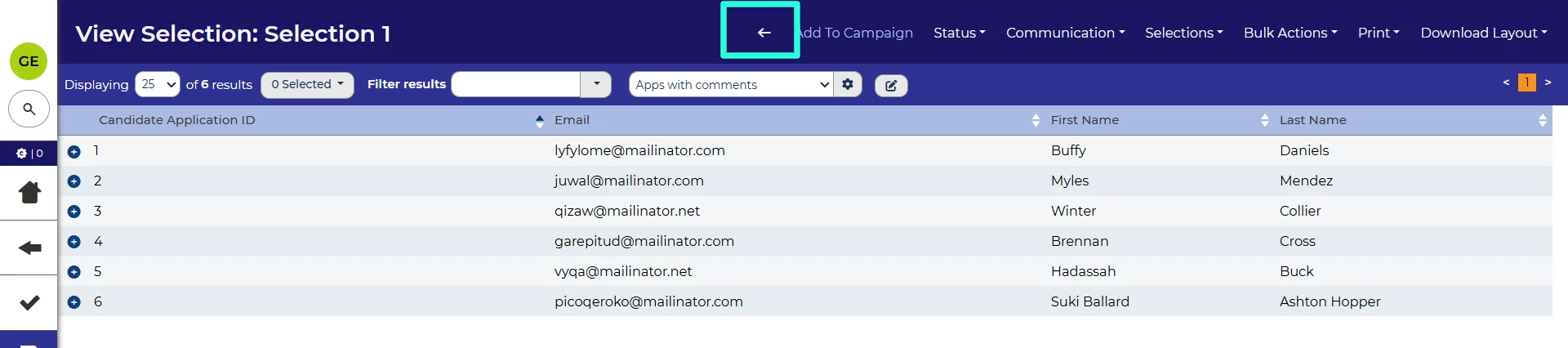
Back button for application selections 💡
We’ve launched an additional navigation button to help you easily get to the page you need. From an application selection, there’s now a back button which will take you back to the list of selections.
FIXES
Prevent old vacancy UI from showing briefly when navigating to vacancies 💡
Previously, when opening a vacancy for review, you may have briefly seen a glimpse of the old UI for the vacancy summary screen. This will now be fixed so that you only see the correct user interface of the vacancy dashboard.
Incorrect validation on agency datepicker 💡
We’ve fixed an issue with the datepicker presented to agency users which was sometimes incorrectly flagging dates as invalid.
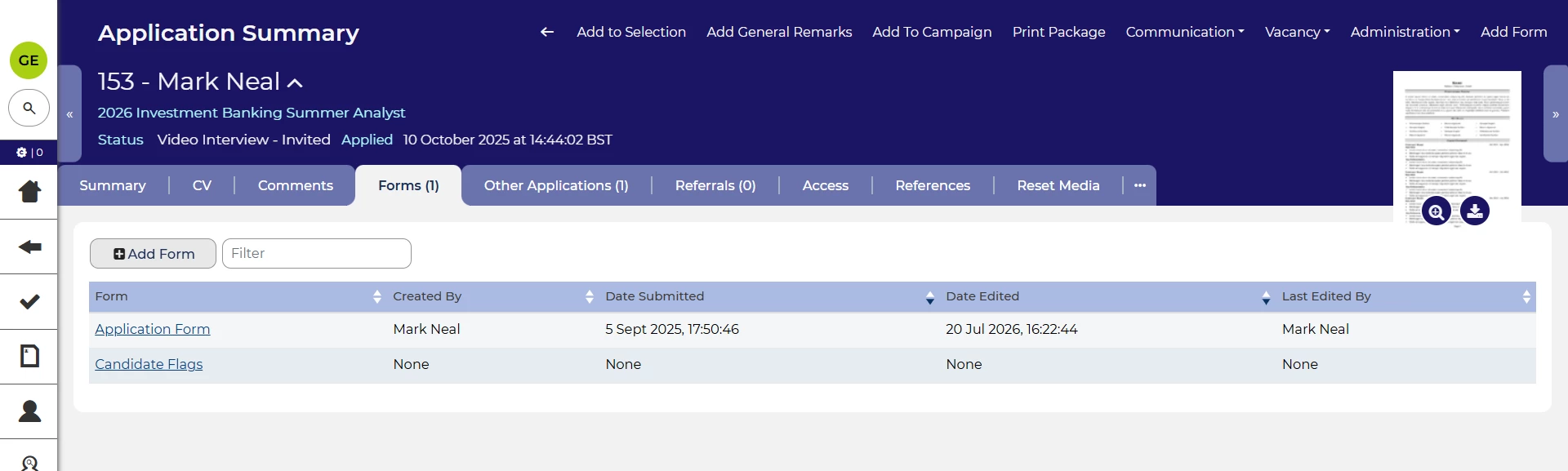
Last edited by field not updating on forms tab 💡
We’ve also fixed an issue with the last edited by field on the forms tab. In certain cases, this wouldn’t be updated to the candidate who last submitted the form. This issue will be resolved by this release.
These changes were released on 22nd July 2026 in version 3.425
💡 The lightbulb icon indicates the feature was based on customer feedback
⚙️ The gear icon indicates a configurable change.
All new features and fixes will automatically appear in your system, unless they are marked as a configurable change. To have a configurable change applied to your system please speak to your Customer Success representative or email customersuccess@oleeo.com. You can also raise a Change Request case in the portal.