




v3.415 Release Notes 5th March 2026
NEW
Clearer UI on the select profile page
Recently, we introduced a new page seen when your current user profile doesn’t have the access to view certain content, but you have another profile that does. This page allows you to choose one of your suitable profiles and continue on to the content. In this release, we’ve updated the text on this page to make it clearer why you are seeing the page and what you need to do.
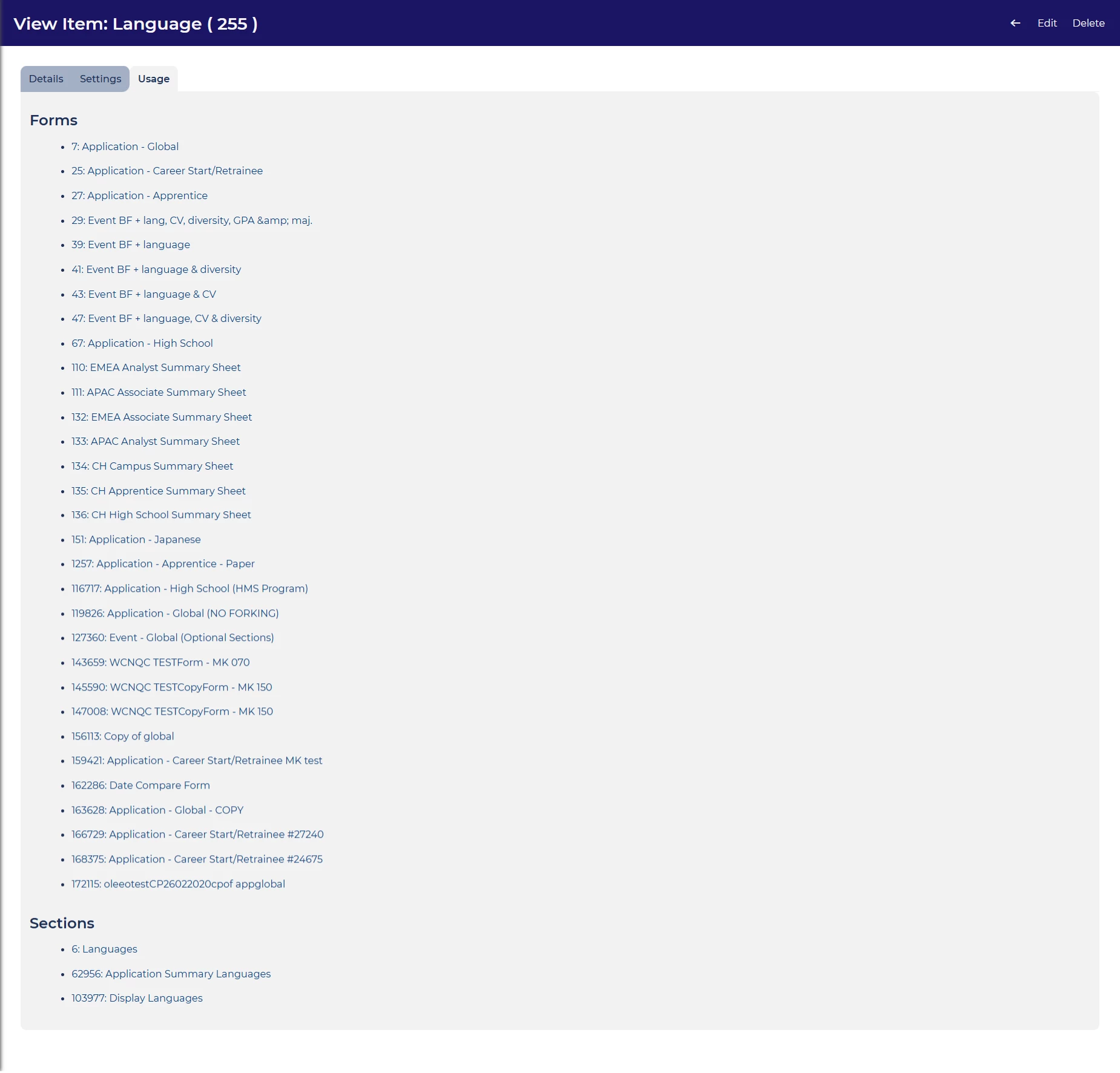
Visibility of item usage
For self configuration users, we’ve launched an improvement that’ll make it much easier to understand how items are used in the system. When viewing form items, there’s now a new tab that gives the items usage. The tab lists the forms and form sections where the item appears.
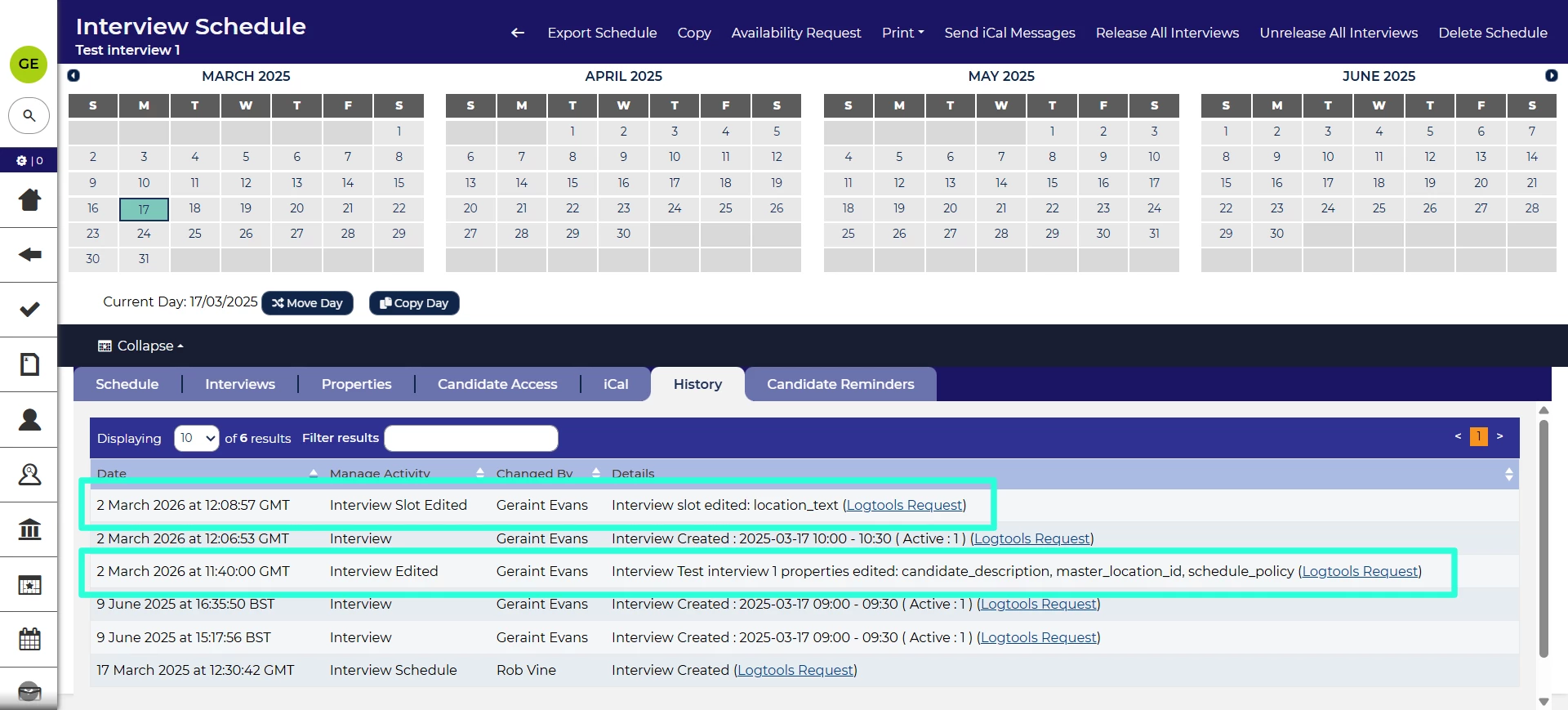
Improved interview history
We’ve made improvements to our interview functionality so that the history will show more of the changes made to interview slots and properties. This gives a clearer view of how the interview has changed.
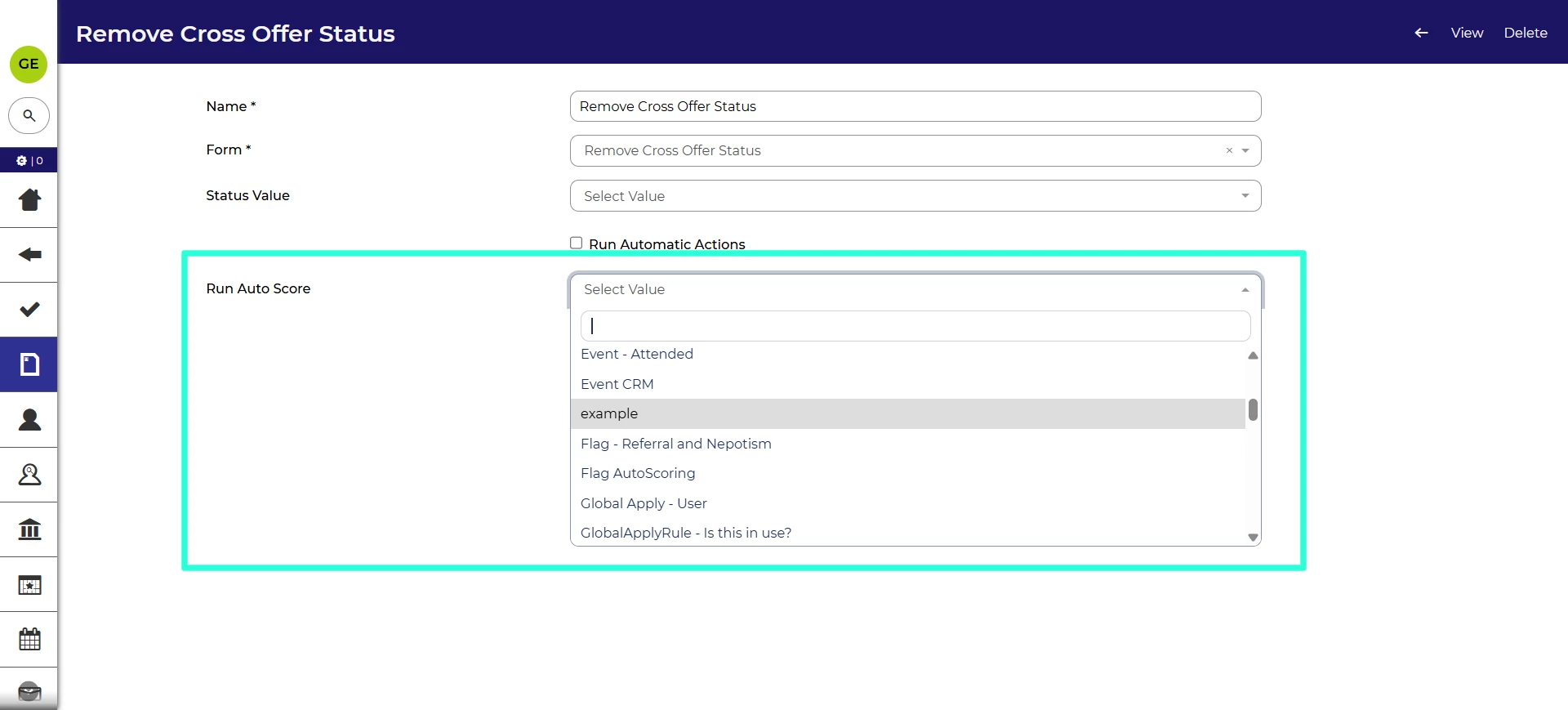
Trigger auto scores on bulk form submission 💡
We’ve also improved your options with submitting bulk forms. In this release, we’ve add the ability to trigger an auto score when running a bulk form submission. This opens the ability to set flags or update timestamps based on the submission.
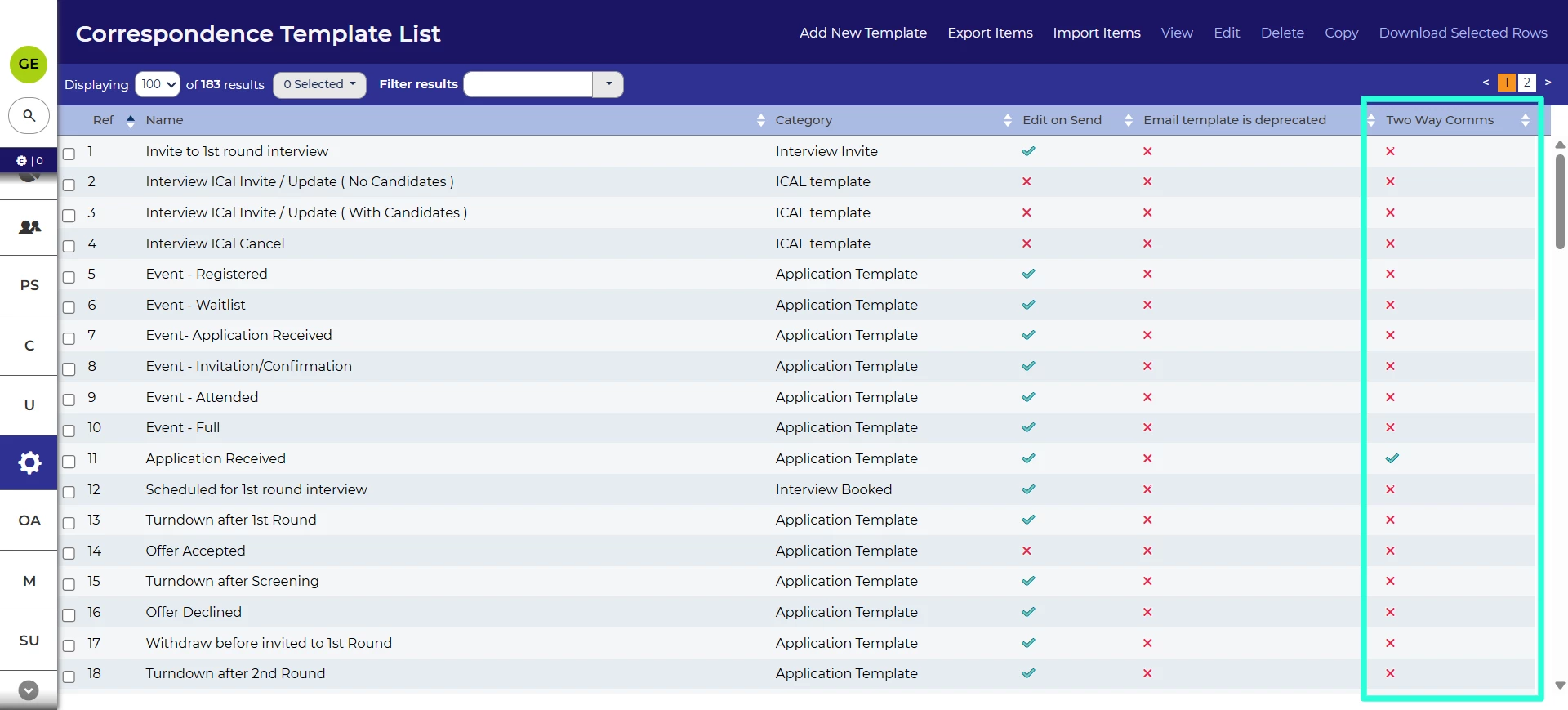
List of emails to show whether enabled for 2 Way Communication
Following the launch of 2 Way Communication, we’ve added a new field to the list of email templates. This shows whether the email has been enabled for 2 way communication. This provides an at-a-glance view of whether a candidate can reply to an email.
Accessibility improvements
We’ve made several changes to ensure the accessibility of our platform to all users.
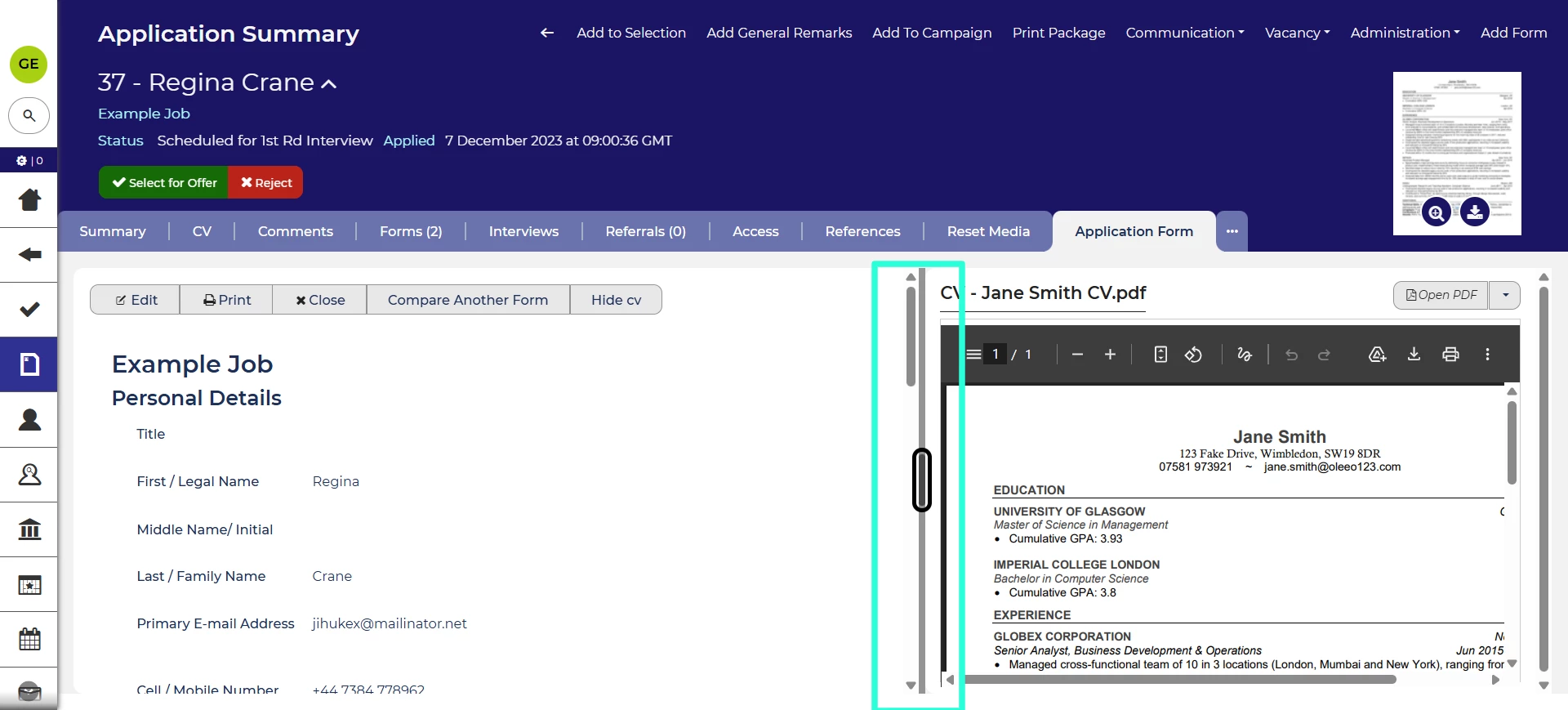
In the application summary, you can view two forms side by side or a CV/resume and a form. The dividing line between the two panels is now keyboard accessible so that users navigating by keyboard can adjust how wide each panel is.
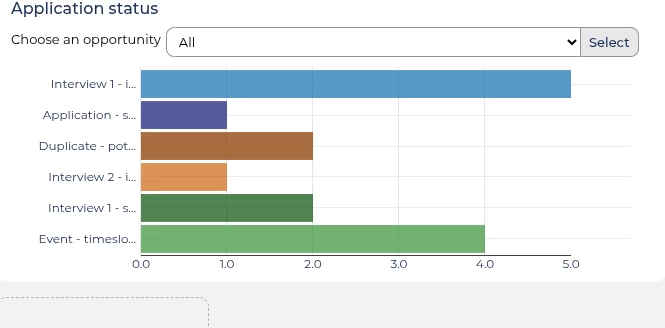
We’ve updated the colours used in our dashboard charts to ensure the contrast meets accessibility guidelines.
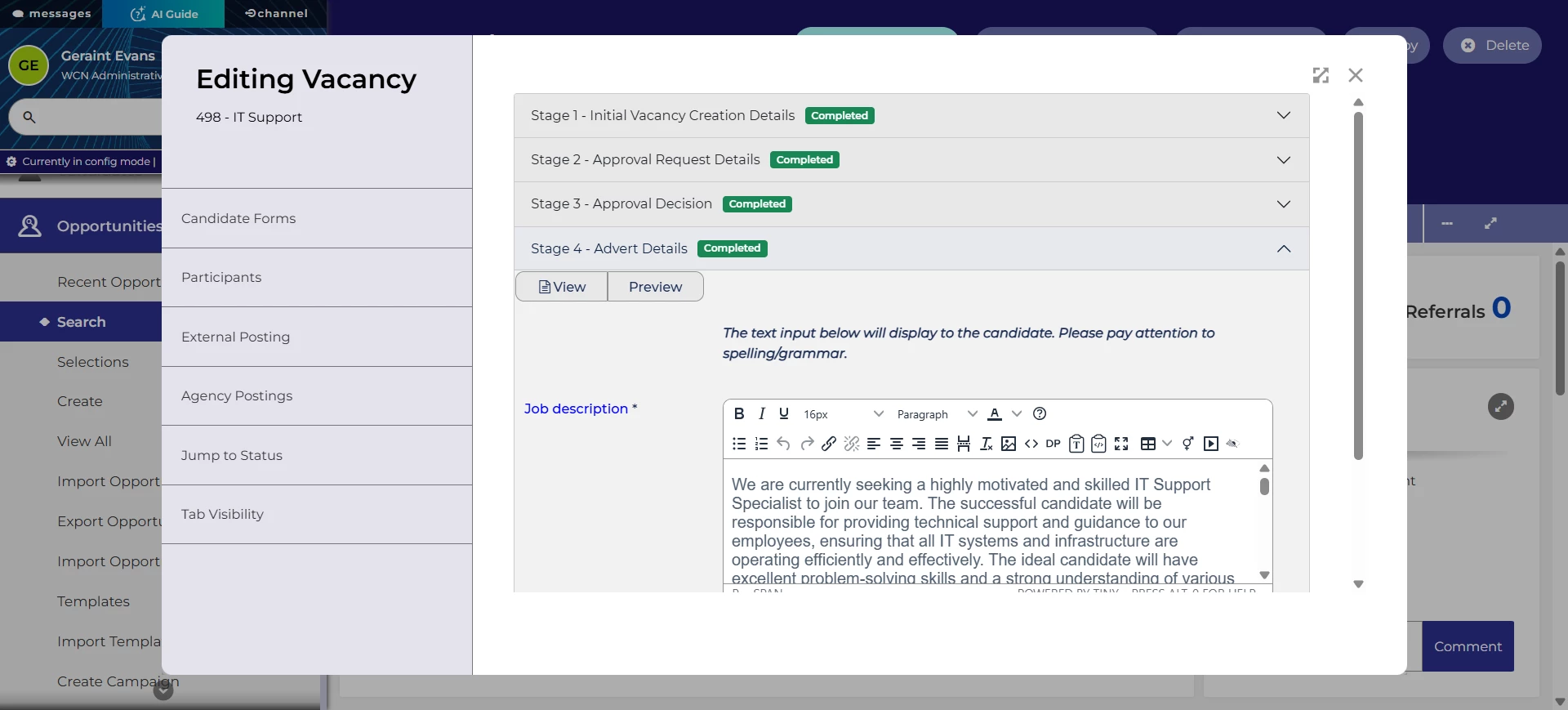
We’ve also changed how vacancy multi-forms are classified programmatically so the functionality is clearer to those using screen readers and navigating via keyboard.
These changes were released on 5th March 2026 in version 3.415
💡 The lightbulb icon indicates the feature was based on customer feedback
⚙️ The gear icon indicates a configurable change.
All new features and fixes will automatically appear in your system, unless they are marked as a configurable change. To have a configurable change applied to your system please speak to your Customer Success representative or email customersuccess@oleeo.com. You can also raise a Change Request case in the portal.

