




TIP TUESDAY! Time is in your hands with Time in Stage reporting

WHAT IS THE TIP?
💡 Have you ever wondering where all of your hours go? Is it the candidate, hiring manager, recruiter or inefficiencies in your process that eats up all of your time.
The Time in Stage reporting suite can help identify the areas of focus with actionable insights of where time is slipping away from you, by reporting how long your candidates are spending in each stage of your recruitment workflow.
📝Data used in this tip are taken from our Customer Success demo site, figures shown are not representative of actual recruitment timeframes.
Setup different status groups to tell a story
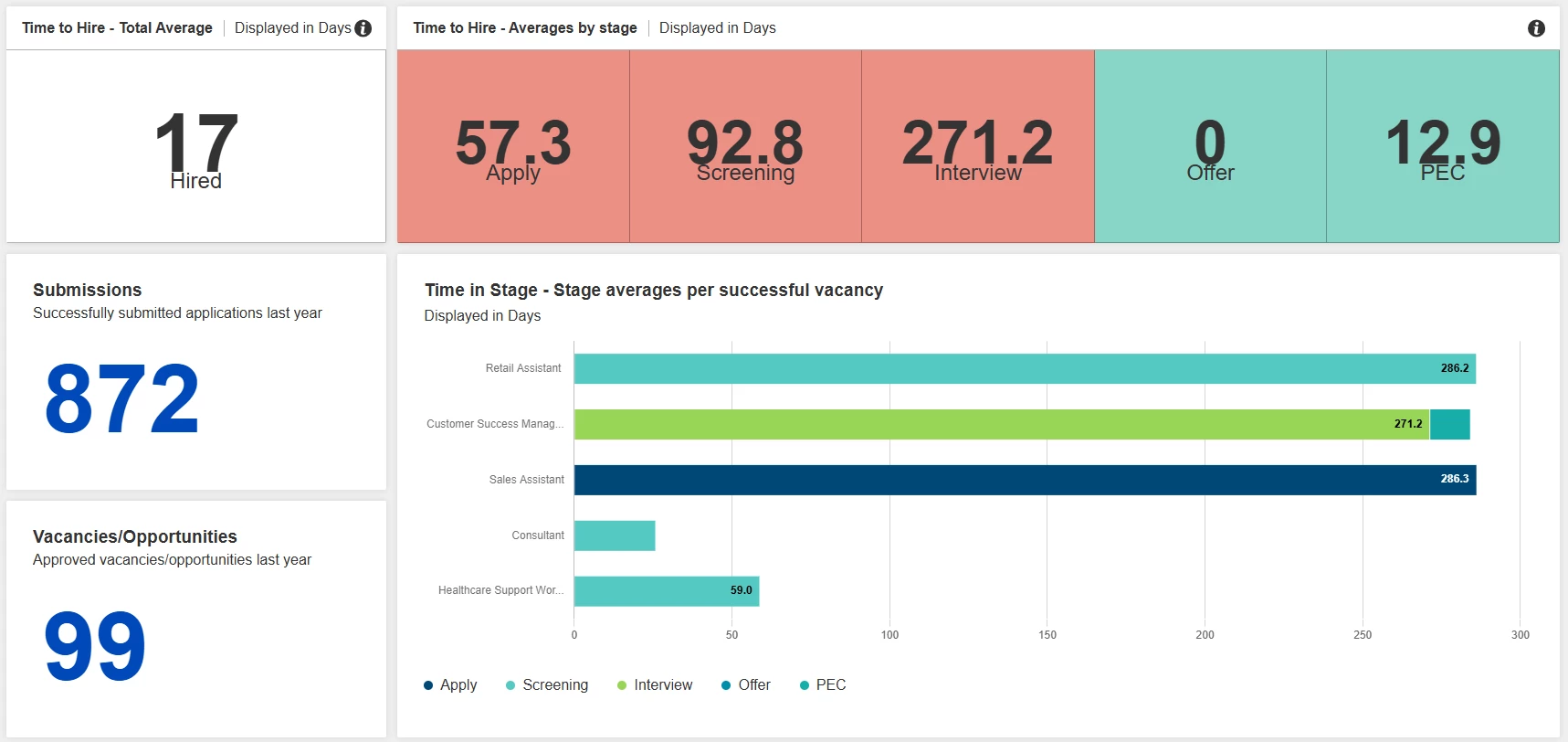
💡 Tell a story - What is your overall time to hire? How does that break down?.... set up a couple of different status groups to present different answers to your questions and display them together to tell your story
- Using a single status group with only the submission and hired statuses this can be used to display a rolled up total average of the Time to Hire figure.
- Paired with a status group that using the statuses for Apply, Screening, Interview, Offer and PEC you can start to see area of focus.
- Use all of the power house that is Report Hub to bring in different components to tell your story, clearly demonstrate the volumes your Time to Hire report is showing.
📌 Pro Tip: Use the Target SLA setting to include green/red colour indicators to show when it is achieved or breached.
🔧 Use case: I lead a recruitment team and I am hoping to build an executive summary of my organisation’s time to hire. I would like this to highlight the main stages of the recruitment process so that I can start to pinpoint potential areas for improvement. Once I have done this I will consider taking this one step further and using saved searches to create region/division/department level breakdowns.
Compare the candidate experience for successful vs unsuccessful hires
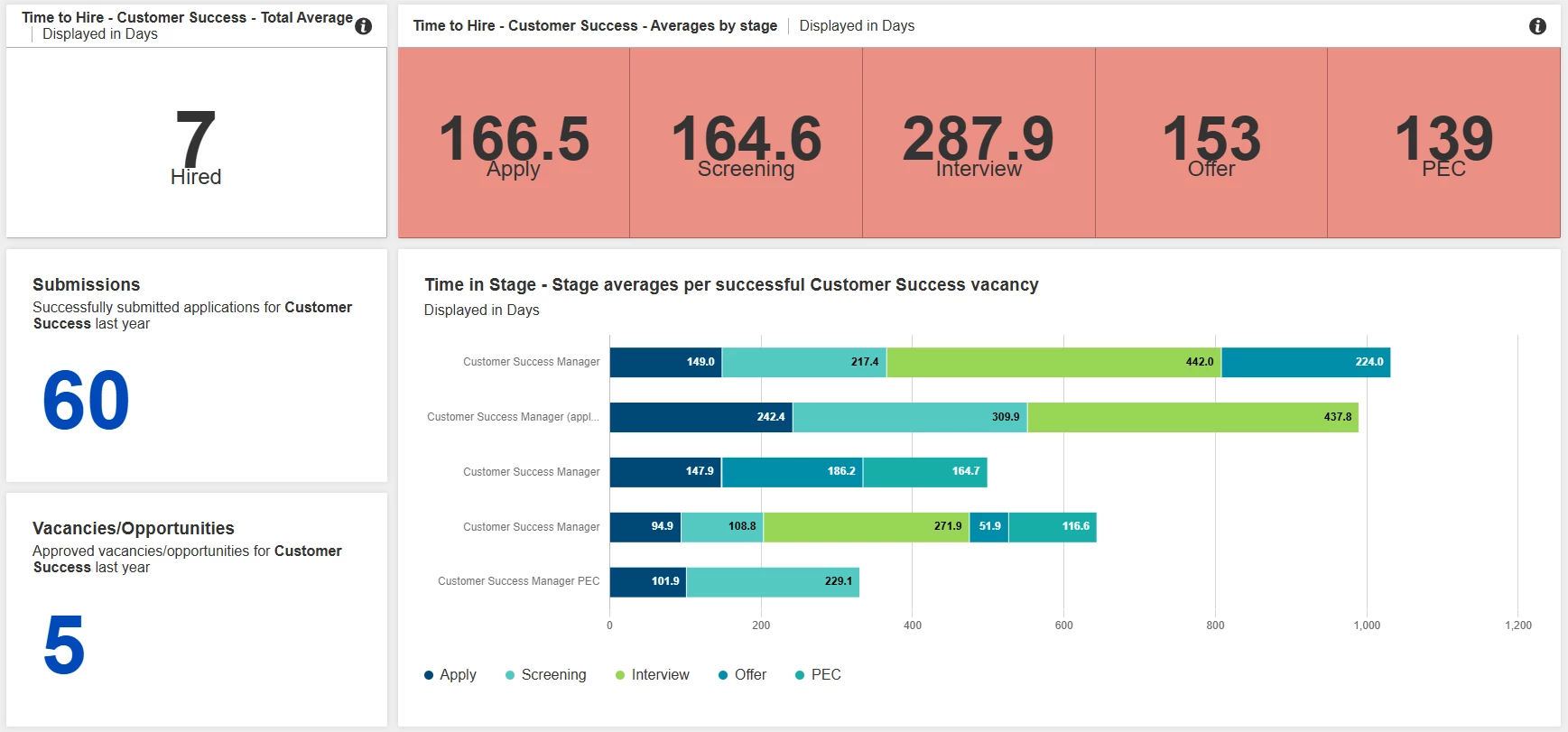
💡 While looking at the time it takes successful hires to reach the end of the recruitment journey, it is always great to review those who were not successful.
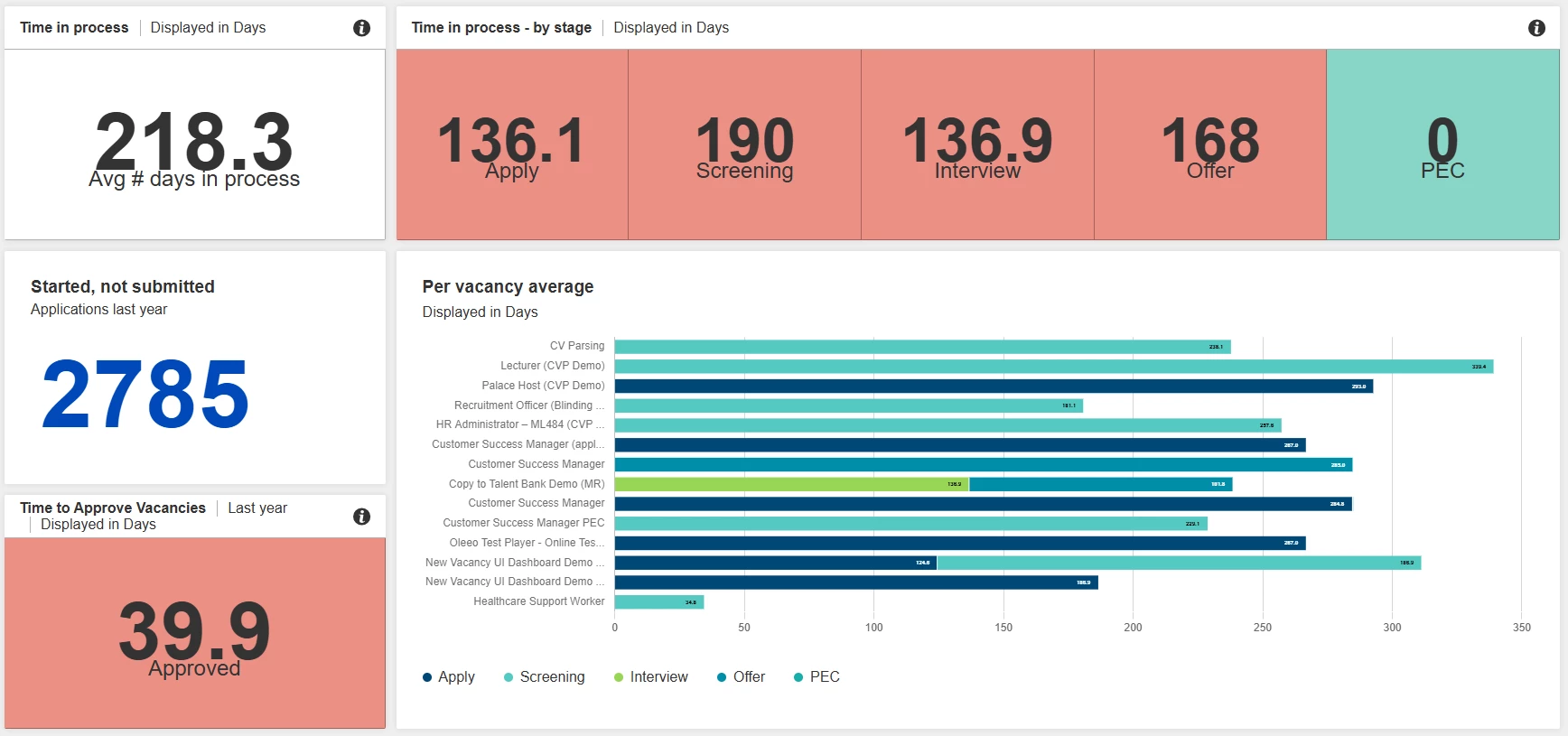
Breakdown down the process to fully understand how to convert unsubmitted applications into submissions, reducing withdrawals due to screening or interview feedback delays, all with a focus on the candidate’s experience.
📌 Pro Tip: Tracking time isn’t limited to the application process you can also find valuable insight from your vacancy/opportunity process, this helps you identify bottlenecks and improve efficiency.
🔧 Use case: I am a recruiting team manager and I would like to have a holistic view of the experience my candidates are having whilst in our process, to gain a better understanding of where I need to focus to improve candidate experience. I would like to use reports to monitor and potentially look to reduce the time it takes to: approve vacancies, process applications, shortlist candidates, schedule interviews, and provide feedback.
😊 Tell us your wins! We’d love to hear how you are using this feature.
Has the Time in Stage feature helped you identify areas that need to be improved, if so what plans do you have to address these?
Does anyone have an impressive Time to Hire they would like to share?
BENEFITS
- Without a base line of data, making any improvements on the recruitment process is wasted effort, measure, change and measure again.
- By building region/division/department level reports, you can start to hold the key stakeholders for those areas accountable for making improvements.
- This may uncover bottlenecks in your processes that could be quick wins by highlighting the time taken to complete activities
CONSIDERATIONS
- When trying to reduce the activity time in any area of the recruitment journey the impact will not immediately be seen. Making the report a scheduled daily/weekly/monthly report will help you track the impact of any changes you are making.
- Decide what you want as your key areas to focus on, build status groups and saved searches to support it, consultant your Customer Success Manager if you are unsure how to get started.
COSTS
This feature is part of the standard product offering.
NEXT STEPS
Speak to your Customer Success Manager if you would like to know more.

