




TIP TUESDAY! Striking Gold with Candidate Feedback!

WHAT IS THE TIP?
💡 Candidate feedback is your hidden treasure map in your quest for gold. Did you know that you can elevate your feedback strategy by improving on how you capture your candidate feedback in the system?
A great candidate experience creates brand ambassadors and has been shown to have a positive effect on all hiring metrics.
Maybe you are looking to improve your candidate experience and want to understand where in your process to focus your attention or perhaps you wish to report improvements after implementing a change. It could even be that you are wanting to understand why candidates are not sticking with you to the end, or are just looking to understand your candidate experience overall
If so, here are some things you can do with the configuration of the system to build your own treasure map.
How can I collect feedback?
💡 We have several options available to you to increase your candidate response rate:
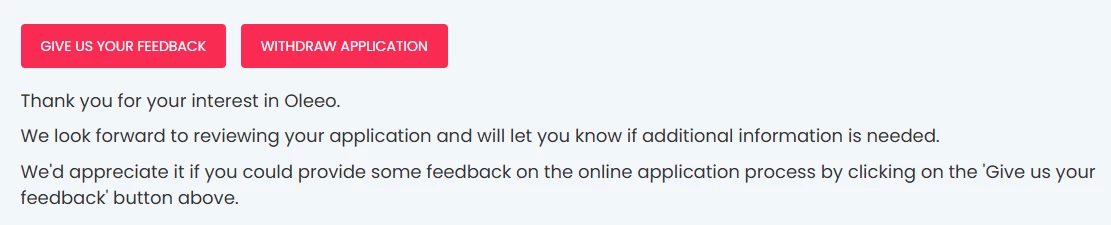
Feedback Button: Present the candidates with a simple call to action button, this opens up a form that they can complete.
Prompt Form: Automatically present a feedback form to candidates without them having to click a button; this will increase your response rate as it can appear to be part of your application process. Response rate has been seen to increase from 5% with a feedback button to 97% when using a prompt form.
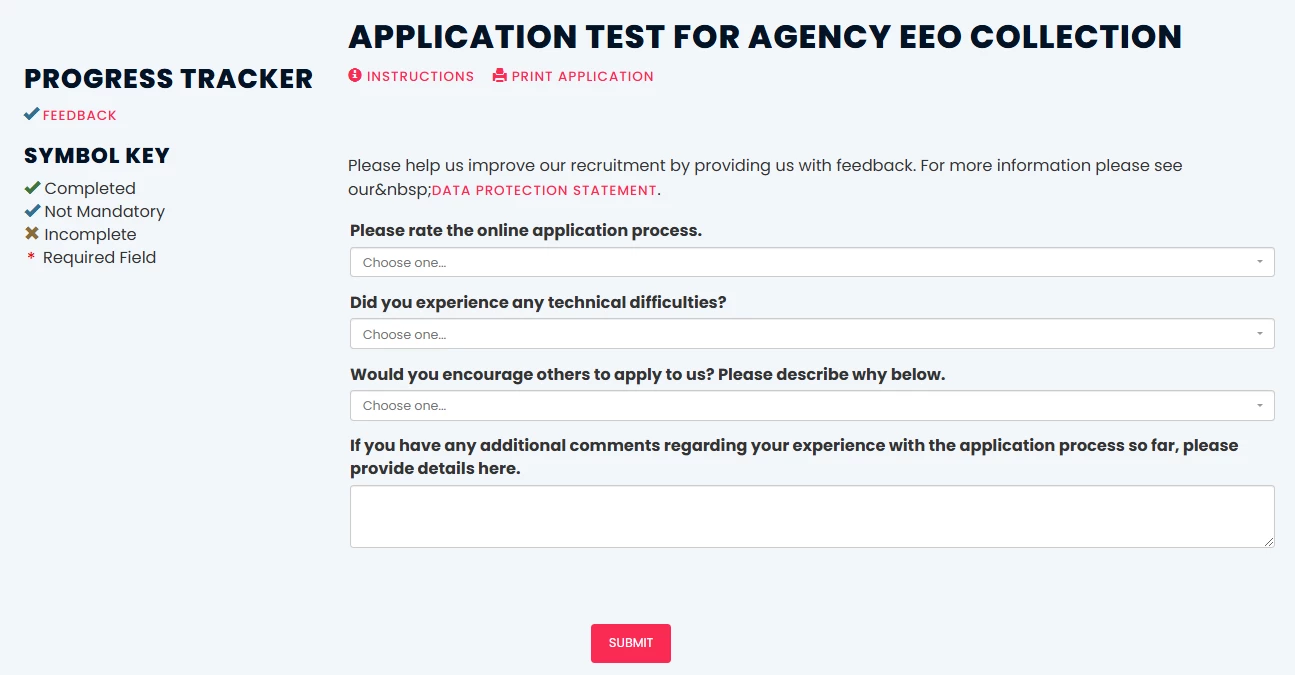
📌 Pro Tip: You can build in a timer so that if a candidate doesn’t complete the feedback after e.g: 15 minutes, the application automatically progresses to the submitted status, thus protecting the candidate experience.
Feedback Email: Send an email from the system to the candidate asking for their feedback on the process.
You can either:
- Use the email as a prompt to log into their candidate portal to complete the survey
- Include a link in the email to the form that you would like them to complete
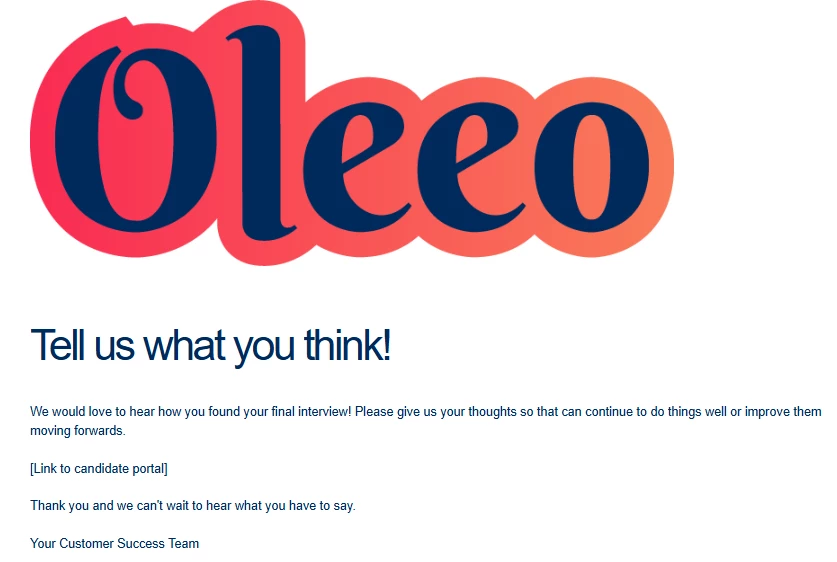
to the portal to complete their feedback
When can I ask for feedback?
💡 We have plenty of options for where you can ask for feedback!
At point of application submission: Most customers will ask candidates for their feedback after they submit their application to capture the application experience.
At any terminal or hired status: To get a full purview of how the candidate experience has gone, you can ask the candidate for feedback when they leave your process at any terminal point or when they are hired.
At any stage of the application process: You can ask your candidates for feedback at each stage of their recruitment process while they are still in flight to understand how they found that particular element of the process. For example after an online assessment, an interview, or some pre employment checks.
What can I ask?
💡 Tailor and target your feedback questions to find out what you want to know.
Standard questions at the point of application: Most customers will ask the candidates:
- To rate their application process
- Whether they had any technical issues
- Would they encourage others to apply?
Each will have a comments box for the candidate to elaborate on their response.
Tailored/targeted questions: You can create your own questions to support your individual use case.
Some examples may include:
- Communication - did they get all the information that they needed, when they needed it? You could ask this using the same question at each terminal and hired status to spot any themes or quick wins.
- Experience - how did they find your interview process or online assessments? You could have tailored questions to target that specific step of the process once they have completed that stage.
📌 Pro Tip: If you are asking the same questions at each stage, you can use the same feedback form every time. This is also better for reporting.
How can I report on it?
💡 Here comes the gold! Now that you have designed and collected your feedback, you need to analyse what it is telling you. We have some options for you to explore:
We recommend that you do this at a regular cadence throughout the year so as not to neglect the treasure therein!
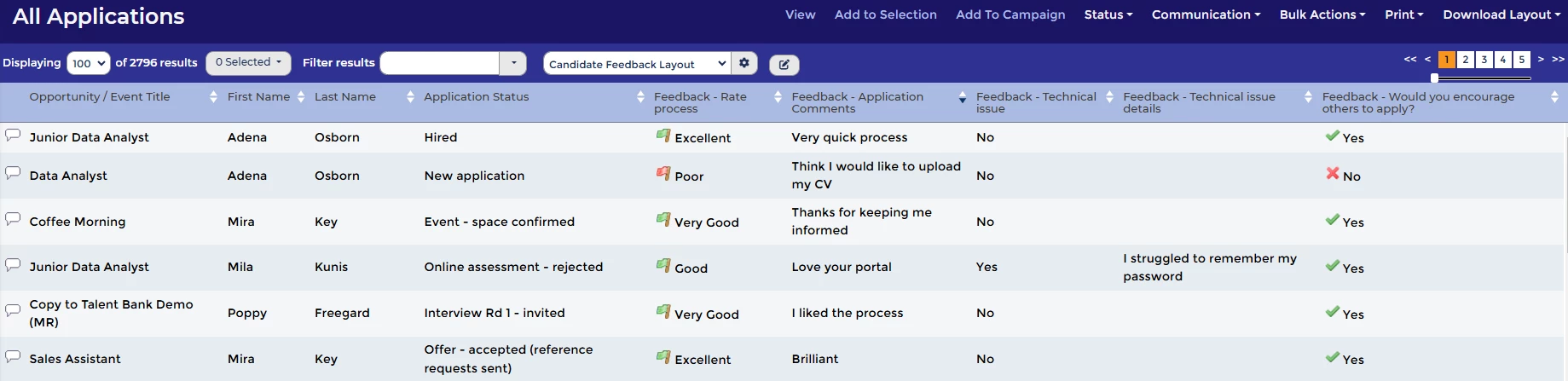
See all comments with a Feedback Table Layout: You can pull all your questions and comments into a table layout. Create a config table layout to make it available to everyone to select in their dropdown. You can then either review this in the system or export this to manipulate the data elsewhere.
Schedule an Oleeo Report: You can pull the ratings into an Oleeo Report Hub report, which you can then schedule to send to your chosen recipients at a specific cadence. This will give you a high level view, which you can then click into to reveal the further detail behind.
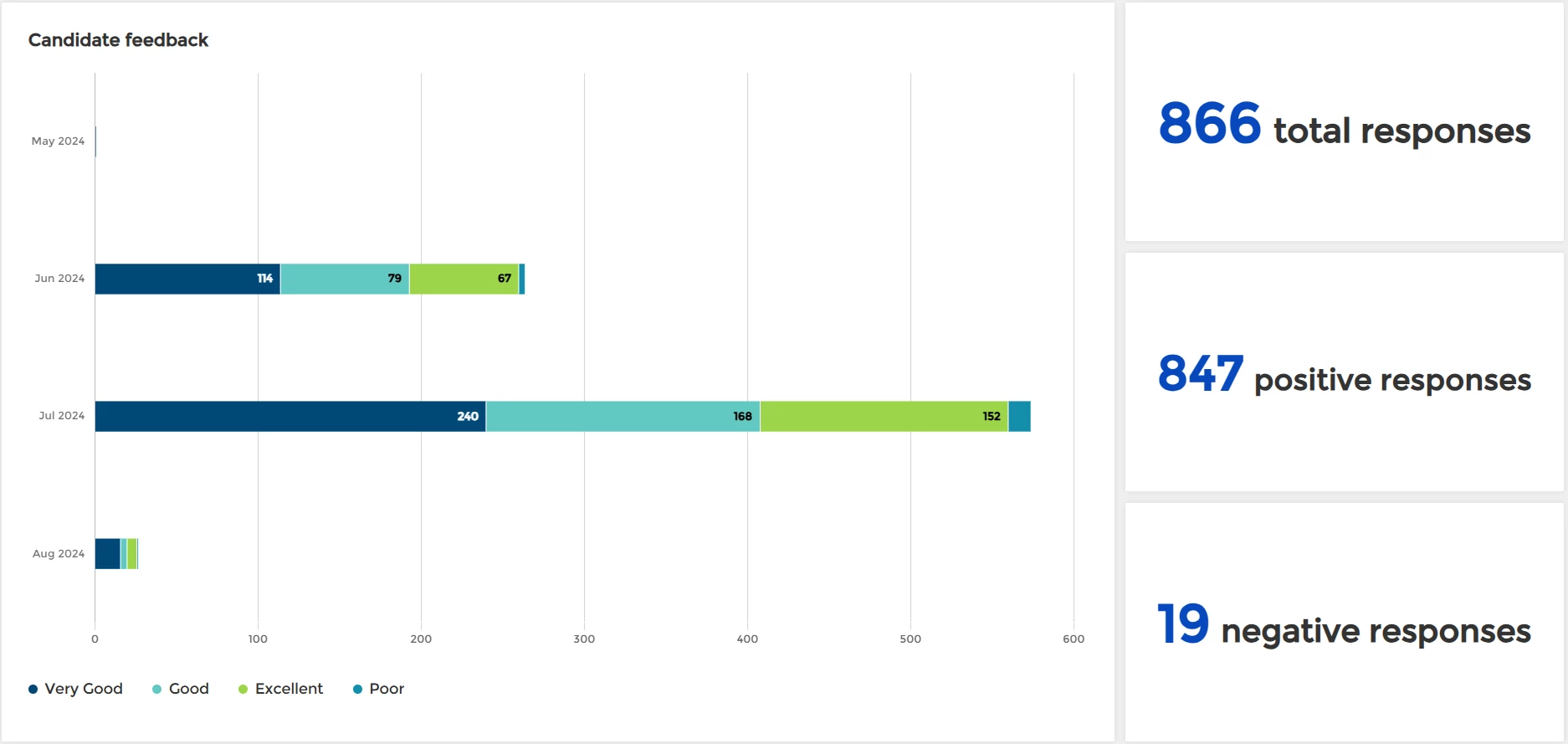
❗ Note: Free text fields cannot be pulled into a Report Hub report.
Make responses available using a Dashboard Widget: Have your feedback constantly available with a dashboard widget, where recruiters can track what candidates are saying in real time.
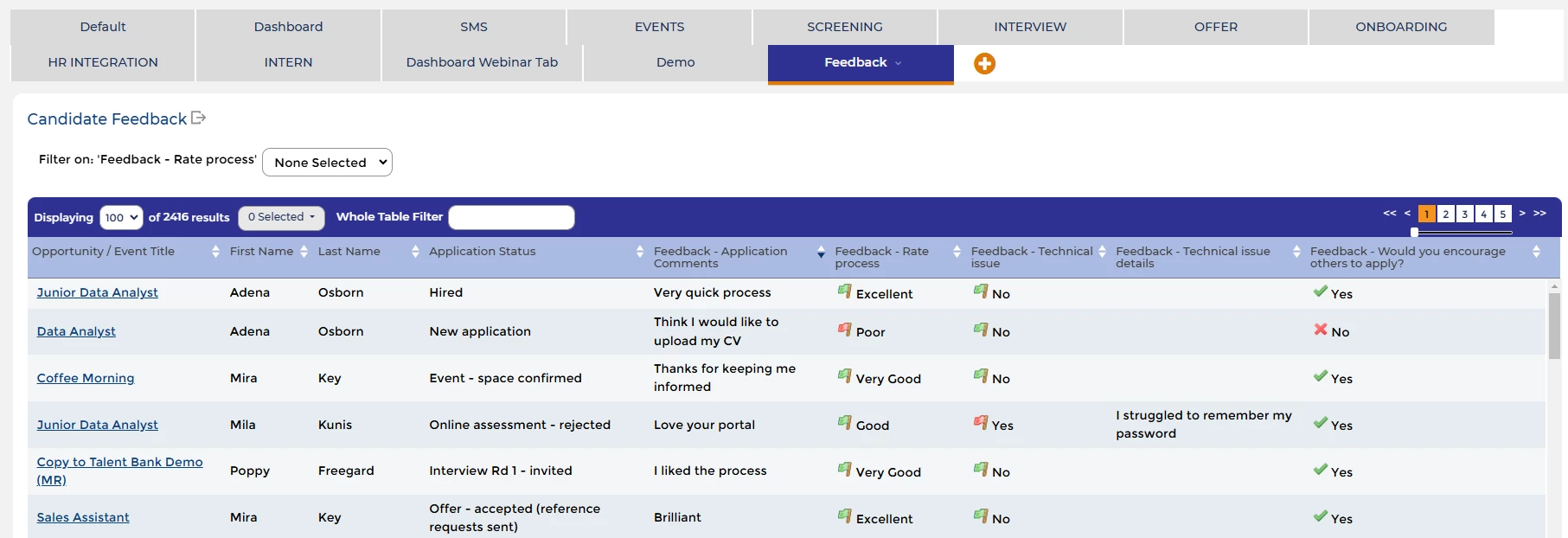
📌 Pro Tip: Make your reporting more powerful! Instead of having one withdrawn status that all candidates feed into, we would recommend that you create specific withdrawn statuses that correlate to the multiple terminal stages for the process. For example: Interview withdrawn, PEC withdrawn, Offer withdrawn. This will enable you to report on both the stage and the feedback together.
😊 What questions are you asking your candidates? Have you elevated your candidate feedback strategy? What golden nuggets have you found in there and what improvements have you made as a result. Let us know how you are looking for that treasure!
BENEFITS
- Understanding the candidate experience will enable you to better engage with your candidates and improve your hiring process for them.
- A great candidate experience will only positively impact your hiring metrics - from increasing engagement and preventing drop out to better candidate attraction and improving your fill rates.
- Find some really quick wins!
CONSIDERATIONS
- Level 3 configuration knowledge will be required to make any process driven changes in the system. For example :triggering feedback at certain statuses.
- You may want to consider making your feedback forms dynamic so that you are only gathering information from certain candidates. For example: NOT for internal applicants or redeployees.
COSTS
- This feature is part of the standard product offering however if you need Oleeo to make some of the system changes then there will be configuration costs to factor in.
NEXT STEPS
- Speak to your Oleeo configurator to discuss the changes you would like to make. They can reach out to the Oleeo Delivery Team via a Change Request case if they need support from Oleeo to make these changes. For more information or advice, speak to your Customer Success Manager.
ADDITIONAL INFORMATION:
Check out this related article:
Check out these discussions and tips from our customers on our Community Forum:

