




TIP TUESDAY: Stay Alert - Mastering System Notifications

WHAT IS THE TIP?
💡 Stay alert and in the know - Set up tailored personal alerts in addition to automatic process emails to keep up to date with what is important to you.
Every system is set up to send emails at certain trigger points within the process, however there can be times when you would like to be informed outside of that process. You can easily control this yourself by setting up some alerts in the system.
Saved Search Alerts
💡 Create a personal alert from a saved search and you will be notified by email whenever your criteria is met, allowing you to take prompt action.
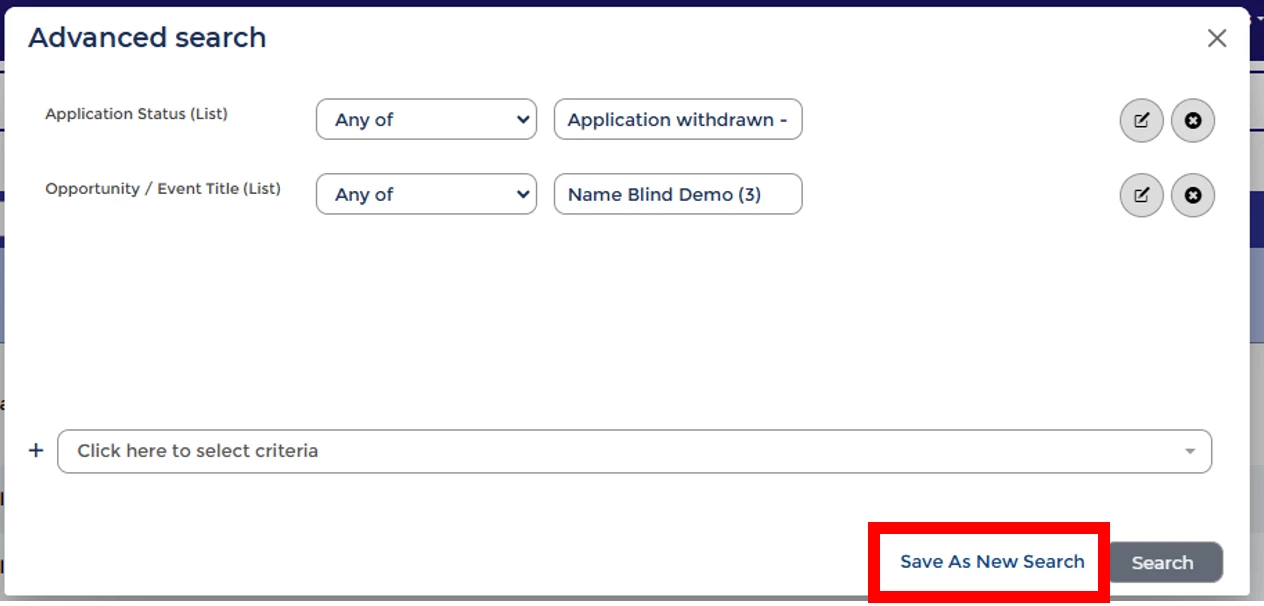
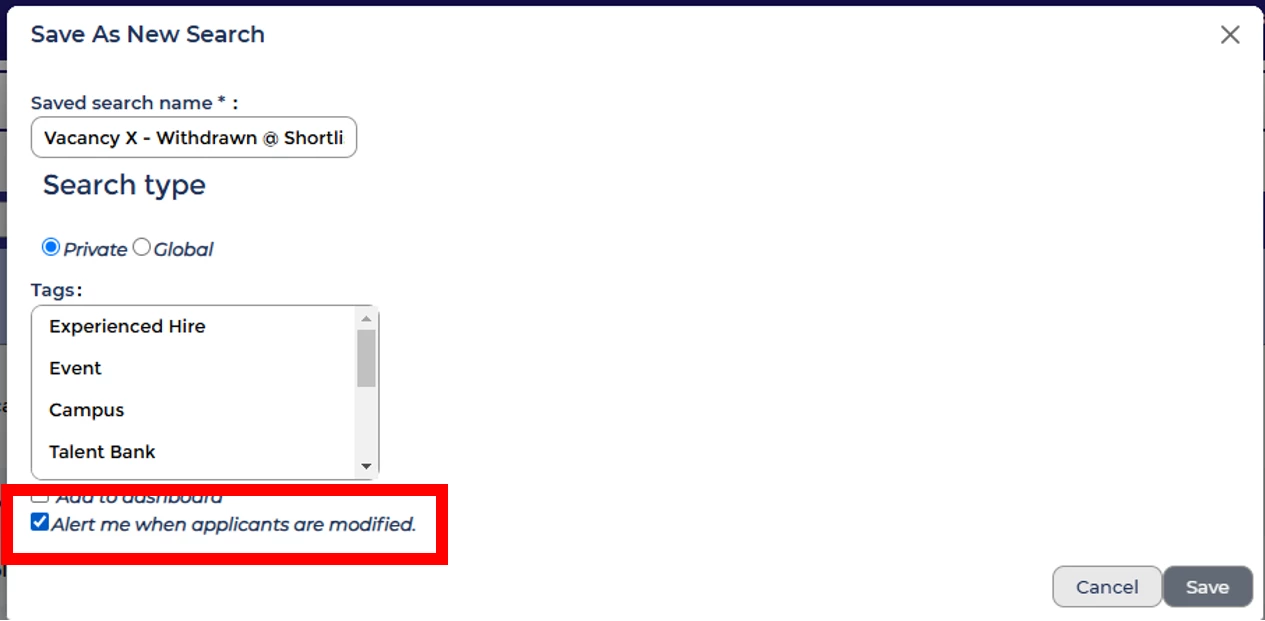
This is very useful for recruiters who would like to keep a close eye on specific scenarios relating to their vacancies / applicants or be prompted to take action should a scenario arise.
🔧 Use cases: Use cases could be around the management of a candidate through the process, ensuring bespoke handling of certain scenarios or even as a housekeeping exercise. For example, get an alert email when:
- A candidate applies that needs disability-related adjustments.
- A candidate applies to a hard-to-fill position that receives a very low volume of applications.
- A candidate applying is a referral.
- A candidate withdraws from a specific vacancy.
- A candidate has remained in a status for longer than X days, perhaps as part of your onboarding process
❗️ Please Note:
- The saved search needs to be a private search for the alert to work.
- The email alert will only include a list of all applications that meet the Saved Search criteria after the alert is set up.
- The notification email is sent to the person who set up the alert.
- Alerts cannot be added to Global Saved Searches.
Candidate Alerts
💡 Spot a particular candidate’s application by setting up a bespoke personal candidate alert. The system will send you an email notification when a specific candidate applies.
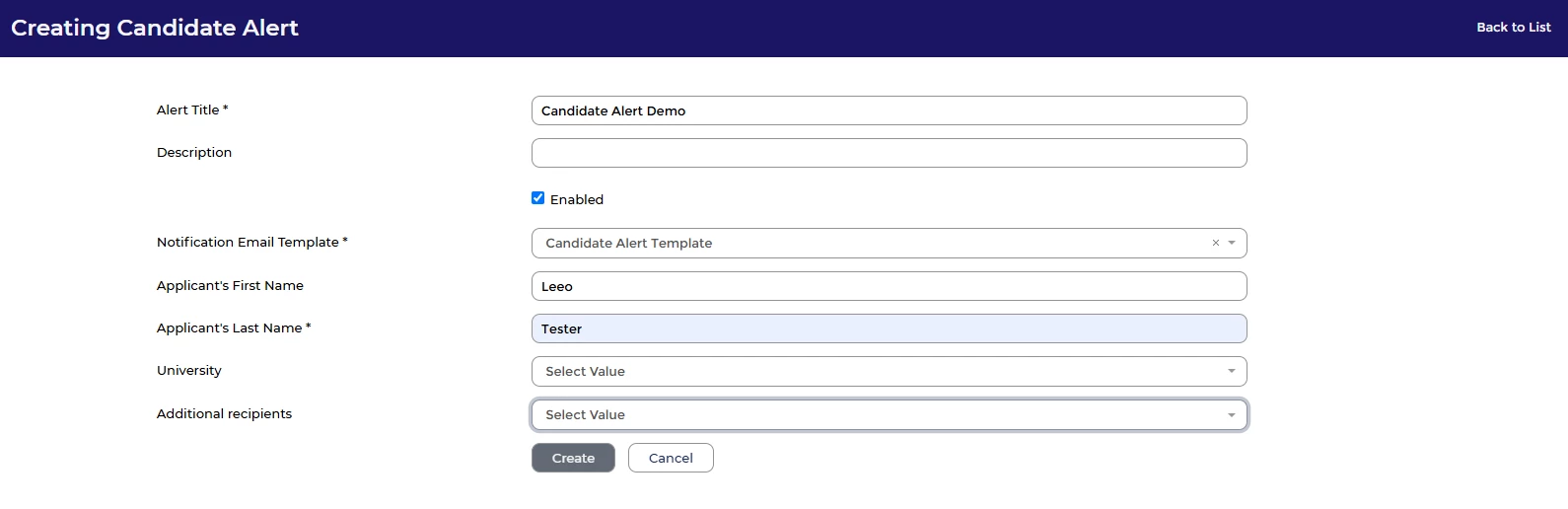
🔧 Use cases: This can be particularly useful if you need to keep an eye out for someone, for example:
- A high-potential candidate that you met at an event.
- A candidate encouraged to apply by you or a colleague.
- A candidate on an exclusion list.
Job Alerts
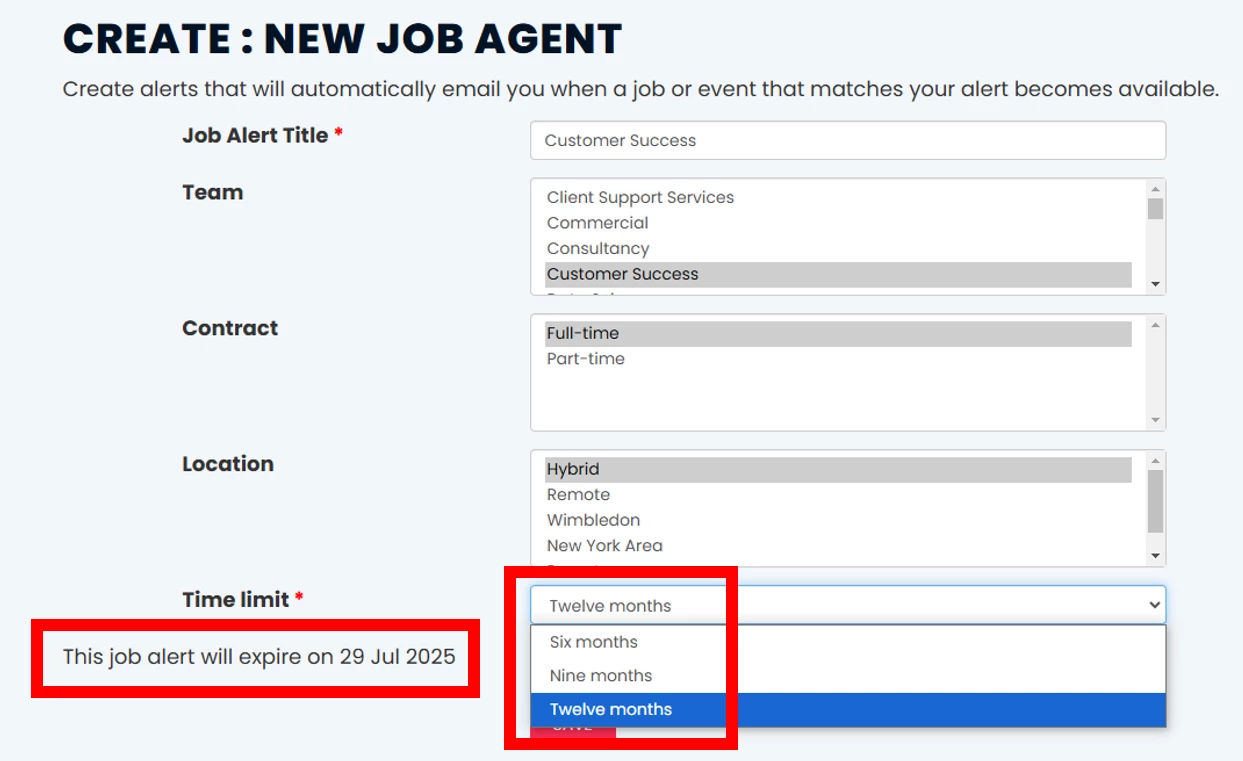
💡 Not just for candidates! If you want to be kept up to date with available roles within your organisation, you can create an account and set up a personal job alert(s) to notify you when something is posted.
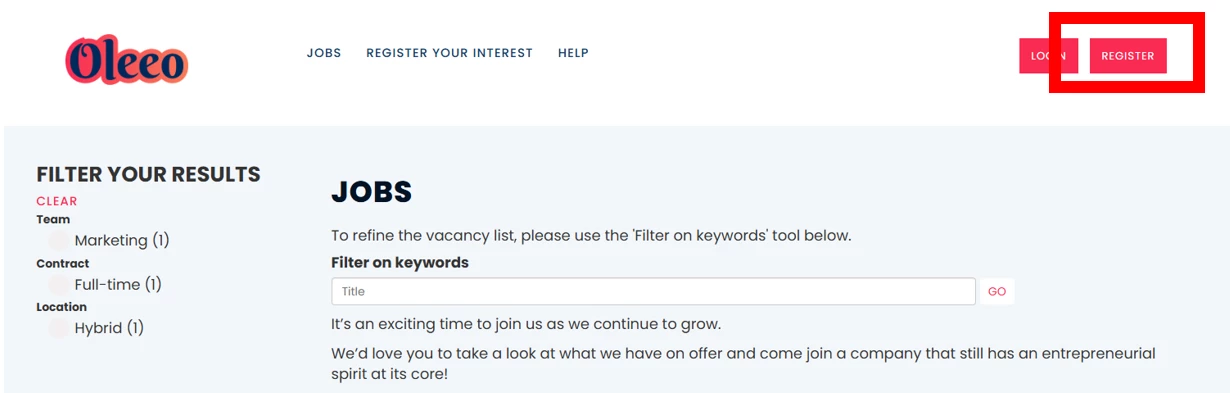
🔧 Use case: You may be interested in progressing your career and have your eye on a career path or you may just want to be kept up to date with what is happening in your organisation.
📌 Pro Tip: Job alerts can now be set to expire giving you more control. The expiry date will dynamically update according to the ‘Time Limit’ you select and you will see the expiry date when you select your alert timeframe.
Process Emails (Configuration Required)
💡 Adapt your process to trigger notifications! If you feel that some of your personal alerts could benefit your colleagues or if it just makes sense to trigger an email as part of your recruitment process flow, you can ask your configurators or Oleeo to adapt your process to include automatic email notifications.
The moment an application or vacancy moves to a status, you can set up a rule within your process flow to send an email out automatically using a specified email template.
🔧 Use case: You may wish for:
- Your recruitment team to be notified once a vacancy has been approved/rejected,
- The interview panel and the recruiter to be notified if a candidate withdraws from an interview slot
- The line manager and recruiter to be notified if a candidate formally accepts their offer.
- IT teams and internal teams to be notified about a new hire - triggering the process for getting everything set up for your new starter.
The opportunities here are vast.
❗️ Please Note:
- Configuration level 3 would be required for this level of change.
- There will be a cost if you need assistance from Oleeo to complete the change.
- Dashboards are encouraged where possible to prevent email fatigue, particularly into team mailboxes.
😊 Have you set up any creative alerts in your system and how have they helped you to stay in the know? Share your experiences with the community!
BENEFITS
- Instantly and automatically be informed of any updates relating to your candidates or their applications
- Stay in the know with a particular campaign or vacancy without having to trawl through data
CONSIDERATIONS
- The system checks alerts every 15 minutes and so there could be a delay of up to 15 minutes between the alert being triggered and the email being sent from the system.
- An alert will not trigger for existing vacancies, candidates or applications already in the system before the alert was created, but will trigger when any NEW vacancies, candidates or applications meet the criteria once set up.
- Some personal alert use cases may be worthwhile introducing into your process flow so speak to your Oleeo Configurators about your requirements for the alert.
- Clear out your personal alerts once they are no longer relevant to prevent alert fatigue.
COSTS
This feature is part of the standard product offering but some additional configuration of your system may be required in some instances.
NEXT STEPS
Reach out to your Oleeo configurators, raise a case with our Support Team or speak to your Customer Success Manager.
ADDITIONAL INFORMATION:
Check out this previous TIP TUESDAY about saved searches:
Check out these useful user guides for how to set up alerts in the system:

