




TIP TUESDAY! Save Time with Vacancy Templates

WHAT IS THE TIP?
💡 Are you tired of re-typing the same job details or fixing errors when creating new vacancies? Vacancy templates let you pre-build the essentials – from job descriptions and salary bands to process flows and participants, so every opportunity starts off right. Whether it’s a high-volume role with repeatable details or a specialist vacancy that needs a different workflow, templates save time, reduce admin, and keep your processes consistent.
Create templates for different roles
💡 If you have information that rarely changes – such as department, salary, or a standard job description – you can pre-write this into a template. When a recruiter creates a vacancy using the template, those details are auto-populated, saving time and reducing mistakes.
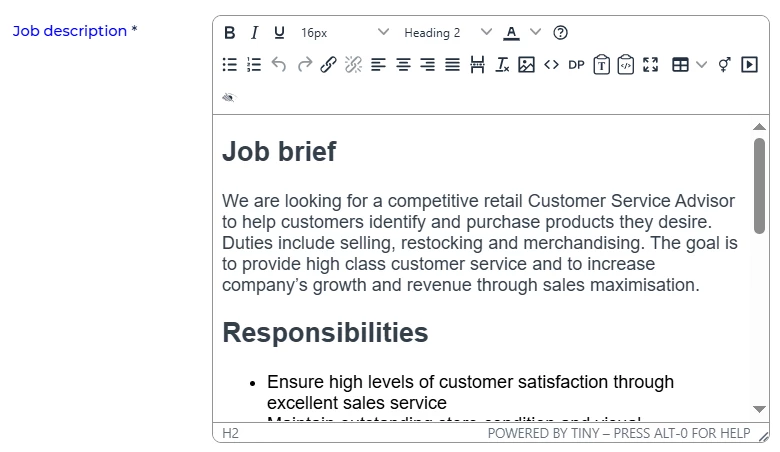
🔧 Use case: I regularly hire Customer Service Advisors with the same pay band and job description. By creating a template with this information already in place, I can launch a new vacancy in minutes without re-typing the same details every time.
Assign the right process flow upfront
💡 Every vacancy defaults to the system’s standard process flow – but different roles may require different workflows. Normally you’d need to edit the vacancy settings after creation but by assigning the correct process flow within a template, you remove this step and reduce the risk of errors.
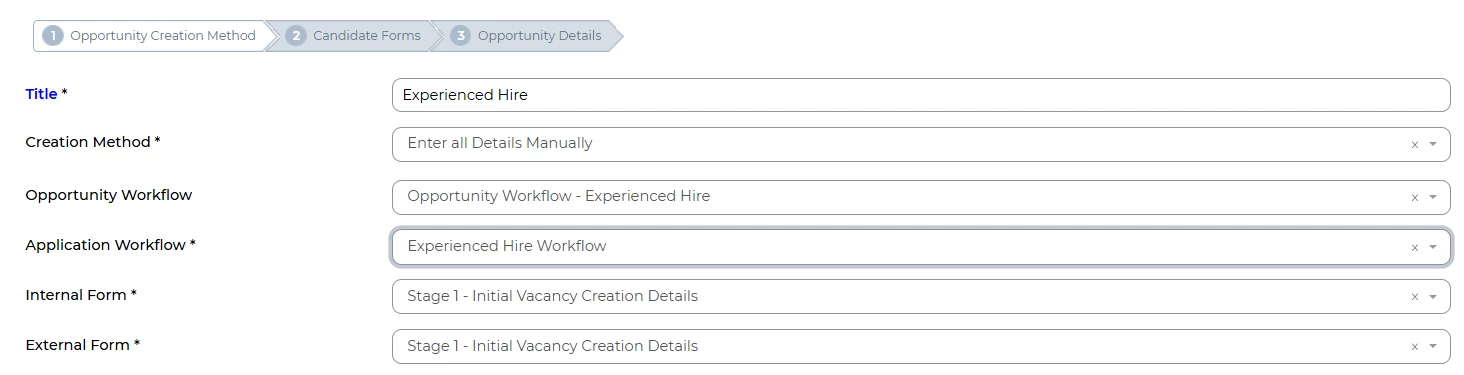
🔧 Use case: My system automatically defaults to assigning a Lateral Hire process flow. In this instance, I want to create an Experienced Hire Opportunity for which I have a template. This now automatically applies the correct process flow, saving me time and removing the possibility of my forgetting to do this. Without this, if I forget to switch manually, candidates might apply against the wrong process – which can’t be changed once applications are live.
Swap in different forms when needed
💡 Sometimes a role needs a slightly different application form, but not often enough to justify a separate process flow. If the form exists in the system, you can select it while building the template. The process flow will still run as normal, but with the updated form included.
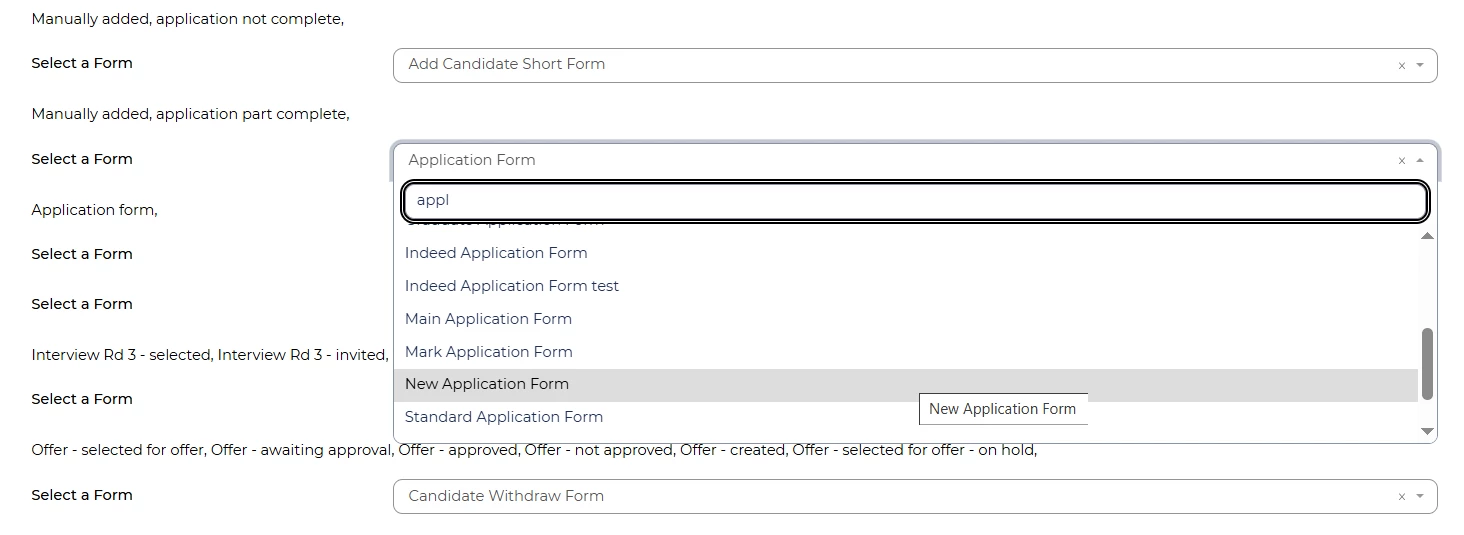
🔧 Use case: For certain senior roles, I need candidates to complete a more condensed form, with some additional specific questions. Rather than overcomplicating my standard application form, I created a separate one just for these cases. By swapping it into the template, I get the right form when I need it, without having to create a new process flow.
Pre-assign participants to opportunities
💡 If the same interviewers or hiring managers are always involved in certain types of roles, add them directly into the template. Each time you create a vacancy from that template, the participants are automatically carried over.
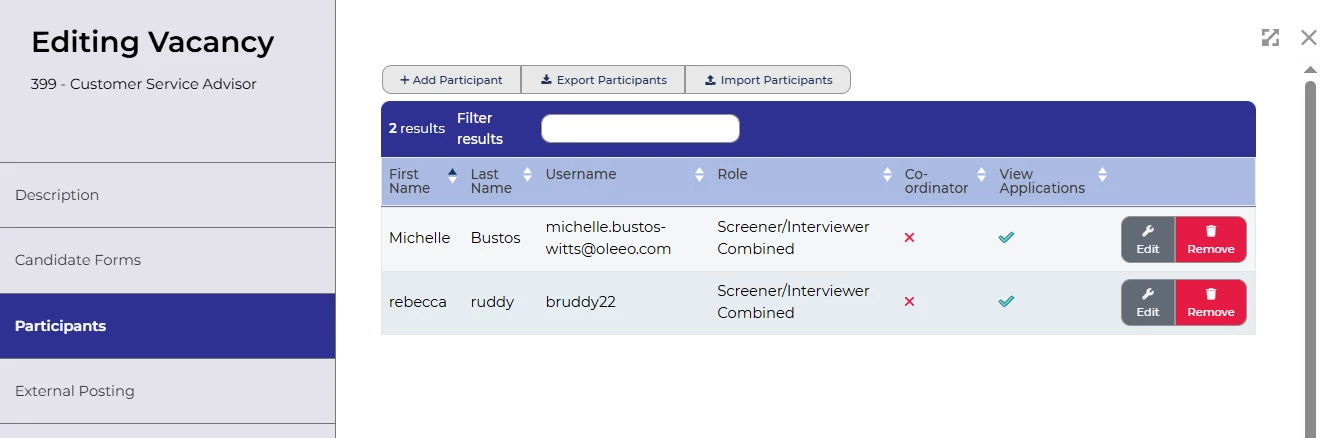
🔧 Use case: Every Finance Manager vacancy must involve the Head of Finance and HR Business Partner as participants. These have now been added into my Finance Manager template, so they’re automatically included when I create my new vacancy. This saves time and ensures I don’t forget, which could otherwise stall the process when their approvals are required.
Lock vacancy creation to templates only
💡 Did you know you can configure your system so that new vacancies can only be created from templates? This removes the option for users to create an opportunity freehand, ensuring every vacancy follows a consistent structure and process and ensures our reporting stays consistent across hundreds of vacancies.
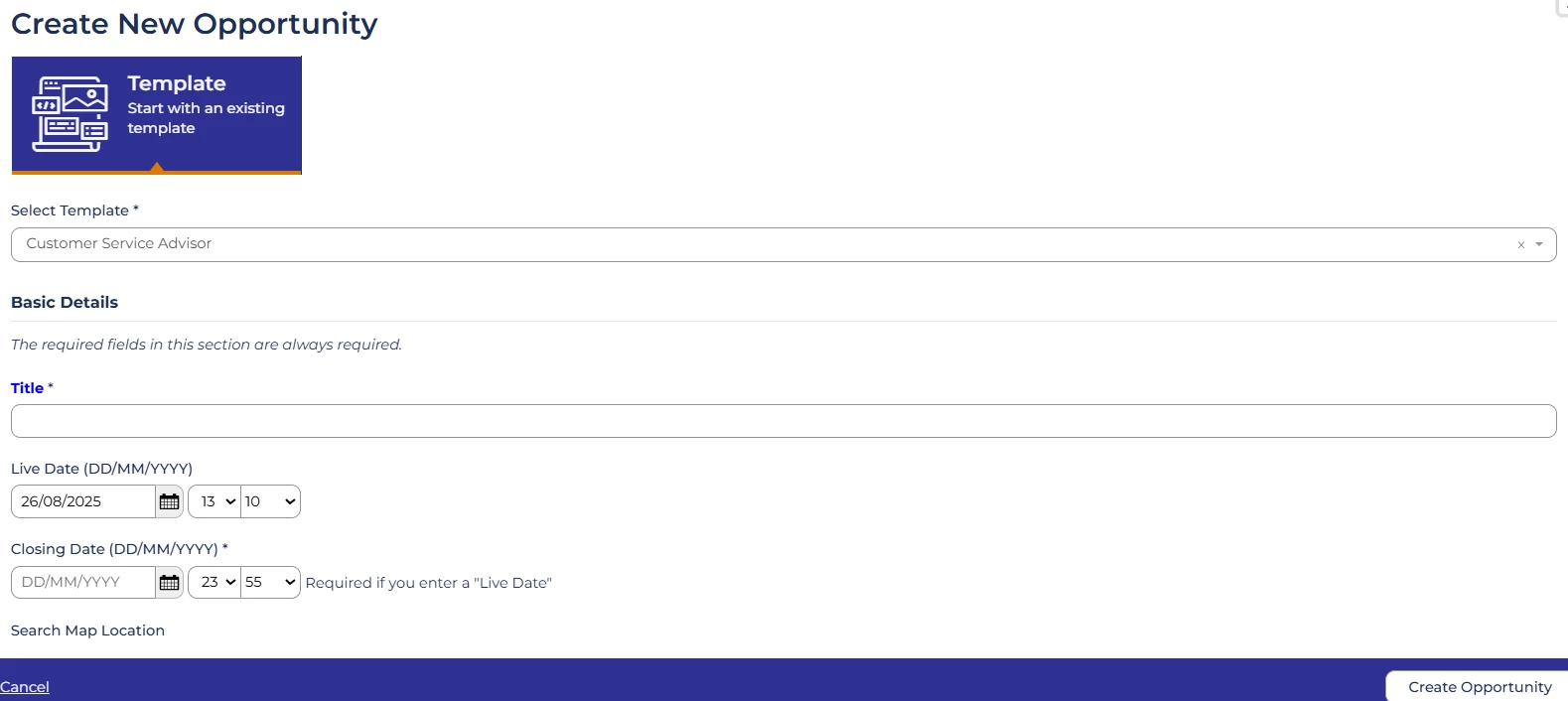
🔧 Use case: In my organisation, we manage very high volumes of Police Officer recruitment. By restricting vacancy creation to templates, we know every single vacancy has been set up correctly - and as efficiently as possible.
📌 Pro Tip: Mandating templates avoids the common workaround of “copying an old vacancy”, which can introduce errors if the previous role had settings or descriptions that were later changed but never reviewed. Templates are a safer, cleaner way to start fresh every time while keeping consistency.
Control who sees which templates
💡 You can apply access control to your vacancy templates, so users only see the ones relevant to their role. This keeps things clear and reduces the chance of someone accidentally using the wrong template.
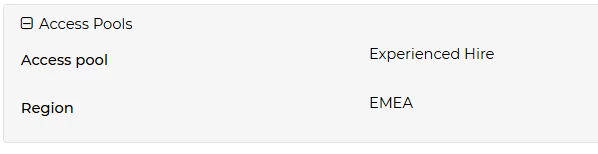
🔧 Use case: My organisation has different hiring teams for Experienced Hire and Lateral roles. By restricting access, the Experienced Hire profile only sees the Experienced Hire templates, while the Lateral profile only sees theirs. This avoids confusion and keeps the process streamlined for each team.
😊 Do you already use vacancy templates in a clever way? Share your examples in the comments – your ideas could save someone else hours of setup time!
BENEFITS
-
Saves recruiters time on repetitive data entry
-
Reduces admin errors by pre-setting information and flows
-
Ensures the correct process flow is applied from the start
-
Allows flexibility for ad hoc forms or requirements
-
Simplifies participant management for recurring roles
-
Keeps vacancy creation consistent across the team
-
Templates are created directly in the live environment, so there’s no need to push changes before using them
CONSIDERATIONS
-
Process flows cannot be changed once candidates apply to a vacancy – getting this right upfront is crucial
-
Make sure any information included in templates (e.g. job descriptions, salaries) is kept up to date to avoid outdated details being copied across
-
Avoid creating vacancies by copying old ones – this can bring forward outdated settings or content that may no longer be correct. Templates are the safer option, as they’re designed to hold only the information you actually want to repeat.
COSTS
-
This feature is part of the standard product offering.
NEXT STEPS
-
Speak to your Customer Success Manager if you’d like support creating vacancy templates
-
Explore Opportunities > Templates to start building your own
ADDITIONAL INFORMATION:

