




TIP TUESDAY! One Email Box, Multiple Tests: Testing simplified!

WHAT IS THE TIP?
💡 Did you know that the ‘+’ symbol could open up your email address to a world of possibilities? That’s right, adding ‘+’ and some additional text between your email prefix and the ‘@’ symbol will create a ‘new email’ as far as our system is concerned, but all emails will be directed to your actual inbox!
Create a Proxy Email Address for Testing
💡 Proxy email address? What is that and what use is it to me?
Some changes on your system will call for multiple scenarios to be tested, which can often mean you need to create multiple candidate registrations to test your changes out.
Setting up a new email address each time is not sustainable, but with this tip you don’t have to!
Instead try adding a ‘+’ and then some text after your email prefix and before the ‘@’ symbol to create a proxy email address. The system will consider this to be a new email address, however it will behave as if it is your main email address for all correspondence.
This will allow you to use your main email address for multiple testing scenarios!
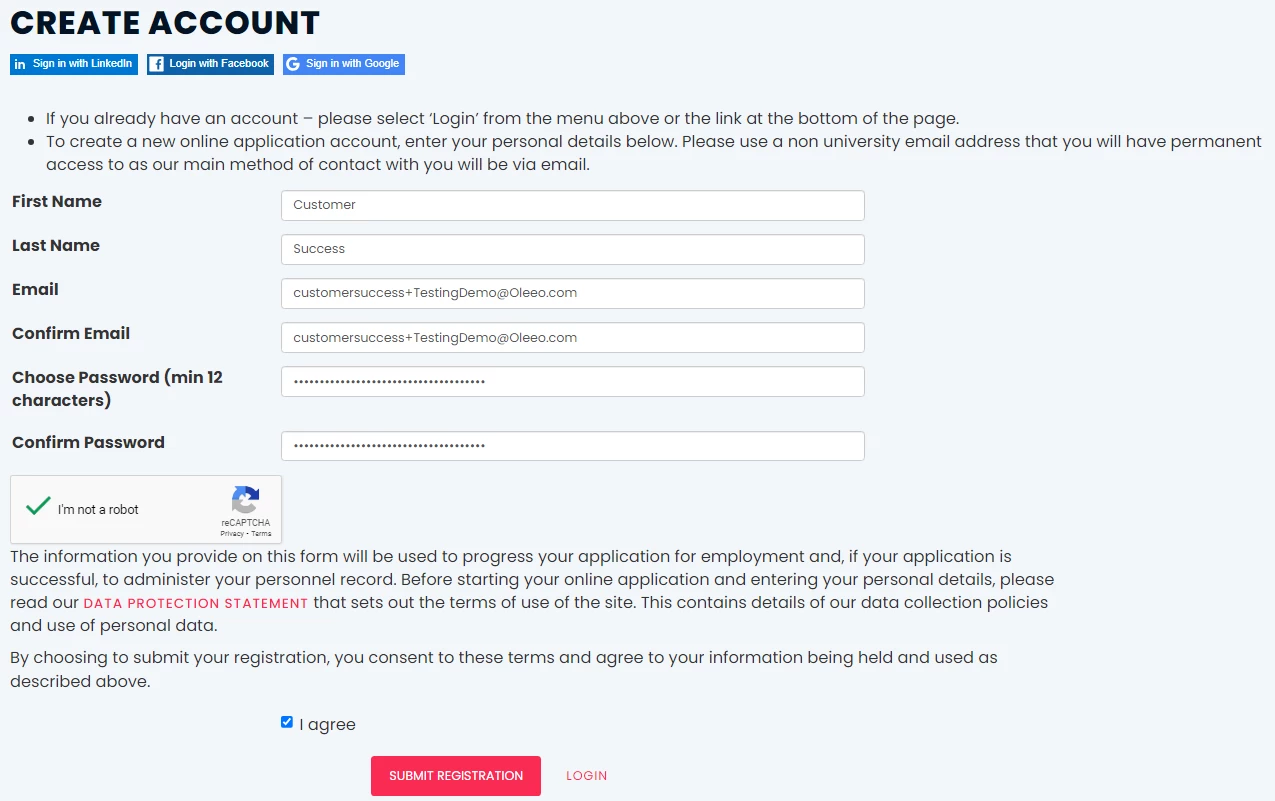
🔧 Use case: I have made a change in the system which affects the candidate experience and I would like to test this from the candidate’s perspective. I need to test multiple scenarios and a new candidate is needed for each scenario. For example: I have updated all my candidate email correspondence and added some new emails into the recruitment process.
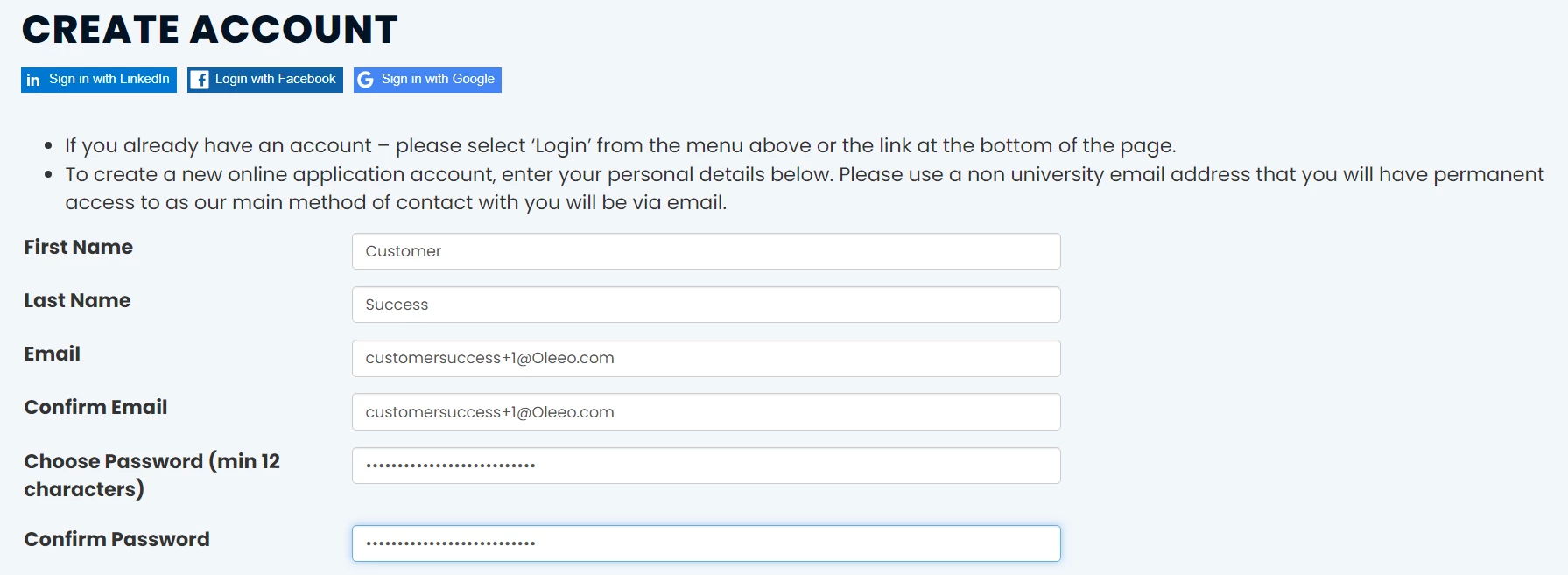
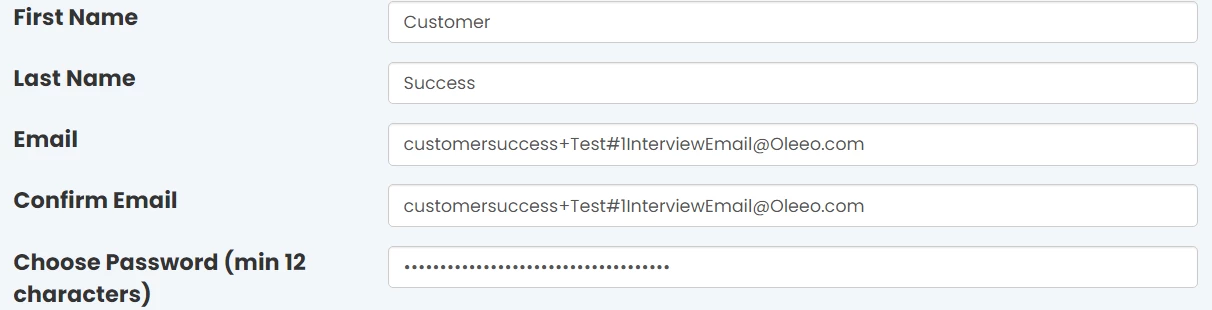
📌 Pro Tip #1: For more in depth testing, make the additional text that you add after the ‘+’ relevant to the test that you are conducting, so that you can track back what you were testing and link up any feedback you may have with that specific scenario.
📌 Pro Tip #2: When testing the candidate experience, use the log in as candidate function to see what the candidate sees on their portal at that point of their recruitment journey.
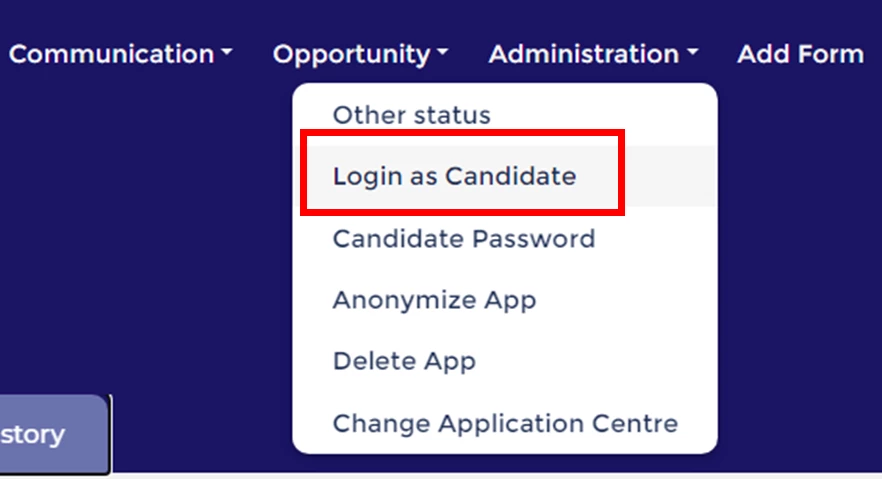
Administration > Login as Candidate
📌 Pro Tip #3: You can add another layer to this and use email rules to organise your proxy email address traffic. Elevate your email admin and broaden your horizons by using the same tip for your personal email admin too!
BONUS TESTING TIPS!
💡 List all open locks on one self config push request - this will save you raising multiple cases!
💡 Copy the name of your system lock into your self config push request - this will speed things up for the QC team.
💡 Plan to pull a specification once your system is pushed - you will have a backup for any future changes
💡 Ask a colleague to check your work for you - we all struggle to check our own work!
💡 Capture screenshots, timestamps, ID numbers etc. while testing - include these in any feedback you have collated and pass this back to your system configurator or the Oleeo team to help them understand your findings.
😊 Does anyone else have some neat testing top tips to add to this thread? We’d love to hear from you!
BENEFITS
- Test the true candidate experience without creating a new email account every time
- Makes doing multiple testing scenarios easier
- A good naming convention will allow you to link which correspondence is received in which scenario
CONSIDERATIONS
Your IT set up may prevent this from being done and so please seek advice from your IT team if this is not working for you.
NEXT STEPS
Speak to our Support Team, your Implementation Consultant or your Customer Success Manager for even more testing advice
ADDITIONAL INFORMATION:
Check out our ‘Learn the Art of Testing’ webinar to hear more best practice advice from our QC team when it comes to testing changes on your system!

