




TIP TUESDAY! One Campaign, One View of Your Hiring Targets

WHAT IS THE TIP?
💡 Managing large recruitment programmes often means hiring across dozens (or even hundreds!) of vacancies. Rather than tracking progress in spreadsheets, Campaign Hiring Targets allow you to monitor hiring activity in one place and understand exactly how close you are to achieving your recruitment goals.
The best part? There are two ways to use it, depending on how you recruit.
Campaign Hiring Targets allow you to:
- Set an overall hiring target for a campaign.
- Automatically total hiring targets set across multiple child vacancies.
- Monitor progress towards an overall recruitment goal.
- View positions filled and outstanding across an entire campaign.
- Drill into individual vacancies when more detail is needed.
Gain a High-Level View Without Losing Detail
💡 Campaigns provide a useful single source of truth for large recruitment programmes, giving you visibility of positions available, filled and outstanding across an entire hiring initiative. Rather than maintaining separate trackers or manually collating data from multiple vacancies, you can monitor progress at campaign level and, when needed, drill into individual vacancies for a more detailed view of performance and hiring activity.
🔧 Use case: I'm leading an APAC graduate recruitment campaign with vacancies across Singapore, Hong Kong, Sydney and Tokyo. Rather than opening multiple vacancies to understand our progress, I can see our campaign performance at a glance while still being able to investigate individual locations if needed.
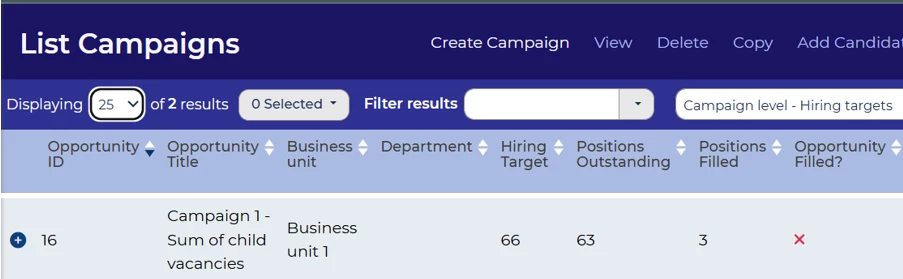
Track Targets Set on Individual Vacancies
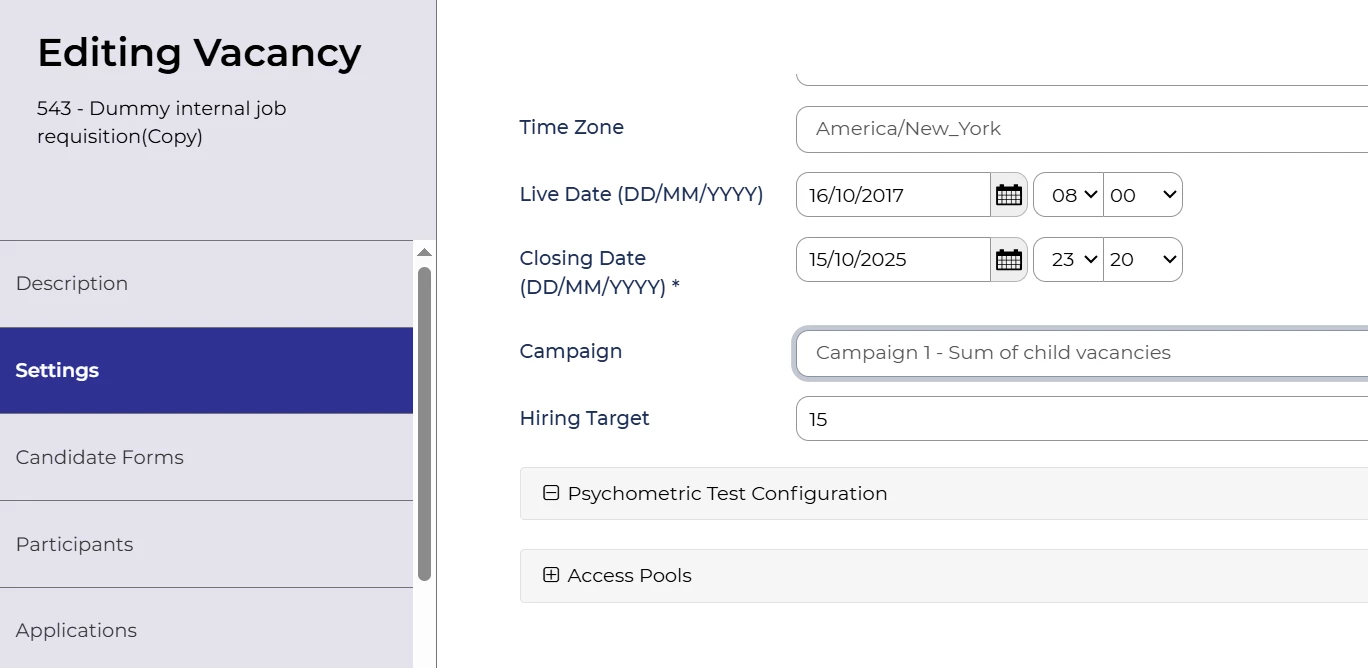
💡 If you know exactly how many hires are required within each vacancy, you can set hiring targets on the child vacancies and allow the campaign to automatically total them up into a single view.
This approach works particularly well when individual business areas have specific headcount requirements that need to be monitored separately.
🔧 Use case: I'm a Recruitment Coordinator setting up our Summer Internship Programme across the USA. I know that each location has its own vacancy and hiring target:
- 25 interns in New York
- 20 interns in Chicago
- 15 interns in Atlanta
- 40 interns across our West Coast offices
By grouping these vacancies into a campaign, I can see that the system has automatically calculated that I need to hire 100 interns overall, and I no longer have to track the individual vacancies as I can see the below information very easily:
- Positions filled to date
- Outstanding positions remaining
- Whether the campaign is on track overall
- Progress against each individual location's target
However, I can also drill into each vacancy to understand which locations need additional support.
Set a Hiring Target at Campaign Level
💡 Sometimes you don't mind where the hires come from, you simply need to achieve an overall recruitment goal.
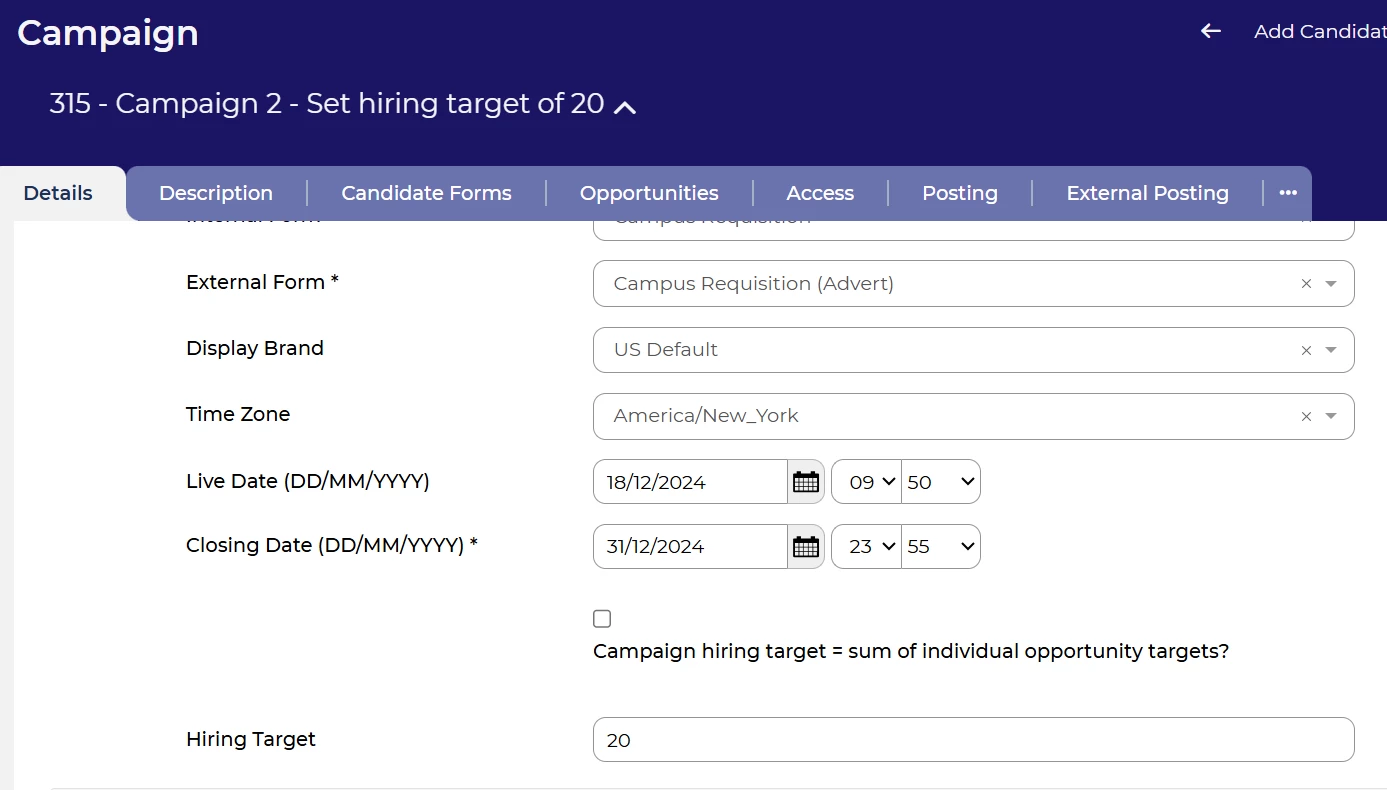
In this scenario, you can set a hiring target directly against the campaign.
This is ideal for:
- Graduate programmes
- High-volume recruitment
- Regional hiring initiatives
- Police officer recruitment campaigns where intake numbers may move between locations.
🔧 Use case: I'm a Recruitment Coordinator responsible for our USA Summer Internship Programme.
I need to hire 100 interns across the USA, but the exact split between locations is likely to change as hiring demand evolves.
I create a campaign with a target of 100 hires and link all internship vacancies to it.
As offers are accepted, the campaign automatically tracks:
- Hires achieved
- Positions remaining
- Overall progress towards the target
I don't need to update targets on individual vacancies every time requirements change.
😊 Give It a Try! If you're currently tracking campaign progress in spreadsheets or manually adding together vacancy targets, it might be time to let Campaign Hiring Targets do the hard work for you.
BENEFITS
- Track hiring progress across multiple vacancies in a single view.
- Understand positions filled and outstanding at campaign level.
- Reduce manual reporting and spreadsheet administration.
- Easily manage large-scale or regional recruitment initiatives.
- Support both flexible campaign-level targets and detailed vacancy-level targets that automatically roll up into a single view.
CONSIDERATIONS
Campaign setup: To make campaign tracking as simple as possible, consider creating a short campaign form that captures only the information required for reporting and management. You will not need the full vacancy form as vacancy information will be captured in the individual requisitions.
Configuration: You may need to review your table layouts and configuration to ensure hiring targets and campaign progress are visible to the right users. Oleeo will need to enable the Campaign Hiring Targets functionality before it can be used.
Permissions: Consider who should be able to create, amend or manage hiring targets. Restricting access to a small group of administrators or recruitment leads can help maintain accurate reporting.
Choosing the right approach: Before setting up your campaign, decide whether you want to manage a single hiring target for the campaign or automatically total the targets from individual child vacancies, as this may influence how you structure your campaigns, vacancies and reporting.
COSTS
Configuration costs for initial set up based on time and materials.
NEXT STEPS
- Speak to your Customer Success Manager if you'd like to explore how Campaign Hiring Targets could support your recruitment processes.
- Raise a case with our Delivery Team if you'd like assistance configuring your campaigns.