




TIP TUESDAY! Make your Talent Engagement Adverts 'Sticky'

WHAT IS THE TIP?
💡 Keep your carefully curated content pinned to your candidate’s page as they scroll!
‘Sticky’ Talent Engagement Adverts
💡 If you use our Talent Engagement functionality, you can easily update your branding files (or ask us to do it for you!) to ensure your key sidebar adverts and call-to-actions don't disappear when candidates scroll down a long page on a computer browser.
🔧 Use case: We often have a long list of vacancies but want our job board visitors to engage with the video message from our CEO, so having it visible as much as possible will help with engagement.
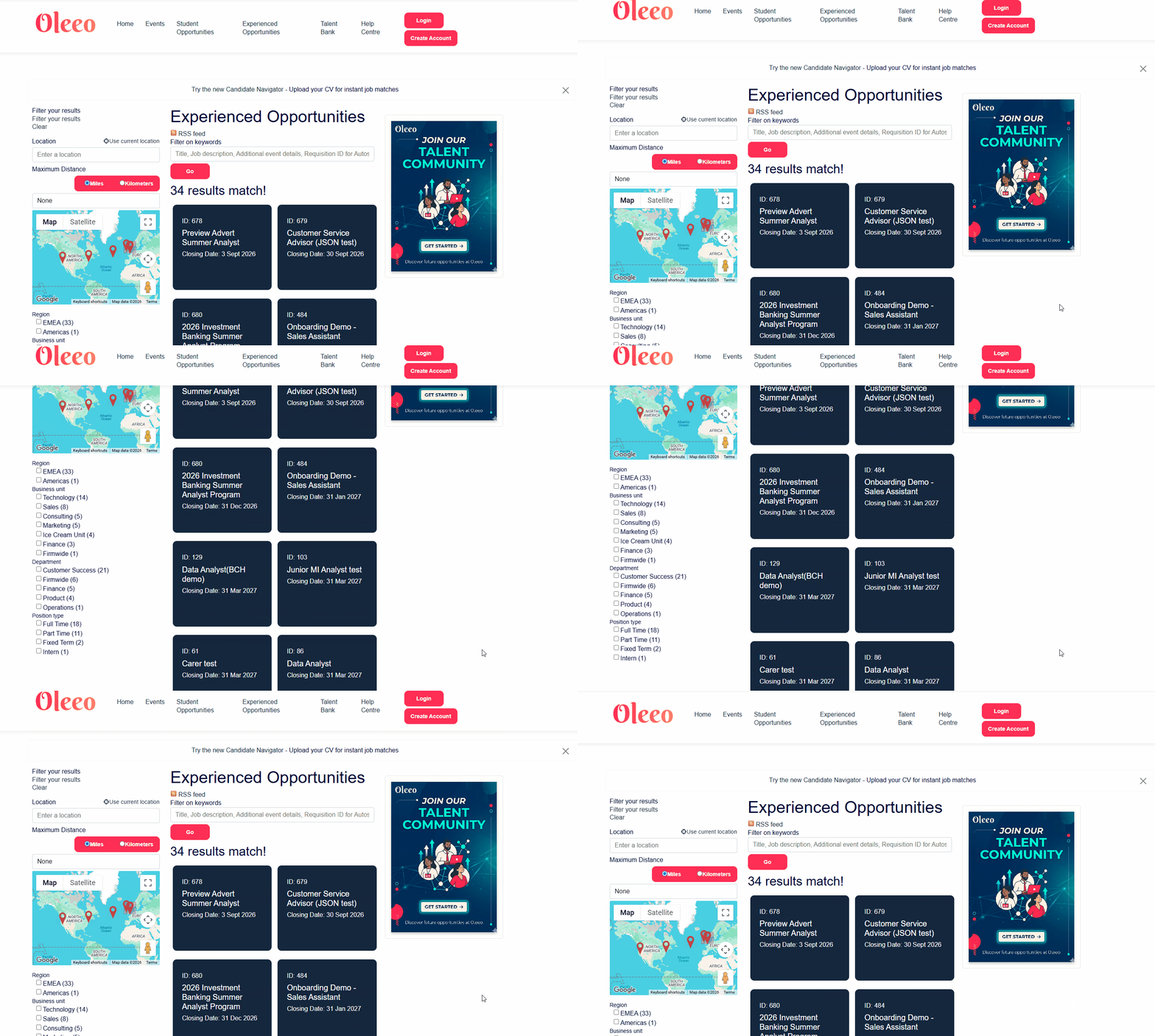
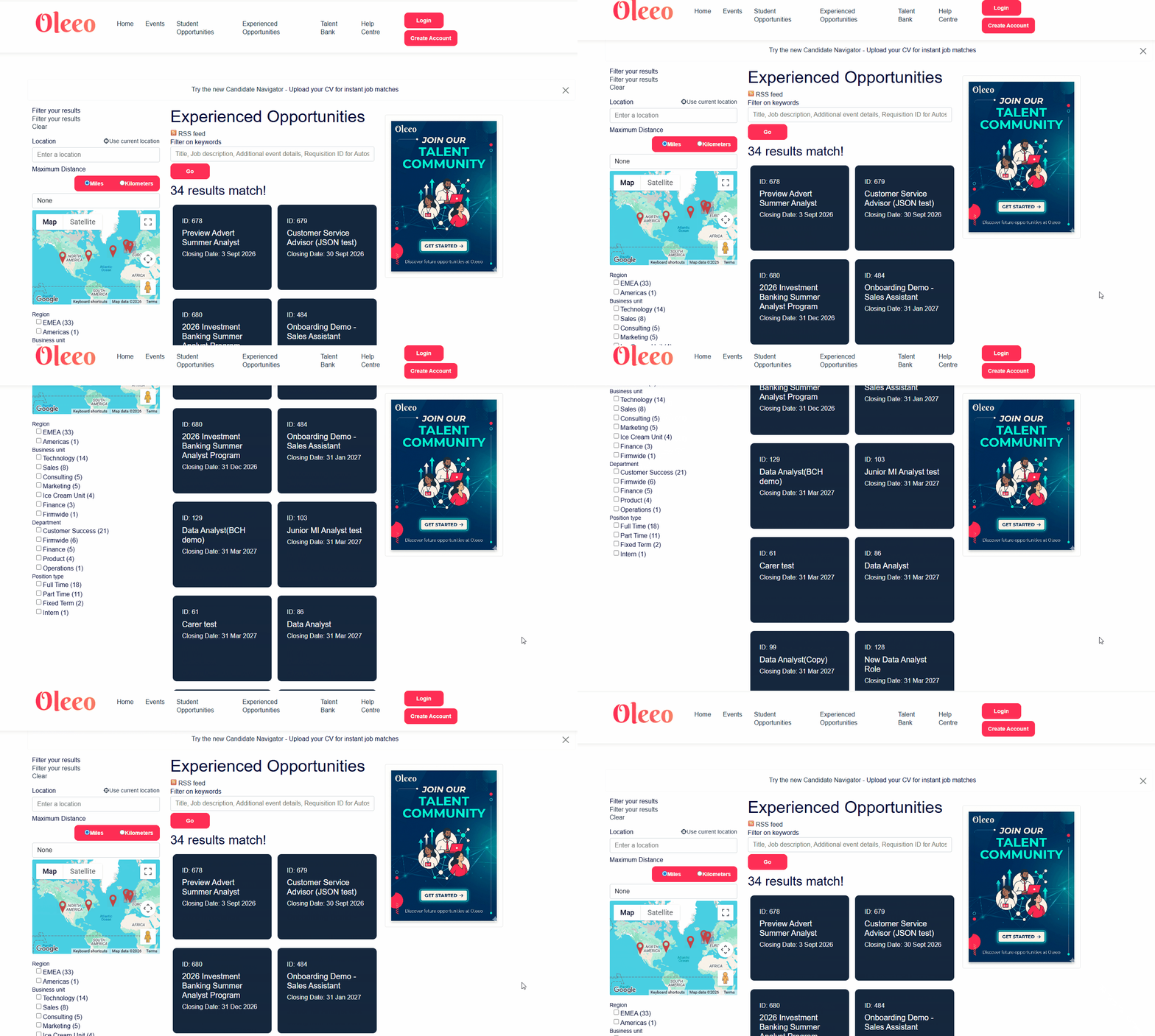
📌 Pro Tip: Before applying this update, take a look at what content you currently have sitting in your right-hand sidebar. Highly visual elements like "Find Out More" buttons, video thumbnails, or upcoming event teasers get the biggest boost in engagement from being pinned!
🛠️ Build Along! If you have access to the branding files within your ATS, click below to reveal the branding code that you can use in your own system to replicate the sticky articles on the right-hand side of your candidate portal pages:
Within your Candidate CSS branding files, add the below code to the very bottom (just double-check to make sure there are no erroneous brackets!):
@media (min-width: 768px) {
.cms-block-right {
position: -webkit-sticky !important;
position: sticky !important;
top: 150px !important;
align-self: flex-start !important;
height: max-content !important;
}
}
⚠️ Note: The top: 150px property is what stops the advert from hiding behind your top navigation or menu bar. While 150px works perfectly for most setups, you may need to tweak this number slightly to match your specific system's header height.
For those with CSS knowledge, gaining access to the branding of your system can give you the additional responsibilities of being able to update certain HTML elements within the candidate portal.
To ensure your site remains complaint with accessibility requirements by candidate this should only be completed by a professional web developer. Test your CSS code on the configuration environment before deploying to live. Please note that updates to the core platform could negatively affect your custom CSS code.
😊 How are you currently using your Talent Engagement Adverts? Can you see a great spot on your candidate portal to make them ‘Sticky’? Let us know or share your thoughts in the comments below!
BENEFITS
-
Boost Engagement: Keeps your main call-to-action (like an "Find Out More" or "Join Talent Pool" button) constantly in line of sight.
-
Eliminate Dead Space: Prevents large blocks of empty white space on the right side of the screen when candidates read through long job specs.
-
Maximise Branding Real Estate: Ensures your carefully designed banners, videos, or event graphics get 100% visibility rather than being scrolled past in seconds.
CONSIDERATIONS
-
Desktop Only: Because mobile screens stack content vertically rather than side-by-side, these layout changes will only apply to tablet and desktop browser views (screens wider than 768px). It won't negatively impact your mobile layout.
-
Access Branding Files: If you do not already have access to Oleeo branding files and you have someone with CSS knowledge, please raise a Change Request to gain access.
COSTS
If you have access to update your own CSS branding files, this can be done internally at no cost. If you would prefer the Oleeo team to handle it, please raise a change request and we can do this for you.
NEXT STEPS
Please ask your Oleeo supported users to raise a change request to the Oleeo Deliver Team to request for your branding files to be updated.
ADDITIONAL INFORMATION:

