




TIP TUESDAY! Make your Employer Brand Pop!

WHAT IS THE TIP?
💡 You and your team have spent a lot of time developing, curating, and embedding your employer brand. When candidates interact with your organisation, you want that expertly crafted brand to thread through every single touchpoint, ensuring your unique culture is conveyed clearly and consistently.
To help you achieve this, Oleeo offers a suite of features and products specifically designed to bring your employer brand to life.
Fully Branded Email Templates
💡Think about how many emails a candidate receives during their hiring journey. Oleeo’s email branding tools allow you to move away from plain text and deliver a cohesive, visually engaging experience right into the candidate's inbox.
By utilising our branded email features, you can:
-
Capture Attention: Include your logo or crest, alongside key value proposition messaging and imagery, to instantly thread a consistent look through the entire recruitment lifecycle.
-
Provide Reassurance: A polished, branded email provides vital peace of mind, reassuring candidates that the communication is 100% genuine throughout their journey with you.
Check out some of our more detailed tips on how to create branded emails.
📌 Pro Tip: Start by auditing your most high-volume templates (like the "Application Received" or "Interview Invite" communications). Ensuring these specific touchpoints are fully updated with your logo and EVP messaging will instantly elevate trust and engagement!
Enhance Your Home Page and Job Board Branding
💡 Your Oleeo home page and job boards are prime digital real estate for showcasing who you are.
-
The Brand Essentials: As standard, your home page and job boards will be configured to include your organisation's logo and perfectly match your brand colours.
-
Go Beyond the Basics: To truly bring your page to life, you can include engaging header and footer images that showcase your team, workspace, or culture.
-
Flaunt Your Achievements: Don’t be shy about your successes! You can easily display your current accolades (such as Top Employer badges, diversity awards, or industry recognitions) to further thread through your employer branding and build instant credibility.
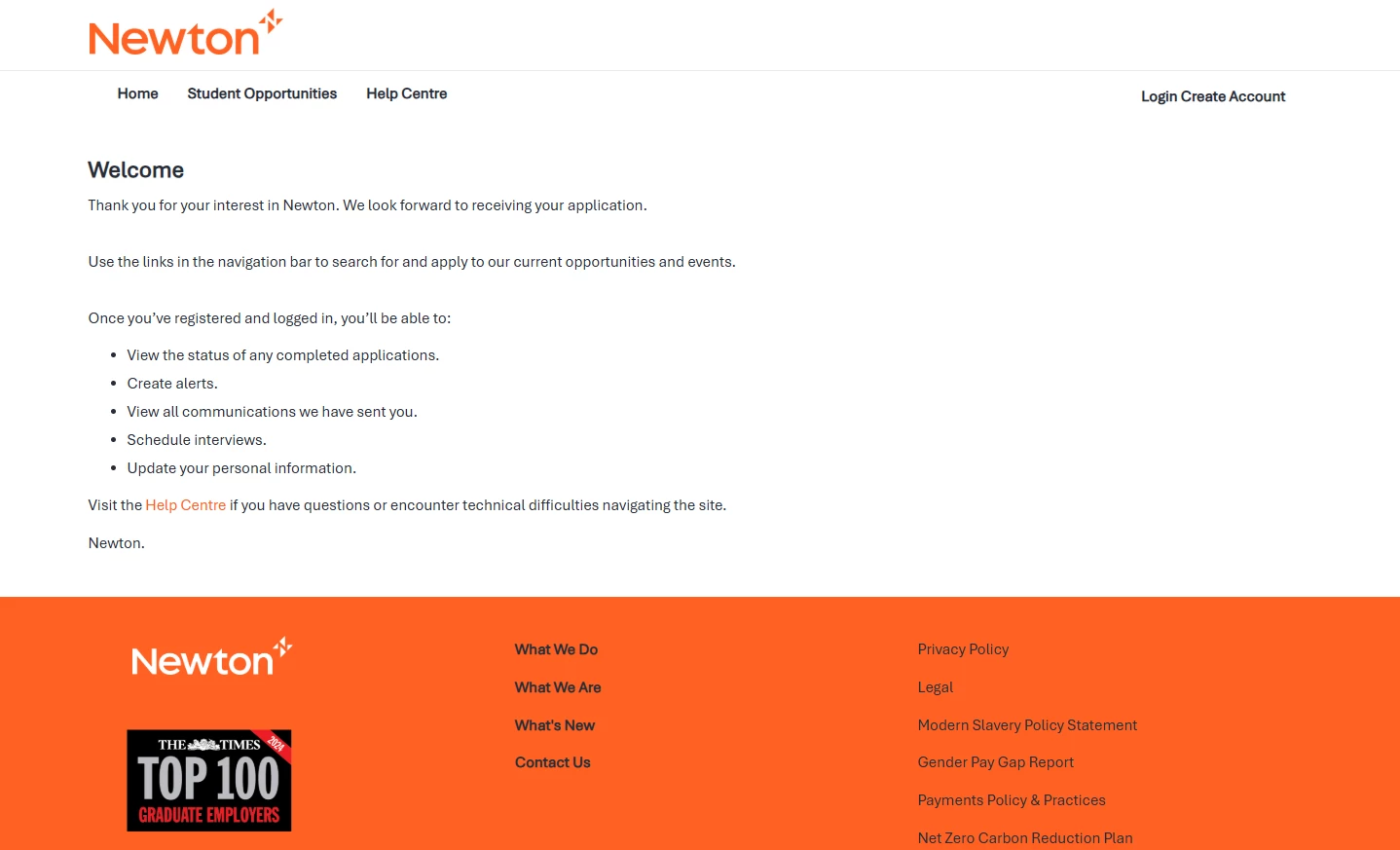
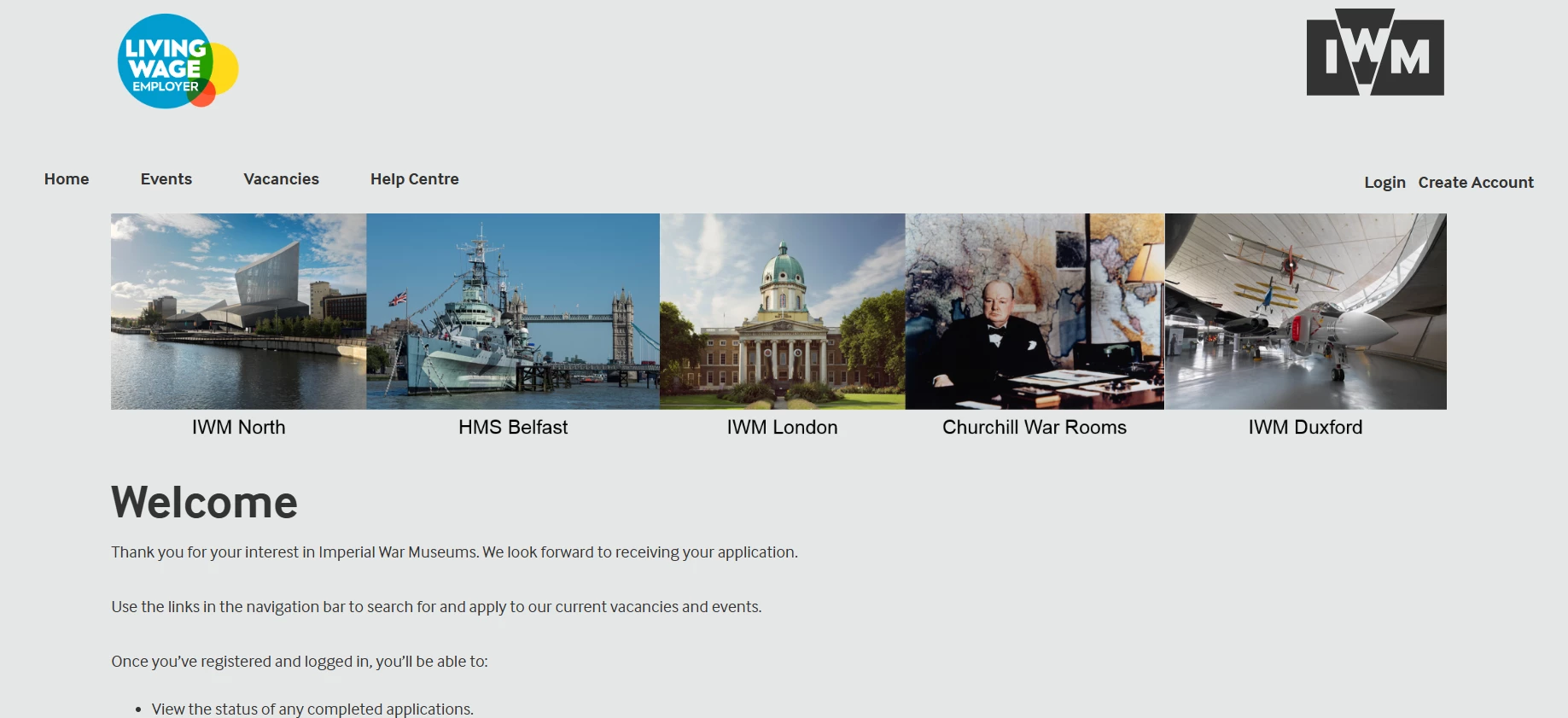
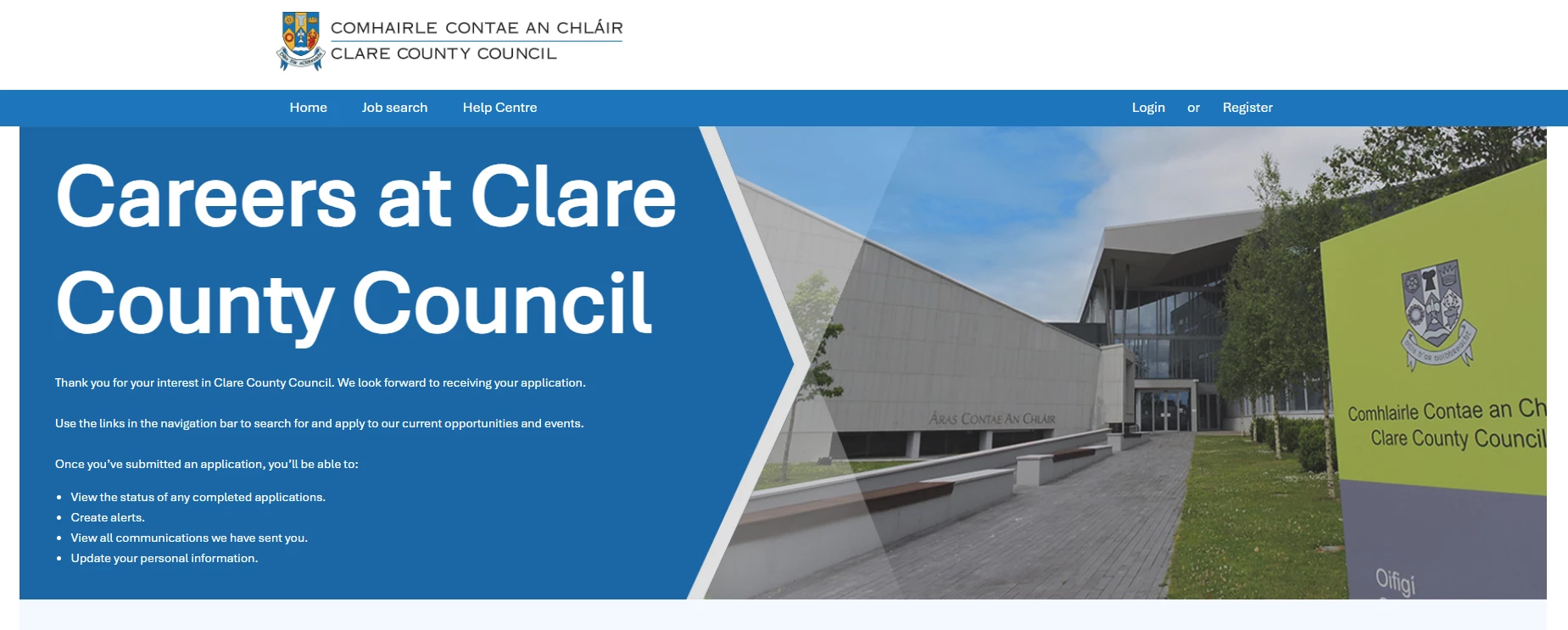
📌 Pro Tip: Don’t forget to update your Oleeo job boards if your employer brand refreshes.
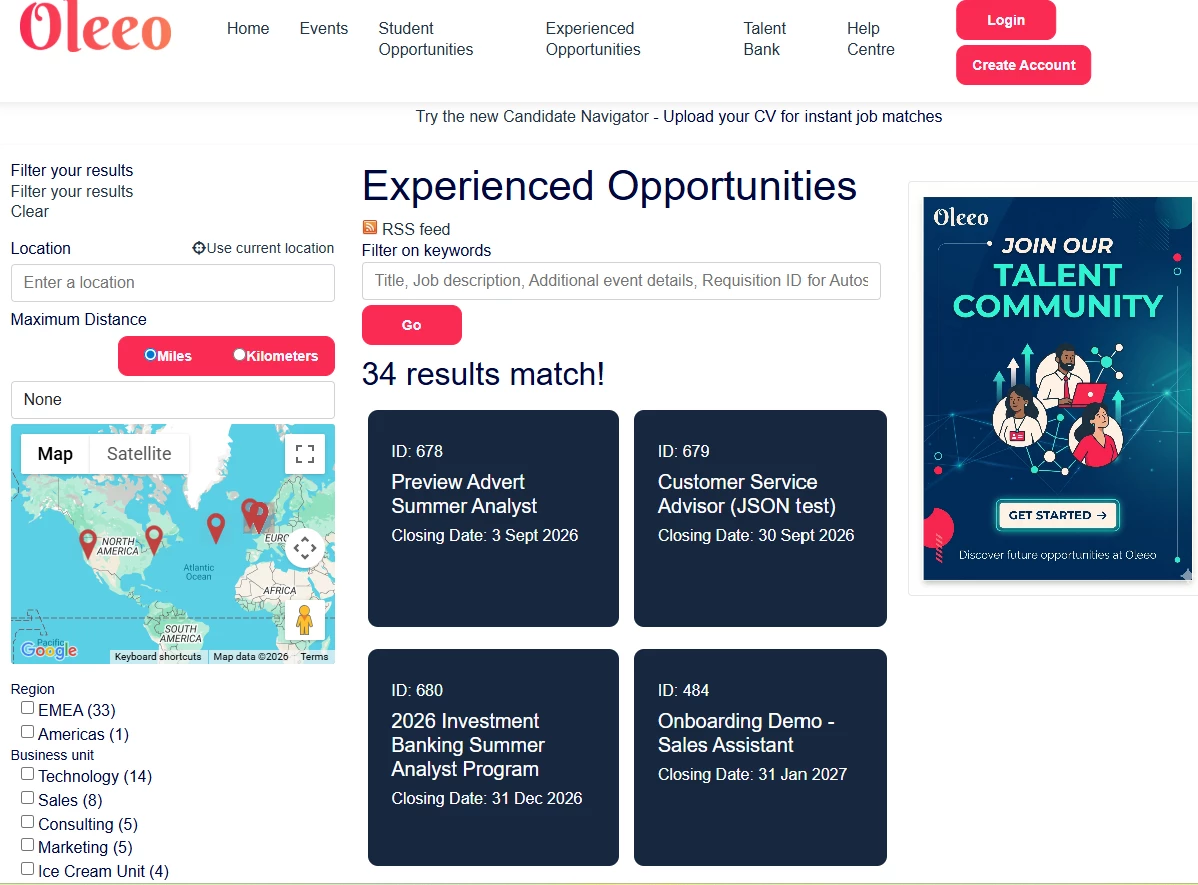
Vacancy List vs Tile view?
💡The way candidates browse your open roles plays a massive part in how they perceive your brand. Oleeo gives you the flexibility to choose how your opportunities are visualised, ensuring your job board feels like a natural extension of your main website.
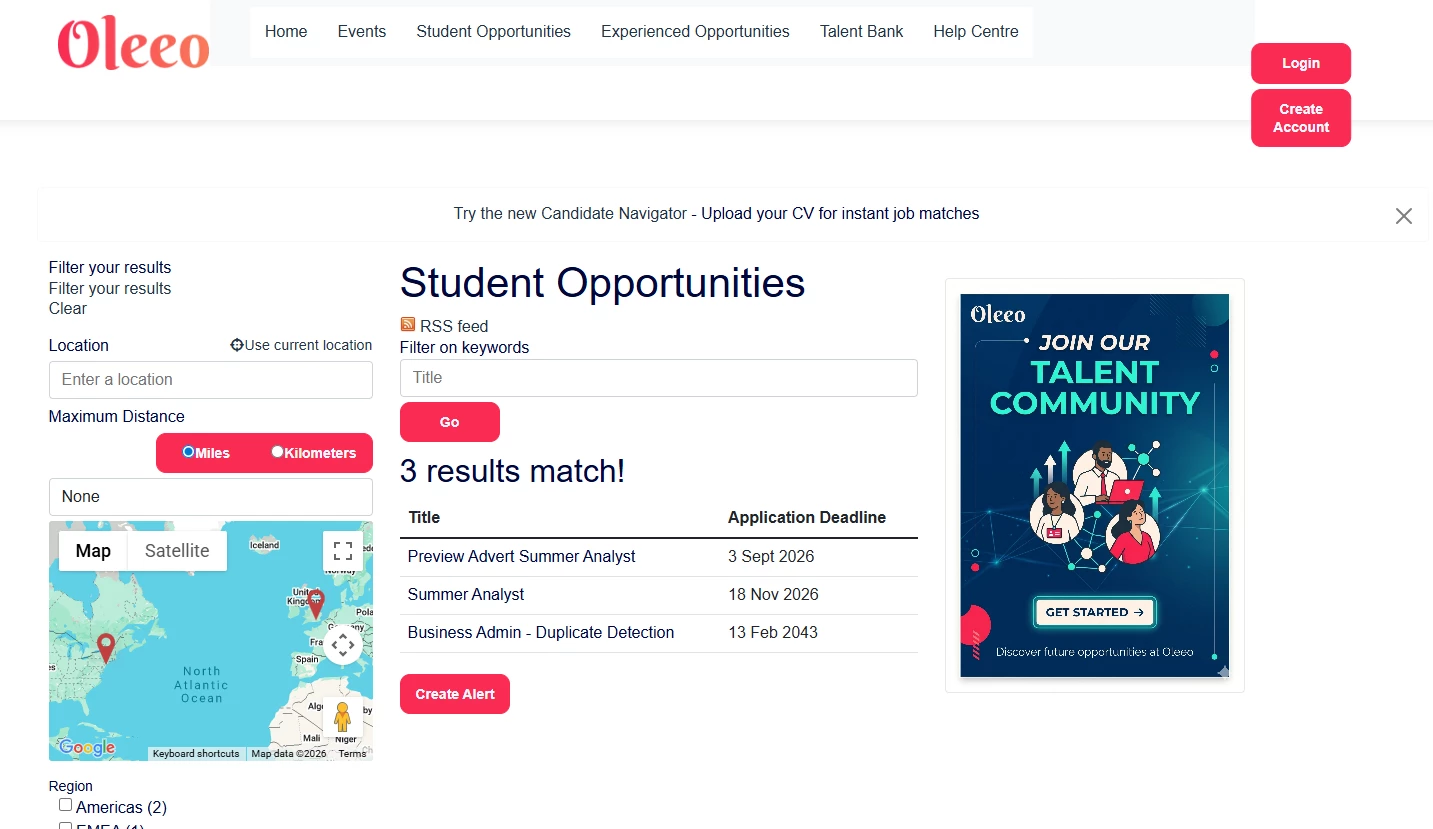
There are two primary options to display your list of vacancies:
-
The List View: A clean, streamlined, and traditional layout. This is ideal if you have a high volume of roles and want candidates to scan titles, locations, and closing dates quickly.
-
The Tile View: A more modern, visual, and grid-based layout, giving your job board a sleek, contemporary feel.
Career Site Lite!
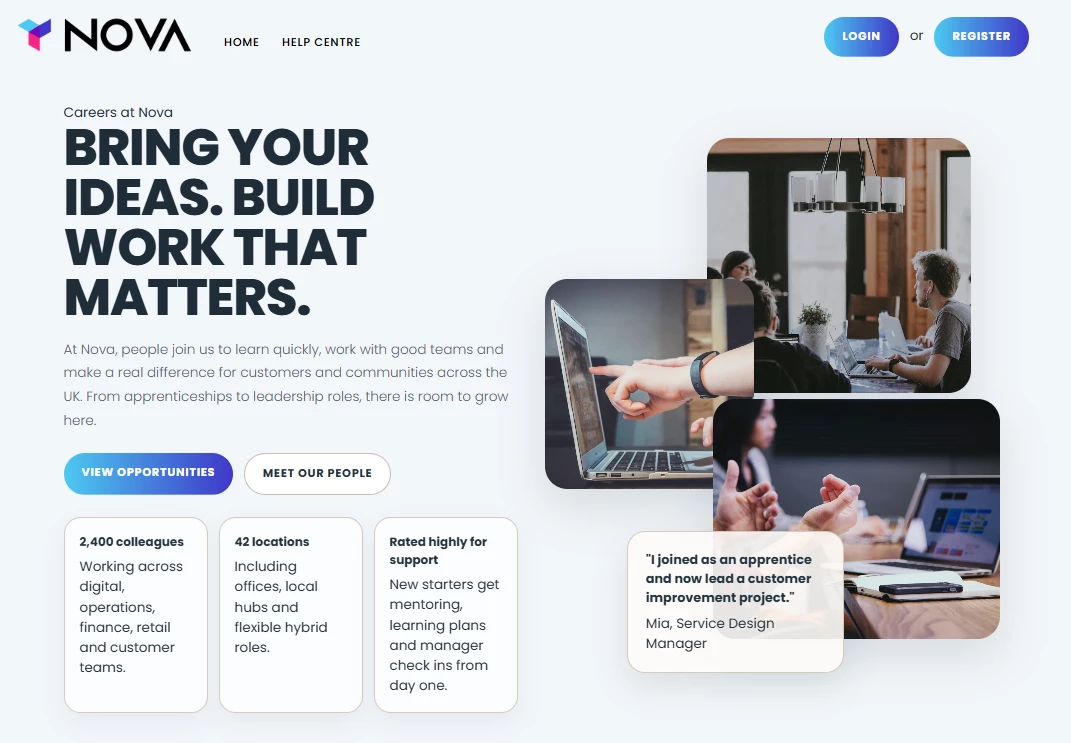
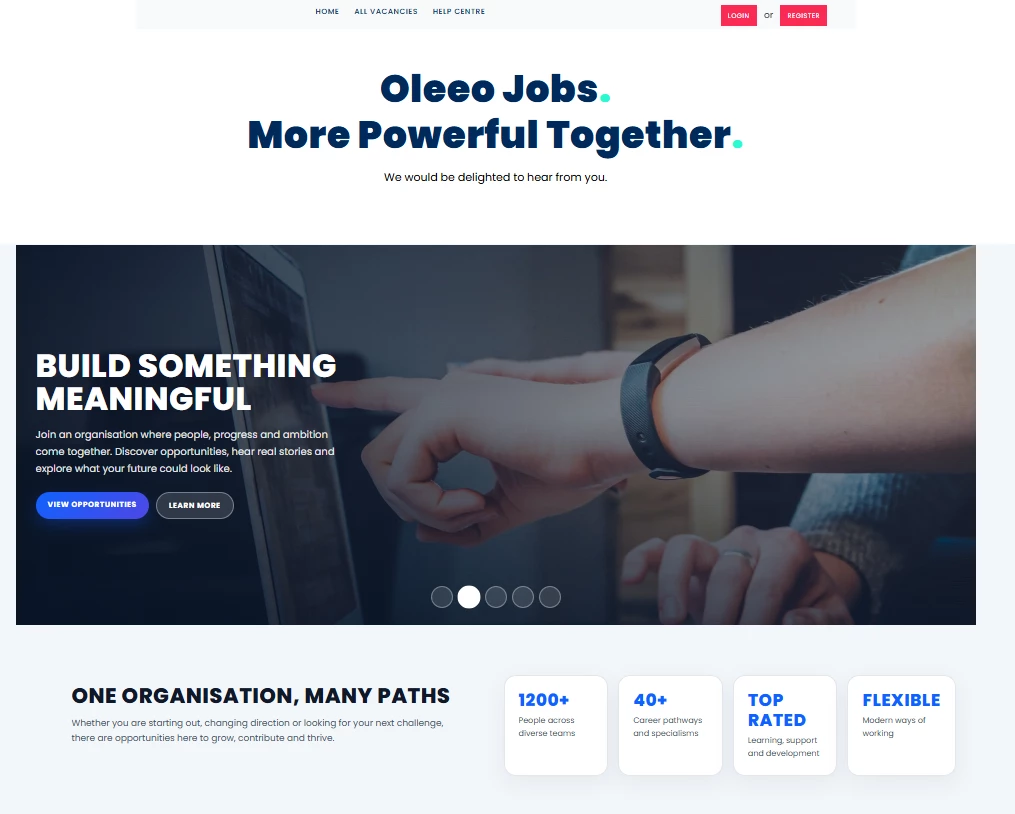
💡If you want to make the biggest possible impact on your candidate experience, look no further than your home page real estate. Whether you are looking to refresh your employer brand or simply want to make it easier for candidates to find their dream role, your home page is the front door to your organisation.
Career Site Lite allows you to fully showcase an authentic insight into your workplace through powerful, immersive storytelling:
-
Authentic Storytelling & Visibility: Use compelling visuals and intuitive design to proudly showcase your company culture, values, and career opportunities right where candidates are looking.
-
Tailored, Seamless Integration: Each landing page is bespoke, tailored to reflect the unique brand identity of your organisation while fitting into your existing candidate portal completely seamlessly.
By turning your home page into a dynamic destination rather than just a static space, you give candidates a true taste of what it's like to work with you before they even hit "Apply."
🔧 Use case: You are a lean recruitment team without the budget or IT resources to build a complex corporate career site, and want a turn-key, brand-polished career site that will engage candidates and convey your brand.
🔍Take a look! Click on the below links to browse our demo sites which can showcase the art of the possible.
🔧 Use case: You have a highly defined employer brand, and want to ensure visually flawless, pixel-perfect transition from your corporate website to the application portal, ensuring candidates never feel like they’ve been handed off to a third-party ATS.
😊 Have you revisited your candidate pages recently? What have you done and how are you seeing the benefits? We’d love to hear your story.
BENEFITS
-
Invisible Transitions: Eliminates the jarring shift between your main website and job board, creating a flawless, end-to-end candidate journey.
-
Instant Trust & Security: Using your official logo, crest, and messaging reassures candidates that your communications are 100% genuine, giving them the confidence to apply.
-
Stellar First Impressions: Transforms your home page from a static space into an immersive storytelling platform that hooks candidate attention immediately.
-
Tailored Browsing Experiences: The choice between List and Tile views allows you to match your company's aesthetic and cater to modern, visual job seekers.
-
A Future-Proof Pipeline: A beautifully branded experience leaves a lasting impression on passive talent, keeping your organisation at the top of their wishlist even if they don't apply today.
CONSIDERATIONS
Work with your marketing/brand team to ensure all imagery aligns with your current corporate identity guidelines.
COSTS
Email Branding: This feature is part of the standard product offering or raise a Change Request for an estimate.
Enhanced Home Page or Job Board Branding: Please raise a Change Request for an estimate.
Tile view list: Please raise a Change Request for an estimate.
Career Site Lite: Please speak to your Commercial Manager for further information.
NEXT STEPS
Please raise a change request with our Delivery Team to begin the configuration.
For any advice, guidance or a demo, speak to your Customer Success Manager.
For any cost implications, please speak to your Commercial Director.
ADDITIONAL INFORMATION: