




TIP TUESDAY! How To Improve Candidate Engagement: System Features

WHAT IS THE TIP?
💡 Are you making the most of all the features Oleeo offers to keep your applicants engaged throughout their journey?
We wanted to highlight several key features that are available to you to enhance your recruitment process, with candidate engagement in mind, to support your goal of attracting and retaining top talent.
This is a brief summary of additional features, check out the bottom of this article for links to more information.
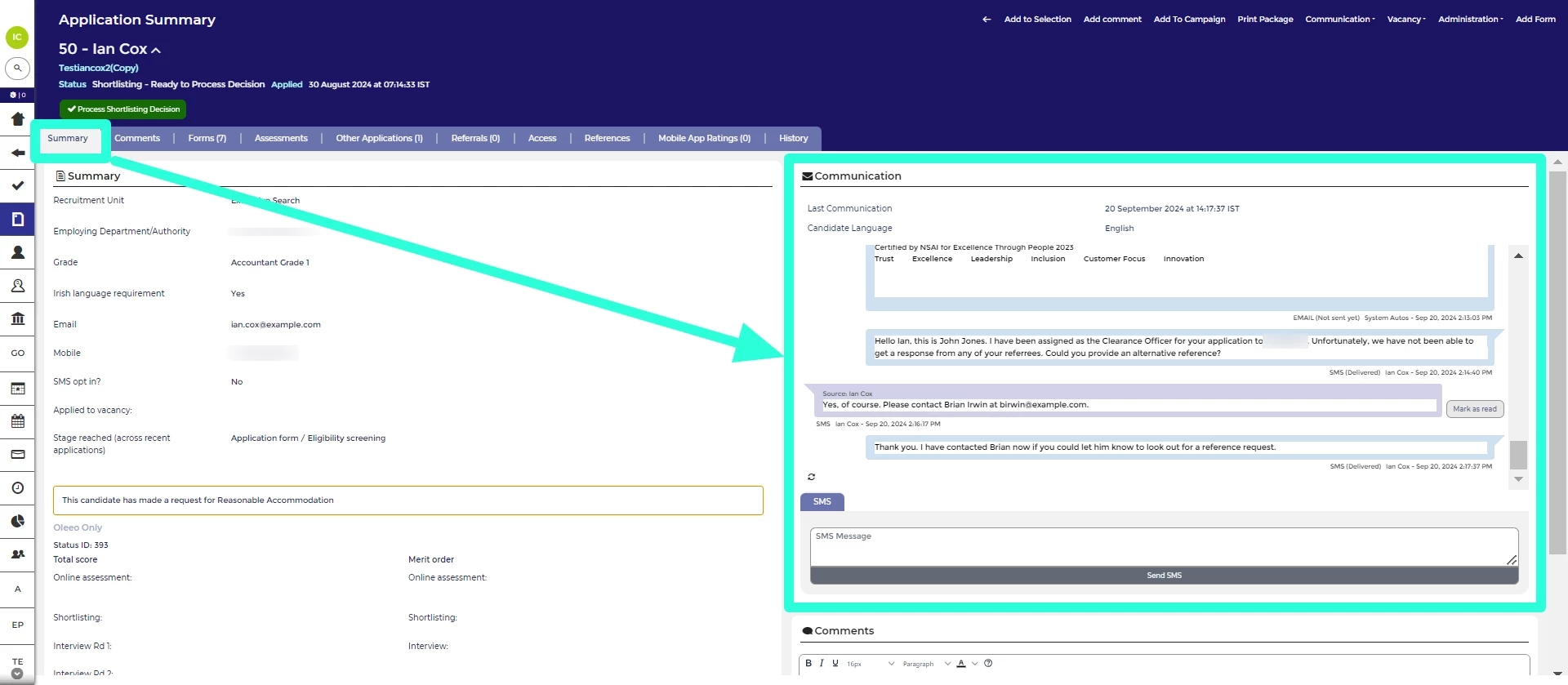
SMS Service
💡 SMS messaging is a powerful way to reach applicants when they’re not actively checking their emails. It’s ideal for sending reminders, requesting additional information, or providing timely updates. We offer support for both one-way and two-way SMS communication through our trusted suppliers.
🔧 Use case: Adding SMS reminders to booked appointments cuts down on non- attendance, likewise if you are needing time critical detail from your applicant, a SMS to ask them to check their emails speeds up the process.
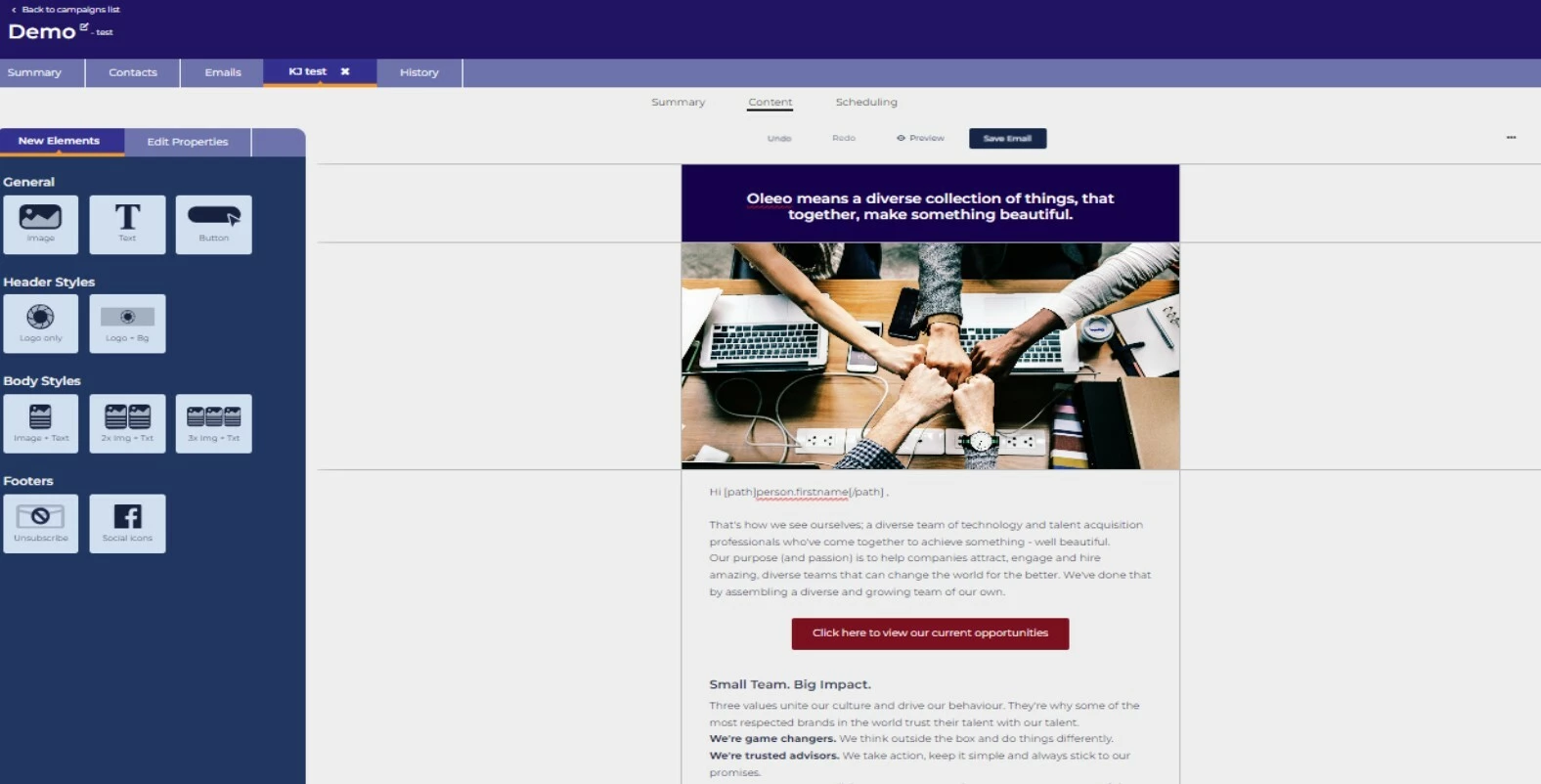
Oleeo CRM
💡 Our Candidate Relationship Management (CRM) tool enables seamless communication with your applicants and prospective candidates. You can easily set up automated email campaigns and track response rates, giving you valuable insight into when and how your audience is engaging with your messages.
🔧 Use case: CRM works really well when you have a campaign led recruitment intake using a Talent Pool. Line up your engagement email to let people know the vacancy is open and then pre-program follow up emails to remind them of it.
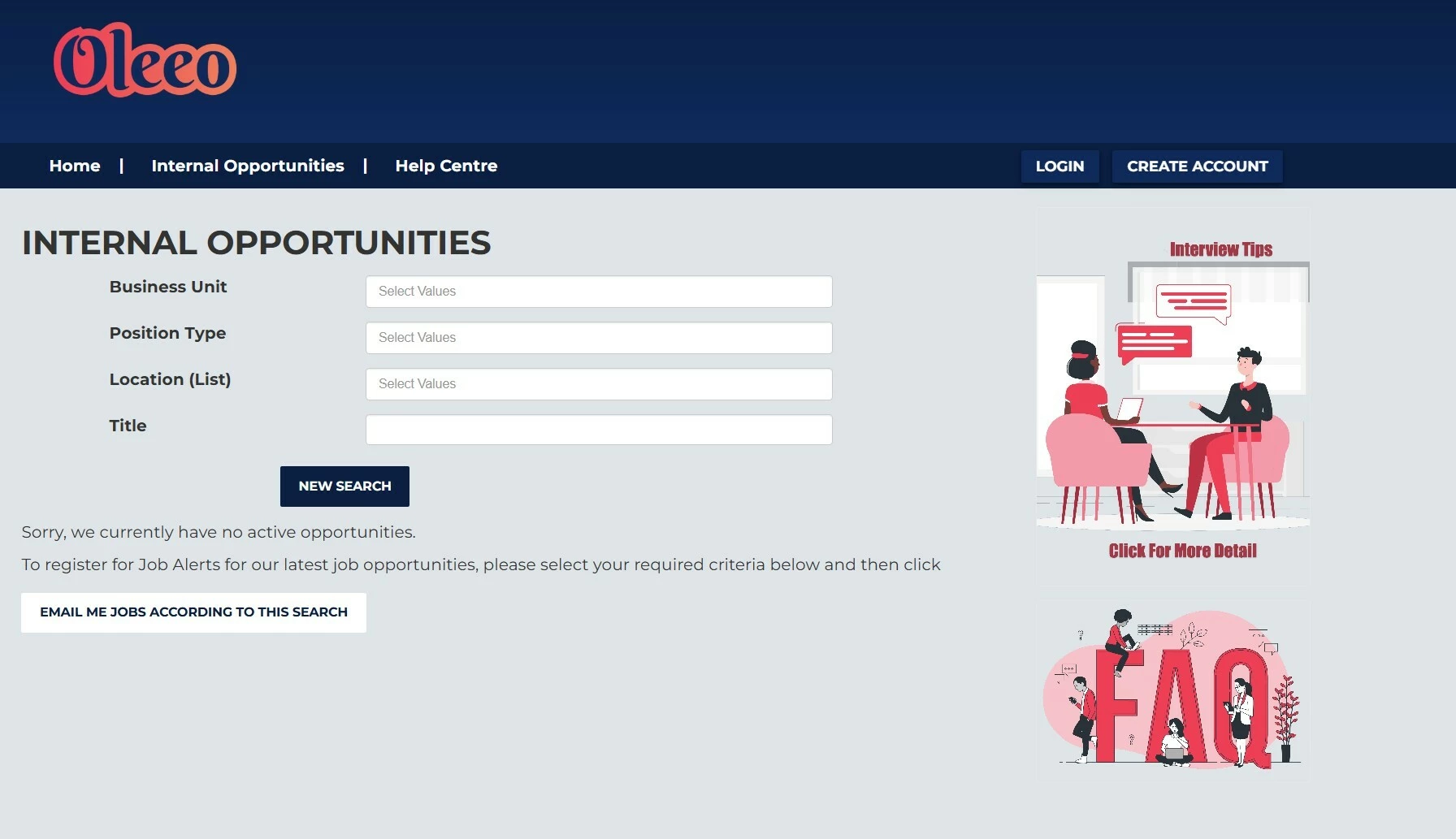
Talent Engage
💡 Visual content is far more effective at capturing attention than large blocks of text. With Talent Engage, you can incorporate images and GIFs throughout every stage of the application process - offering guidance, sharing insights, and linking candidates to other areas of your business.
🔧 Use case: Using images that reflect the roles you’re recruiting for can help encourage more diverse applicants to apply - consider choosing imagery that represents the demographics you’re aiming to attract to create a more inclusive and appealing message. Providing interview tips or FAQ’s for those needing it for example neurodiverse applicants allows for a fair and equal recruitment process.
Talent Pools
💡 Having trouble filling a role? Perhaps you only hire occasionally and aren’t sure how to manage candidate interest in the meantime? Or do you have applicants who met the score but you did not have enough positions to offer them a role (silver medallists)? Talent Pools are the solution.
They help you gather and nurture groups of prospects who are genuinely interested in your organisation. Connect these pools with our CRM for even greater impact, and set up automated reminders to keep your talent pipeline active and engaged.
🔧 Use case: Talent Pools are an effective way to capture essential candidate details at events or to build groups of interested prospects before a role is formally advertised. Keep good potential candidates on record in Oleeo on a silver medallist talent pool rather than relying on a spreadsheet.
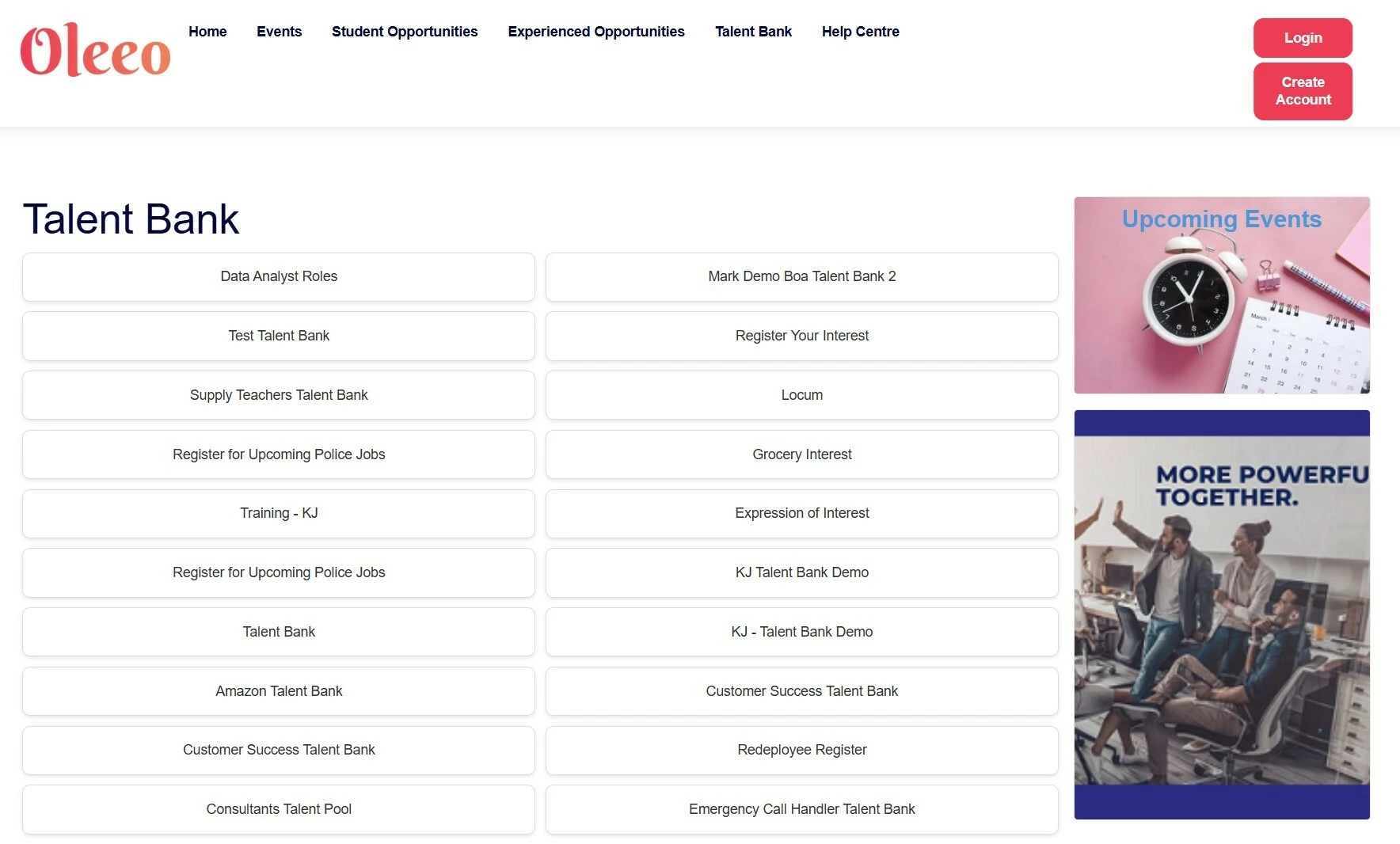
📌 Pro Tip: When a position is difficult to fill, a lengthy application process may discourage top-tier candidates from expressing interest. A Talent Pool offers a simple way for potential applicants to register their interest, helping you connect with great talent who might otherwise be put off by the barriers of a full application.
Event Management
💡 Did you know we have an Events Module? Streamline both your in-person and virtual events with the Oleeo Events Module. Existing applicants can simply log in with their current credentials, and you’ll get a complete view of all the events and roles they’re interested in - right on their profile. Plus, the module is fully customisable to reflect your brand’s look and feel, ensuring a seamless and consistent candidate experience by keeping it inside Oleeo.
🔧 Use case: The event module can be used for events where you need to control numbers both virtually and in person. Creating a waitlist allows people to book on if someone else drops out. If using this for a physical event you can also scan applicants in at the event so you get an accurate list of who has attended.
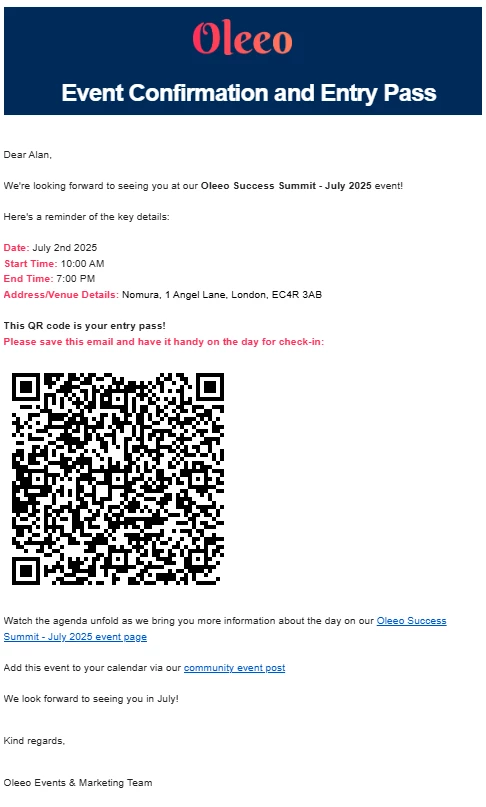
📌 Pro Tip: Oleeo Event module can also be integrated with video conferencing software such as Microsoft Teams, to allow you to run virtual events across the globe.
Dashboards
💡 Your system’s customisable dashboards help you track applicants throughout the process by flagging those who need attention. Candidates who progress smoothly and quickly are far more likely to stay engaged through to offer. Additionally, dashboards can be tailored for specific user roles, reducing clicks and making navigation faster and more intuitive.
🔧 Use case: Create dashboards to keep an eye on applicants that need attention, for example those that have indicated reasonable adjustments. The use cases for dashboards are extensive, please refer to the link at the bottom of this article or search our Oleeo Community.
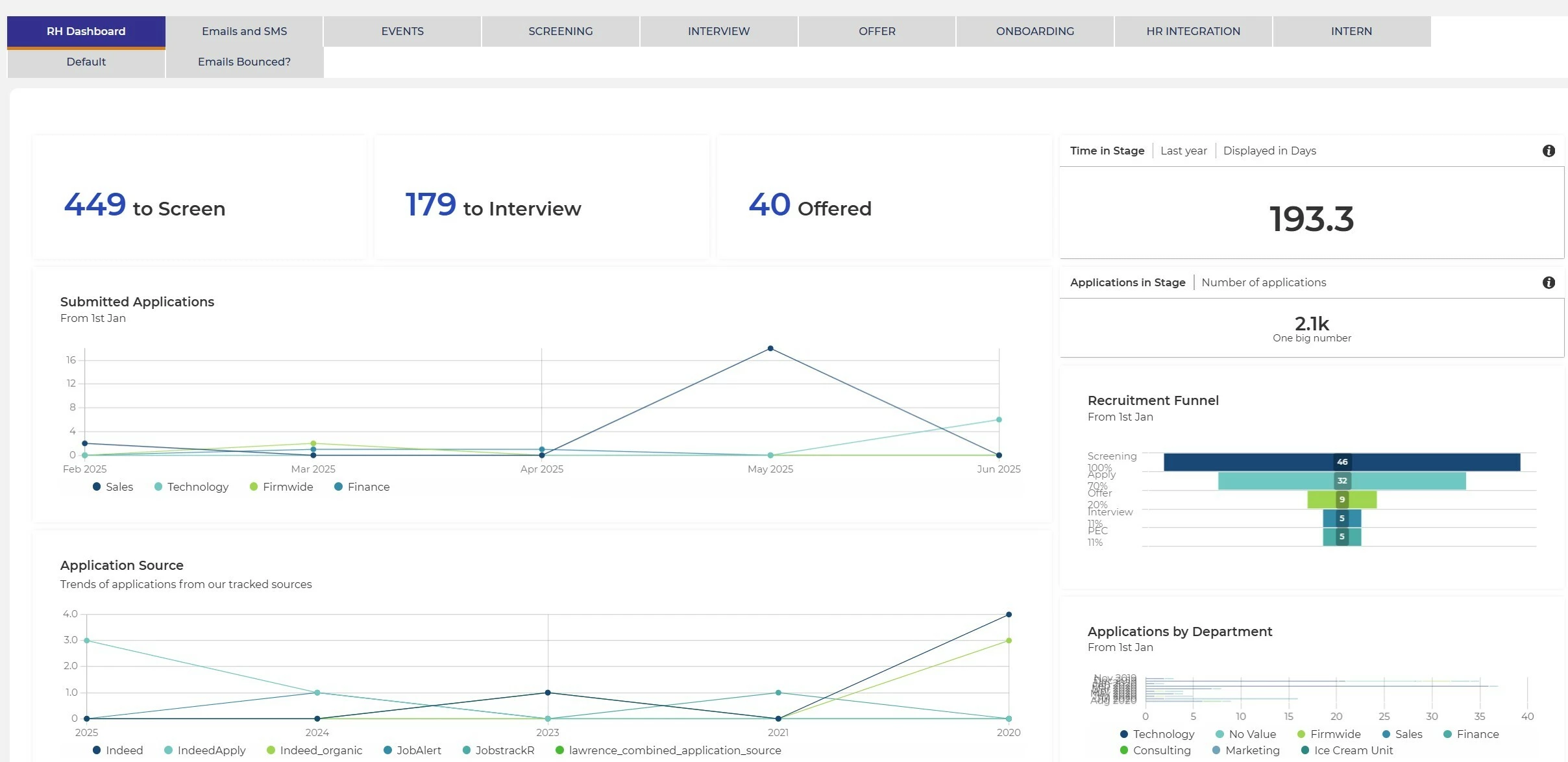
📌 Pro Tip: Customise dashboard for a hiring manager so they can use the dashboard to see applicants direct from the dashlet widget rather than having to navigate to the role and then find applicants.
Bounced Emails
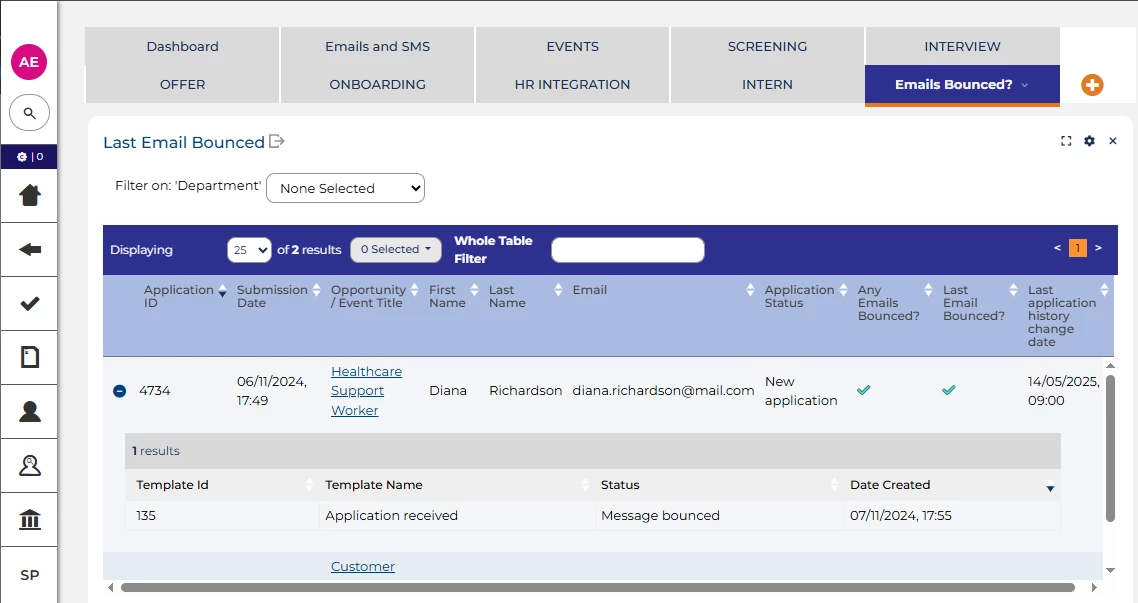
💡 Are you aware if your emails are not getting through? Use the bounced email tracking functionality to ensure you can correct these issues quickly and efficiently. You can set up a dashboard(s) and/or create a table layout view to tracked any bounced emails and add a child layout to see the detail.
🔧 Use case: Do you have Candidates that are not responding or are you emailing referees and not getting a reply?
Keep It In Oleeo
💡 Where in your process are you stepping outside the platform? Could integrating these steps help create a smoother, more seamless experience?
We can integrate with a broad range of systems - from assessment providers and screening tools to vetting platforms, right-to-work checks, HR systems, and HRIS platforms - helping you build a fully connected process. Integration can be achieved through various methods, including flat-file transfer and APIs.
🔧 Use cases: Linking to vetting and right to work check systems cuts down on manual keying and also eliminates copy and paste mistakes, from an applicant perspective the look and feel is slicker and far quicker for them.
Consider linking to your HR/HRIS platform, this will allow full automation of candidate detail to your new starter team. You can even add in additional forms for the applicant to complete on Oleeo to prepare them for this move over, capturing the relevant detail the next team may need such as bank details and next of kin info.

OleeoQ - The AI Powered FAQ Chatbot
💡Instantly provide detailed answers to both current applicants and those thinking about applying - this powerful tool saves you time and ensures applicants get accurate, consistent replies around the clock, saving your recruitment teams time by cutting down on email traffic.
The OleeoQ chatbot isn’t limited to answering standard FAQs. You can enrich it with information about your EDI initiatives, reasonable adjustment support, and insights into what it’s like to work at your organisation - helping candidates feel informed and supported throughout their journey.
🔧 Use case: Are you spending too much time answering repetitive emails from applicants looking for information that’s already on your website or in previous communications?
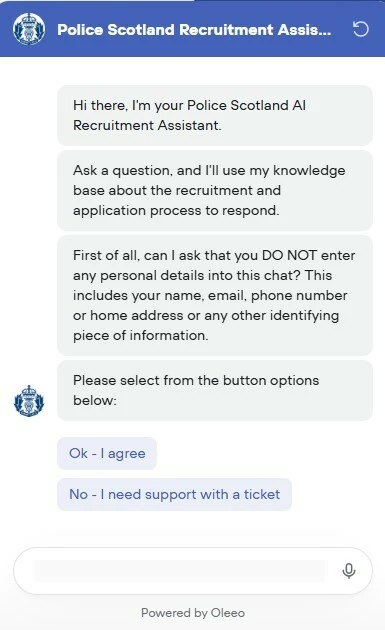
📌 Pro Tip: Add reminders to applicants in process to consider checking the OleeoQ chatbot for a reply before submitting an email back to you for a faster response.
😊 We are sure there are 100’s of other great tips relating to Oleeo system features that support candidate engagement. Please share your ideas so we can all help others!
BENEFITS
- Streamline and simplify the recruitment journey
- Spend more time on meaningful candidate engagement.
- Improve candidate experience
- Enhance your brand - show your organisation off as an employer of choice in a competitive market
COSTS
Many of the elements listed are additional features that are costed elements, please speak to your Commercial Director for details.
NEXT STEPS
Speak to your Customer Success Manager for any additional information or for a demonstration.
ADDITIONAL INFORMATION:

