




TIP TUESDAY! How To Improve Candidate Engagement: Application Portal

WHAT IS THE TIP?
💡 Every candidate who applies to your roles will have access to a personalised candidate portal. This space can be tailored at every stage of their journey - not just to provide updates, but also to request information, share details, and keep them informed as they move through the hiring process.
By encouraging candidates to use the portal as their primary reference point, you can reduce the need for offline communication via email or phone.
We’ve included some key takeaways we think you’ll find helpful. Several of our suggestions are supported by in-depth content available in our community - see the links at the end of this article to explore further.
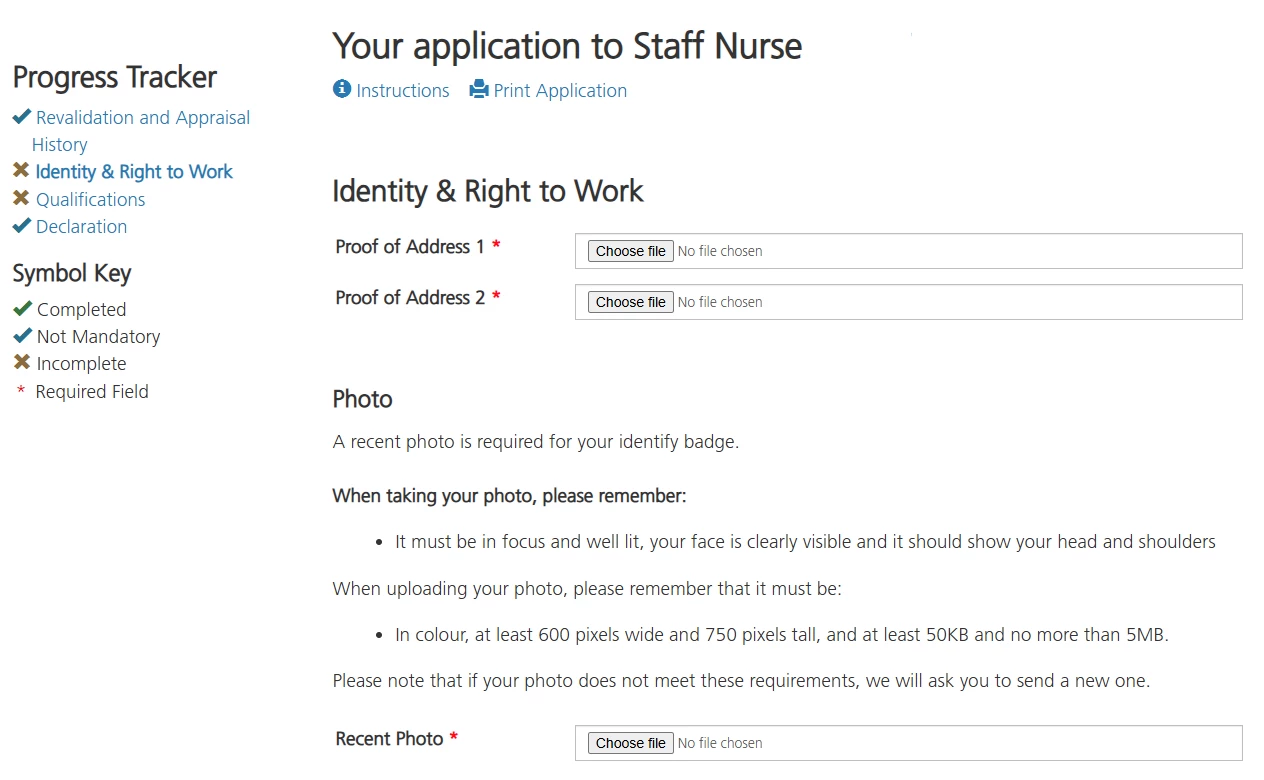
Uploading Information
💡 Storing information directly in a candidate’s record is the most effective way to keep all their details organised in one place. Forms can be used to capture notes, documents, and images, ensuring everything is securely stored within the system.
Using the platform to manage candidate information not only creates a consistent and professional experience for candidates, but also helps reduce reliance on manual email processes - which can be error-prone and increase the risk of data being shared incorrectly.
🔧 Use case: When performing pre employment (PEC) checks applicants are sometimes required to submit photo proof of documents - such as passports, certificates, right to work address information, or even images of tattoos.
Applicant Support Links
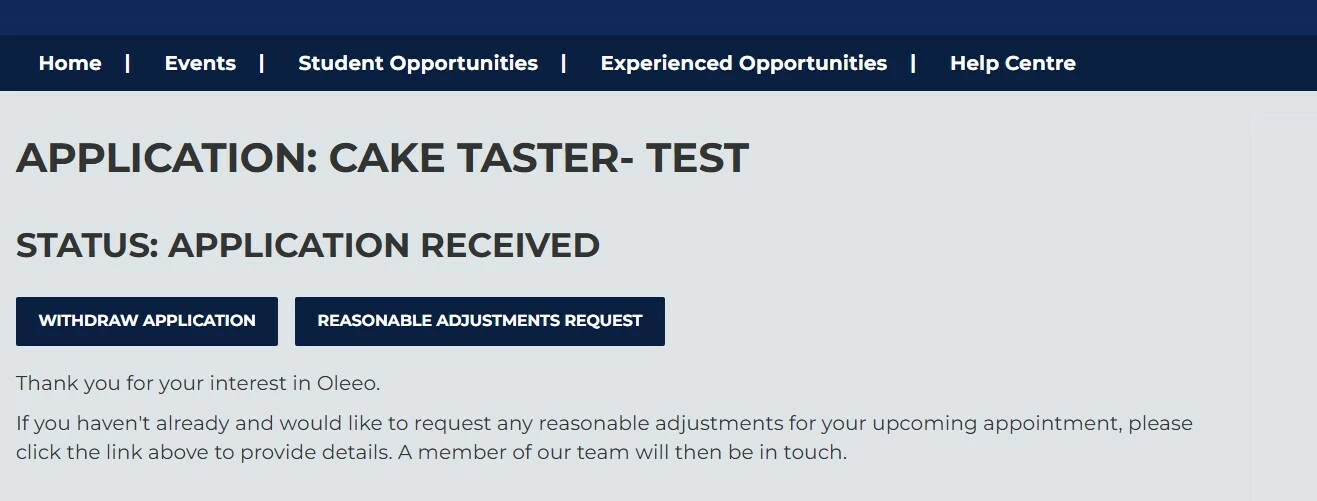
💡Did you know you can add an applicant support button at any stage of the recruitment process?
This feature allows candidates to reach out and share important information directly with your team. Including a support button shows your commitment to candidate care and triggers a notification so your team can respond promptly. Consider making it a one-click option available throughout the process to enhance the candidate experience.
🔧 Use case: For reasonable adjustments you could add in a button at each stage allowing applicants to make contact when they feel comfortable to discuss any adjustments or additional support.
📌 Pro Tip: If your Positive Action or EDI team also uses Oleeo, consider copying them into this request so they can provide support if needed.
📌 Pro Tip: When a candidate submits a request, you have several notification options - such as receiving an email, seeing a flag on your dashboard, or automatically moving the candidate to a new status to alert your team.
Timeline To Hire
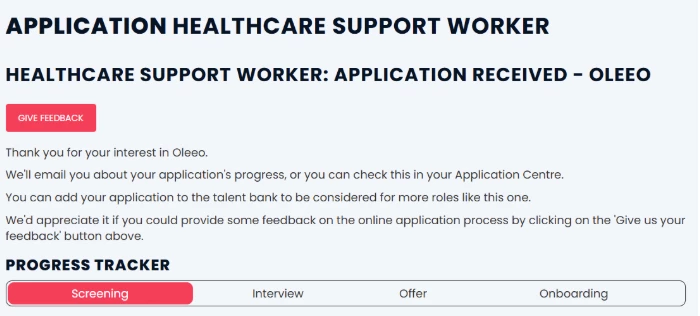
💡 Do your applicants have a clear view of where they are in the process and what steps remain before an offer could be made? Adding a visual progress tracker can help keep them informed and set clear expectations for what’s next. A well informed candidate is less likely to look elsewhere if they are being fully informed of the process.
🔧 Use case: At each stage where applicants are likely to experience a pause or are not aware of their next step. For example, after completing screening and awaiting an interview, the tracker can help indicate what’s coming next. Likewise with pre employment (PEC) checks or at the onboarding stage prior to joining.
Applicant Feedback
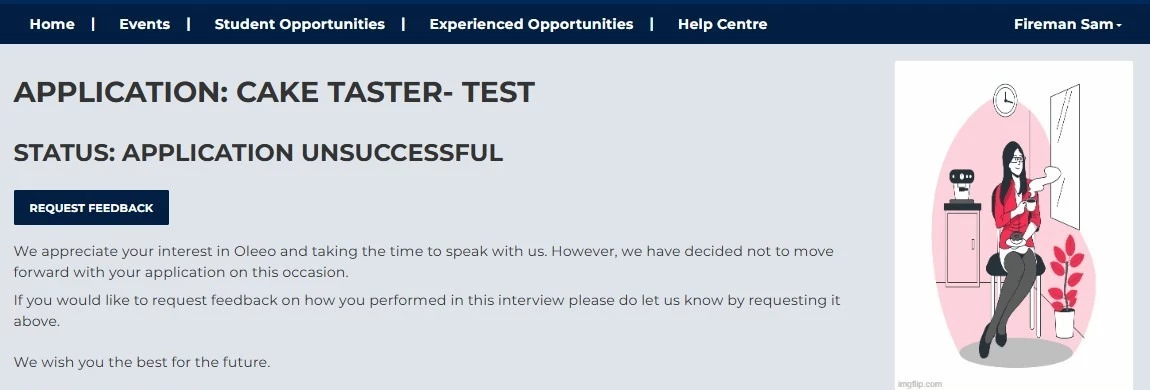
💡 Applicants often appreciate detailed feedback to help them understand where they can improve. Providing feedback through the candidate portal, in a clear, candidate-friendly way, is an effective means to help them understand their performance and maintain a positive impression of your hiring process.
🔧 Use case: Applicants who don’t progress past the interview stage are still valuable. They may re-apply in the future and explore other more suitable roles that align to their skillset within your organisation, providing them this feedback gives them a positive experience and help guide them in the right direction for their future career.
Onboarding An Applicant
💡Create a smooth start by centralising onboarding information in the candidate portal. The onboarding stage is an exciting time - candidates are enthusiastic about joining your organisation, and it’s often when the most information is exchanged. But do you also take the opportunity to give them a glimpse of what their first day will look like? Sharing insights into the workplace culture, environment, and what to expect can help ease any nerves and make them feel welcome before they even step through the door.
🔧 Use case: Once an applicant reaches the "ready to hire" stage, it's a great opportunity to share positive and welcoming messages - such as a note from their future team manager, an invitation for a welcome call or coffee chat, or even a chance to join an upcoming social event. This stage can also be used to provide practical details, like their start time, where to go on their first day, and who they’ll be meeting or reporting to.
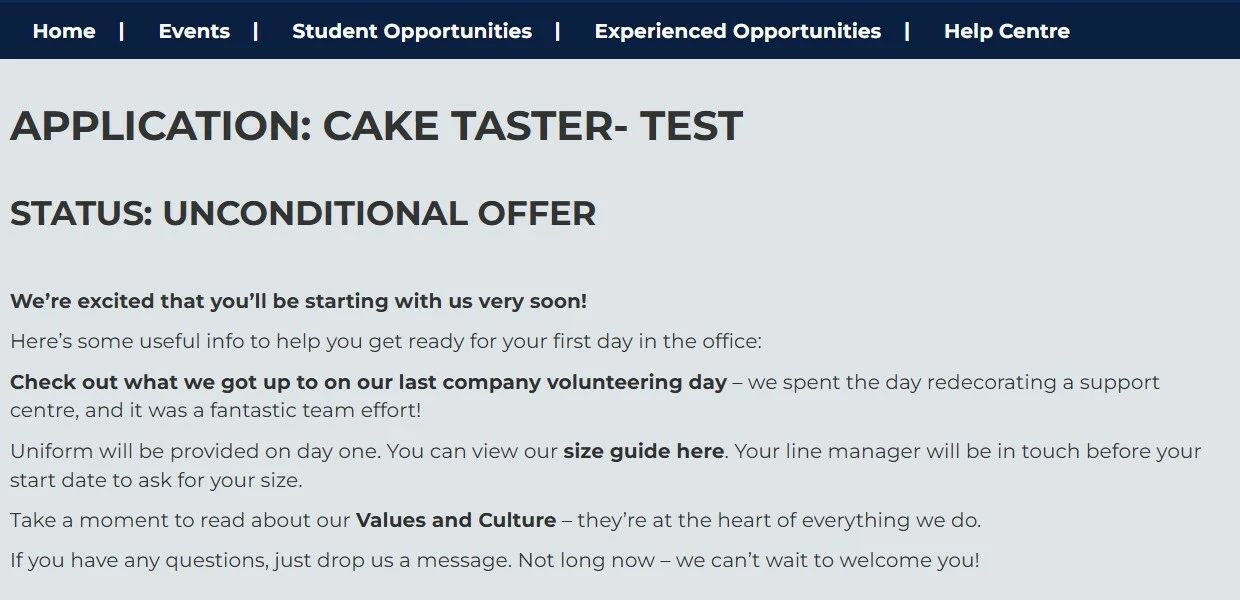
📌 Pro Tip: At this stage, consider whether there’s additional information you need to collect for other departments - such as bank details, next of kin information, or uniform sizes. Gathering this data through Oleeo provides a seamless experience for the candidate, maintaining a consistent and familiar interface throughout the process.
📌 Pro Tip: Take this one step further with our Talent Engage module, provide visual and verbal messaging at specific stages of the applicant journey that can be personalised to include video content. (see link to feature sheet at bottom of article).
Status Messages
💡 Each time an applicant arrives at a specific step in your process the text and links displayed can be customised to meet your individual requirements. Whilst they can be left blank or fairly basic, they also can contain useful information, hints, tips and links to other documentation and websites.
🔧 Use case: When an applicant reaches interview invited or interview booked statuses, add in links to where you provide guidance on the format and style of your interviews.
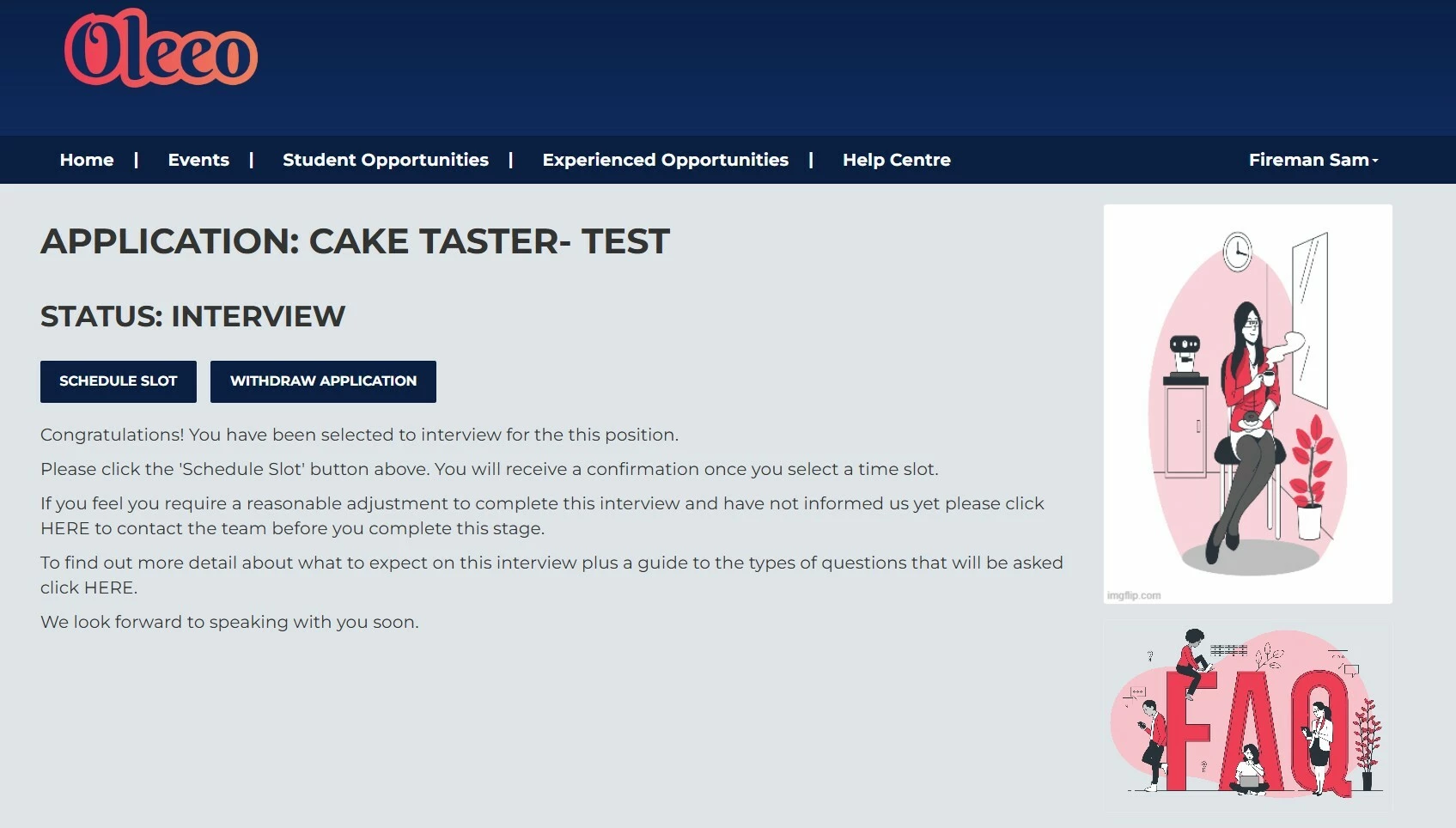
📌 Pro Tip: Consider including updates at stages where applicants might experience longer wait times to help manage their expectations. This can also reduce the volume of follow-up emails you receive.
😊 We are sure there are 100’s of other great tips relating to the candidate portal that supports candidate engagement. Please share your ideas so we can all help others!
BENEFITS
- Clearly outline the recruitment journey to help reduce the need for offline communication
- Put applicants at ease and keep them informed
- Generate more positive feedback by improving the candidate experience
COSTS
This feature is part of the standard product offering with Self Configuration level 2.
NEXT STEPS
Speak to your Customer Success Manager who can demonstrate these features to you.
ADDITIONAL INFORMATION:

