




TIP TUESDAY! - Enhanced File Library, More Than An Image Store!

WHAT IS THE TIP?
💡Attach files, store documents and share information with your applicants with our enhanced File Library! This new centralised hub is perfect for storing all those essential assets that you want to share.
What is the standard File Library? Historically it was really an image library; where you were able to store images, logos and email templates in the file library to use in your CRM campaigns, candidate emails and on your candidate facing pages.
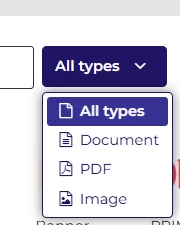
What is the enhanced File Library? Oleeo's file library’s new enhanced feature allows you to upload and store documents (JPEG, PDF, PNG, .DOC) as well as images - which you can now either attach, embed or share with your applicants using a shareable link embedded into your candidate emails for them to click and download.
Attach More than Just an Image File
💡 You can now add documents to your file library! The enhancements mean that you can include JPEG, PDF, PNG and .DOC files in your file library to be used as attachments or to be embedded or linked to throughout your system.
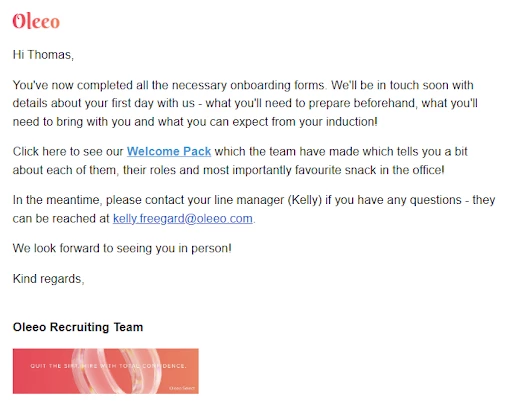
🔧 Use case: I am a recruiter and I would like to be able to send my candidates supporting documentation such as their benefits or policies or even information about their new team as part of their onboarding. I can now save these files to the file library and send them in my candidate correspondence directly from the system.
📌 Pro Tip: Use your file trees and a good naming convention to your advantage so that all File Library users can understand the file storage system you create!
Create a Shareable Link
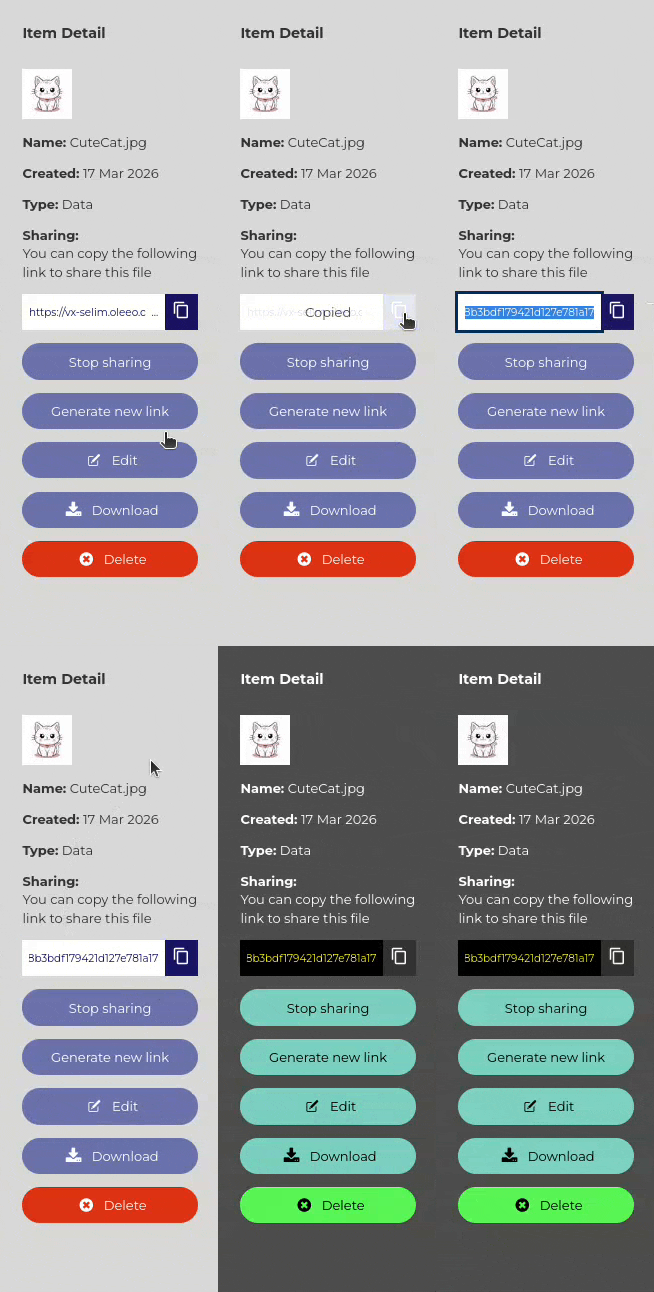
💡You can now create a shareable link for all of your File Library documents, meaning that instead of attachments, your candidate emails or candidate portal pages can contain a clickable URL which will instantly download the document you want to share.
🔧 Use case: I am a recruiter with a large campaign and sending many emails with several email attachments can slow my system down. Instead, I can embed a shareable link to the latest version of the file into my editable on send email templates which will allow my candidates to access the file instantly and prevent my system from slowing down, leaving me to get on with more value add activities.
🔧 Other use cases could include:
- Source links available from images to help brand your email templates.
- Clickable download document links in your CRM campaign emails.
- Dashboard images and document downloads for your system users.
- Talent Engage "candidate info packs" downloadable from the image shown on the candidate portal.
📌 Pro Tip: Consider what you have shared before you generate a new link. That new link will overwrite the original link meaning that your candidates will lose access to that file!
Go Pro! Upgrade for More Storage Space
💡 Want to maximise the use of the File Library? All customers are entitled to a small amount of storage space for imagery, however if you would like to make the most of the enhancements by adding documents and generating URLs, you can upgrade your storage space with Oleeo and store all your relevant files and images in the system itself - removing the need for external file storage solutions.
😊 Can you see yourselves using the enhancements with the File Library? Tell your community about how you plan on making the most of the new functionality!
BENEFITS
- Complete control: You manage your files, this allows you to update and amend whenever you need to. You can replace and alter whenever you need to update to an updated pack or document.
- Brand identity: Aligning to your company brand makes the applicant journey clear and concise. Ensure every recruiter uses the latest, high-res logos and headers.
- Generate shareable links: Create quick, access controlled links to share from the File Library. Speed up your outreach by having your brochures and PDFs ready to go.
- Candidate engagement: An informed applicant is a happy one, by sharing information they are kept informed and updated. By utilising the file library you can include relevant information to their role or the company ahead of joining.
CONSIDERATIONS
- You will need Oleeo to activate a configuration key to enable some of these features.
- You will need Self Configuration level 1 to be able to access and manage files within the file library.
- It is best practice to have a document review process to ensure that your old documents are retired and new documents shared.
- Recruiters cannot remove template attachments when sending an email; attachments added to templates are fixed for recruiter sends.
- Letter generation uses uploaded graphic files and BBTag links; large bulk letter generation may time out for very large templates.
- Shareable links can be stopped and/or re-generated, if that happens you will remove access to the old file to those who have the old link.
- The File Library doesn't resize images, so prep your graphics first! Pre-size your images before uploading to ensure pixel-perfect, lightning-fast loading across every device.
- If you generate massive bulk letters, keep your graphic file sizes lean to prevent system timeouts.
- Use a clear title on your file names so you can easily find and attach these where you need them.
COSTS
The original File Library is part of the standard offering, however the enhanced File Library can carry a monthly fee based on your storage and usage requirements. Please reach out to your Commercial Director and/or Customer Success Manager for more information.
NEXT STEPS
To activate the File Library or its enhancements, please raise a change request with our Delivery Team.
For any advice, guidance or a demo, speak to your Customer Success Manager.
For any cost implications, please speak to your Commercial Director.
ADDITIONAL INFORMATION:

