




TIP TUESDAY! Data Dictionaries - The start of your reporting journey

WHAT IS THE TIP?
💡 Did you know that the data dictionary allows you to report on information within your system? By adding your data fields to the dictionaries, you can then view this information in layouts and reports.
If you want to add an existing data item to a table layout or a report but it does not show, you may simply need to request for it to be added to the relevant Data Dictionary.
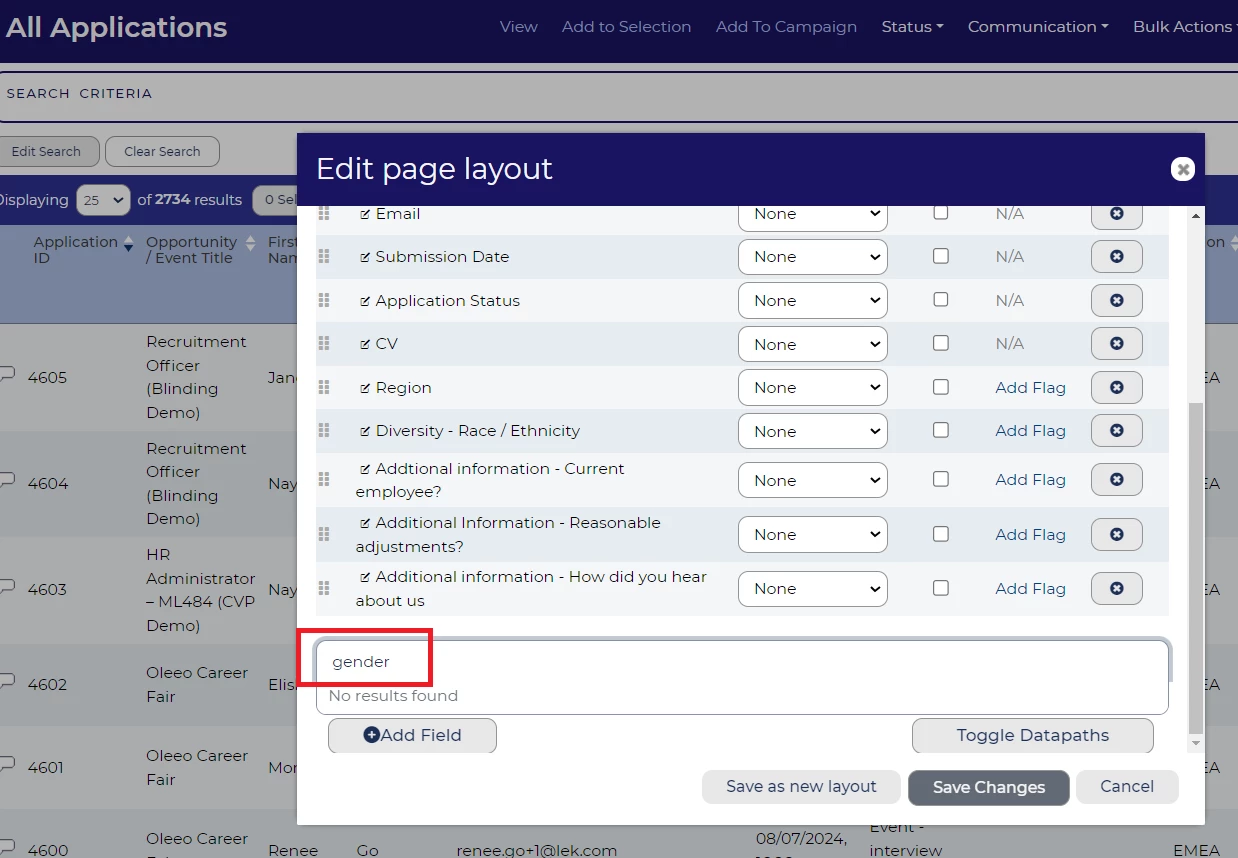
In this example, the item Diversity - Gender from the candidate application form cannot be found when attempting to add it to a table layout or a report:
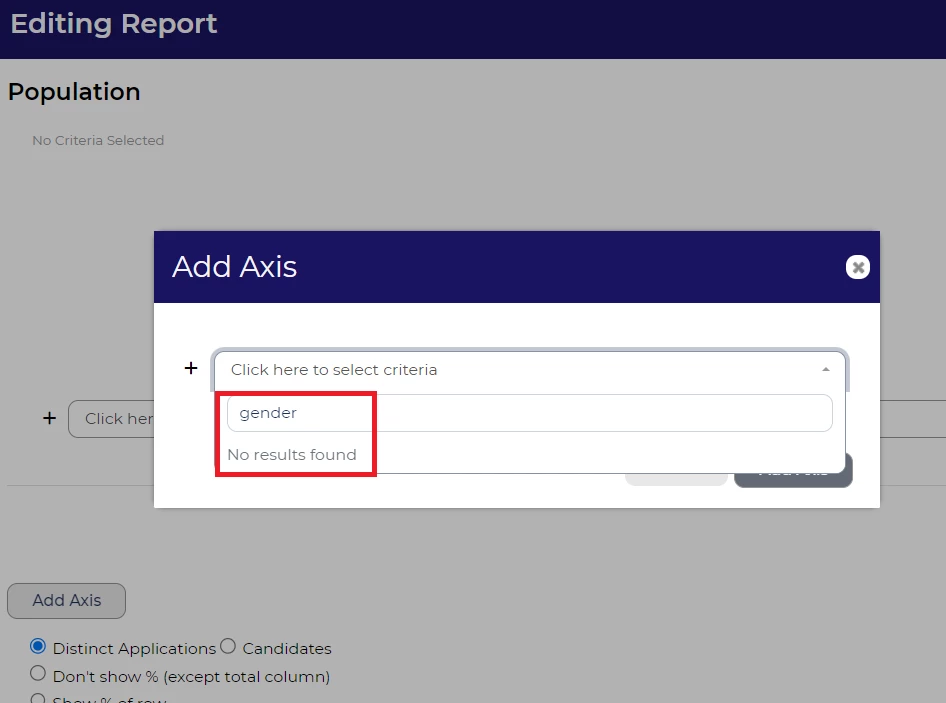
It’s a good idea to add all form items to a data dictionary - if an item has not been added, please request that your Oleeo supported user updates this.
In most cases it is quite easy to add items to a data dictionary, you just need to edit the item and update the relevant field:
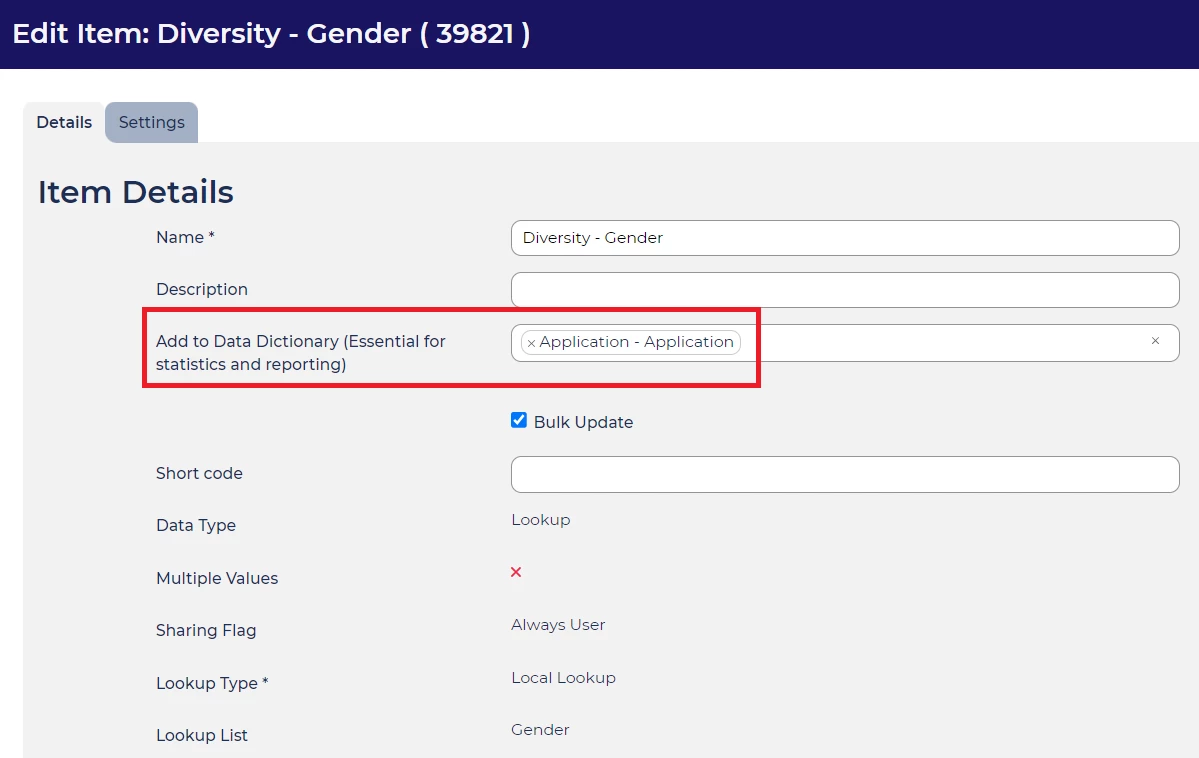
In this example I have found the item in the system, entered edit mode and added the item to the data dictionary Application - Application. It will now appear when you add this to a table layout or report.
If you are unsure of which dictionary to add your item to (sometimes this may not be so obvious), please contact your Oleeo supported users or Oleeo Support team for clarification.
Once the change is pushed to live you will be able to add the item into table layouts and reports as you wish!
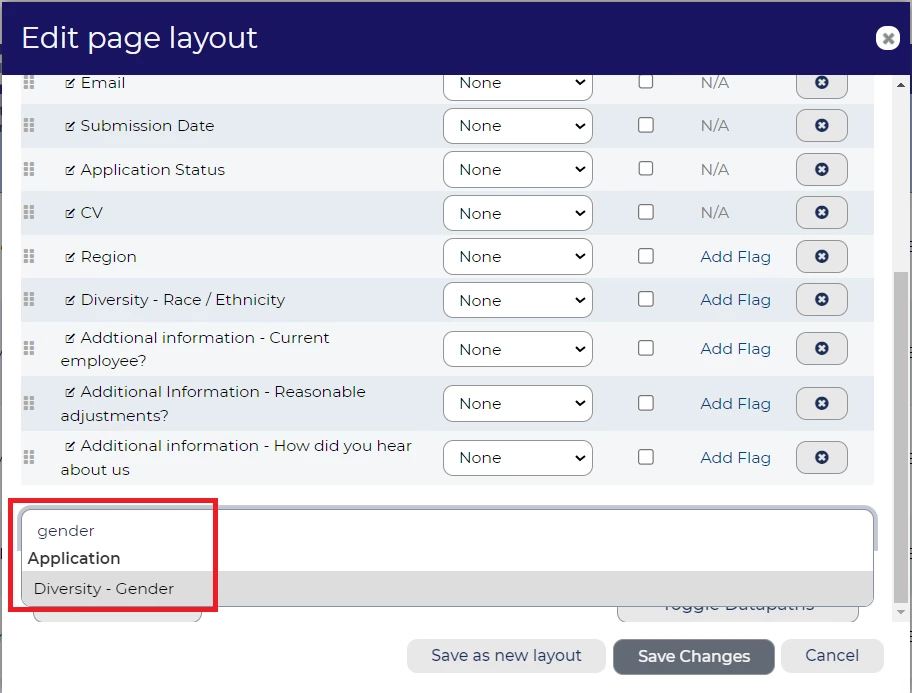
Still having trouble locating your item when adding this to a table layout or report?
Very occasionally, the item you are trying to add to a table layout or report, might still not be found even though it has been added to a dictionary. This is generally because, at some point, the item has been renamed and this has not been reflected in the dictionary. Please contact your Oleeo supported user, or the Oleeo support team in order to resolve this.
BENEFITS
Being able to report on all items in your system is paramount to successful reporting and will help you to be data driven in your recruiting.
CONSIDERATIONS
When creating a new item it is good practice to ensure the item name is something other users will be able to identify easily for reporting purposes.
When adding items to a standard report, please note that free text fields and files cannot be reported on.
COSTS
This feature is part of the standard product offering.
NEXT STEPS
Speak to your Oleeo system admin, or ask them to raise a case to the Oleeo support team.
ADDITIONAL INFORMATION:
For more information on the data dictionary, please search for ‘data dictionary’ within the config guide (Oleeo supported users only.)

