




TIP TUESDAY! Community Updates Straight to Your Inbox

WHAT IS THE TIP?
💡At Oleeo, we’re all about letting technology handle the automated tasks while you focus on high-value, human-centric work. Our Community platform is no exception.
We know you love staying up to date with Community content, but you also have a day job to do. That’s why we’ve made it simple to ‘Subscribe’ to different areas and get updates delivered straight to your inbox.
Subscribe to page updates
💡Easily manage your subscriptions in one central place so you always stay up to date on the latest Oleeo news and resources.
- Ensure you have logged into your Community account or register for an account.
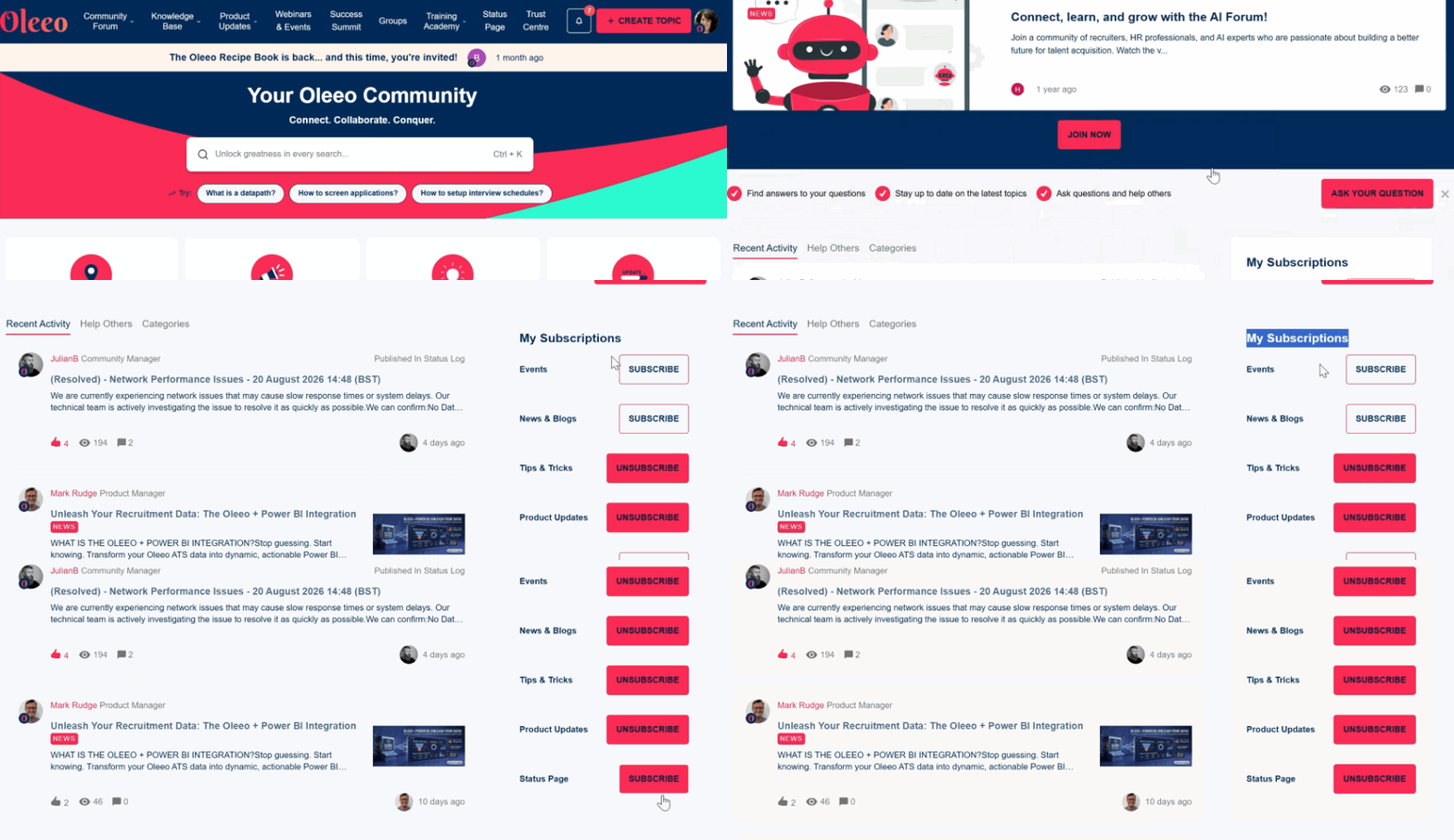
- When you log onto the Community, scroll down and look for ‘My Subscriptions’.
- Click on the pages you wish to receive email notifications for updates.
- To ‘Unsubscribe’, click the button again.
- The list of notifications include:
- Events - Conferences, webinars, training sessions and more
- News & Blogs - helpful industry related info
- Tips & Tricks - Tip Tuesday tips
- Product Updates - Release notes, products coming soon, new products and product announcements
- Status Page - Alerts of any system disruptions
Follow that thread
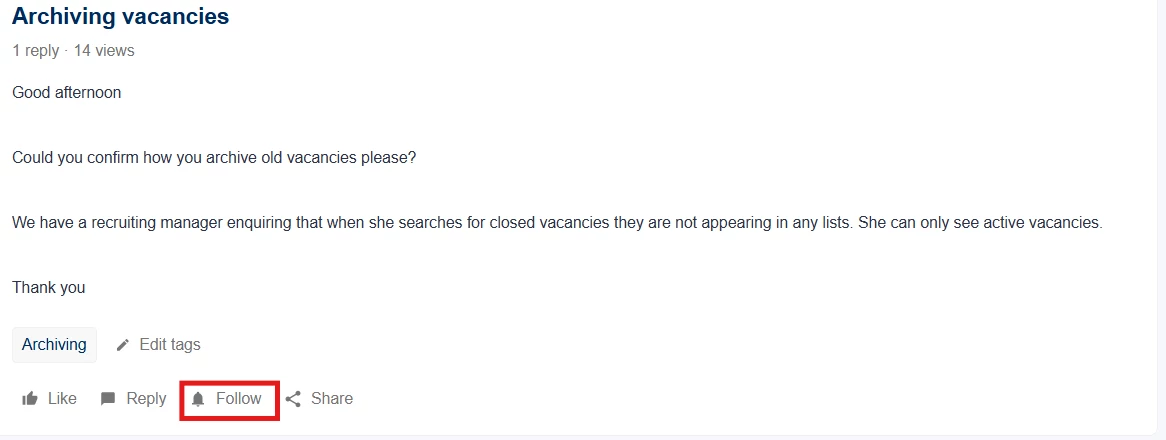
💡Interested in a discussion? 'Follow' any Community Forum thread to receive email notifications whenever peers post new replies or answers.
At the bottom of the question, there is a ‘Follow’ button to receive email notifications.
You can ‘Unfollow’ by clicking the same icon again.
BENEFITS
- Never miss the latest Oleeo news and updates.
- Learn from your Oleeo peers.
CONSIDERATIONS
You need to have registered for an Oleeo Community account to ‘Subscribe’ or ‘Follow’ Questions threads.
COSTS
This feature is part of the standard product offering.
NEXT STEPS
If you haven’t already, register an account on the Oleeo Community. .
Speak to your Customer Success Manager if you have any questions.
ADDITIONAL INFORMATION: