




TIP TUESDAY! Branding Emails

WHAT IS THE TIP?
💡We all get so many emails they just become a blur. When sending out emails to candidates providing important updates or good to know information, you need that message to stand out.
Have you ever looked at the emails that you send out and think, wouldn’t it be nice to have an image or a logo on these to tie in to your corporate branding? Fear not, we can help you enable a feature to add these in!
Branding your email
💡Adding a logo or crest is a simple process, create and size this offline and then upload to the Oleeo system in the File Library under Email Attachments.
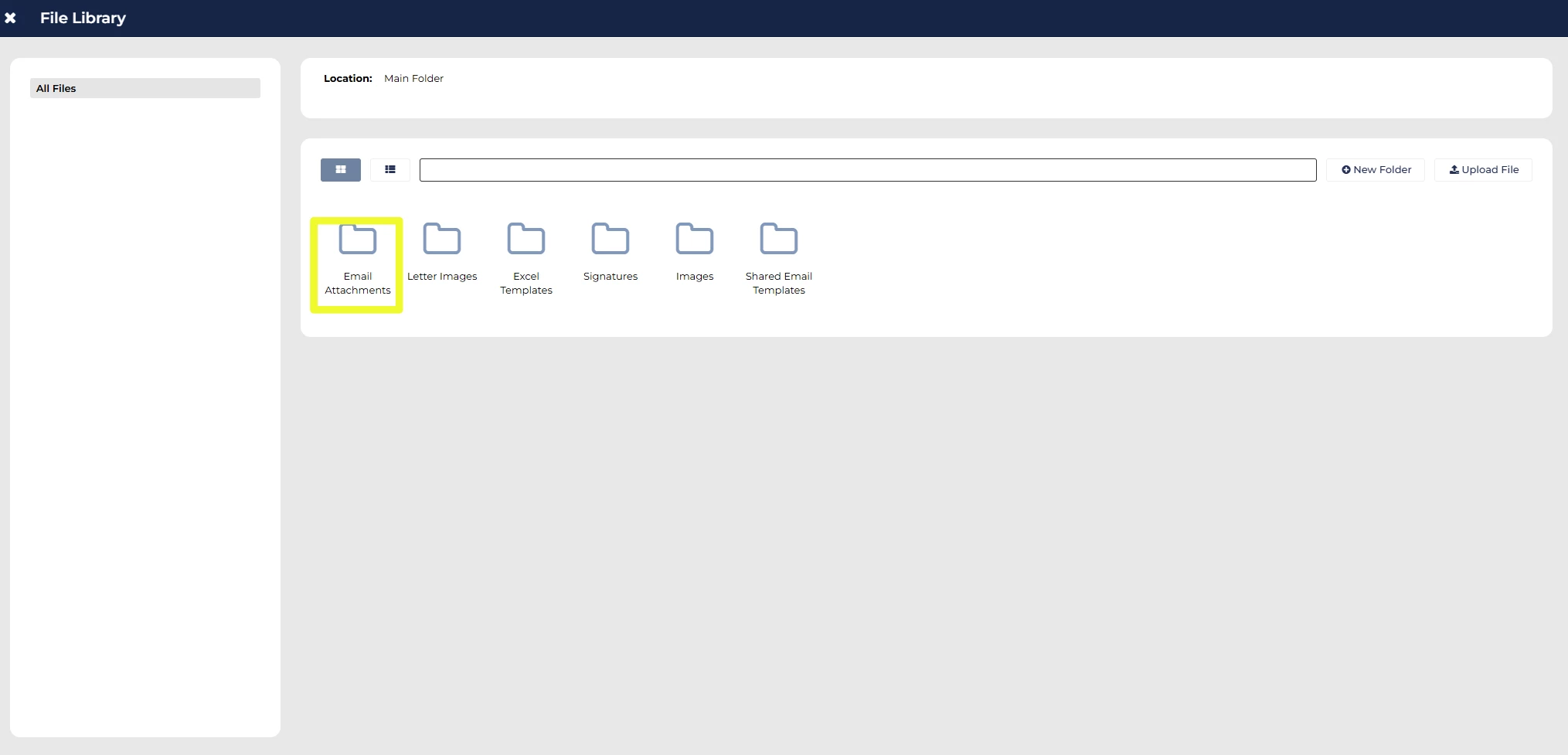
Once the relevant logo has been selected, save the email.
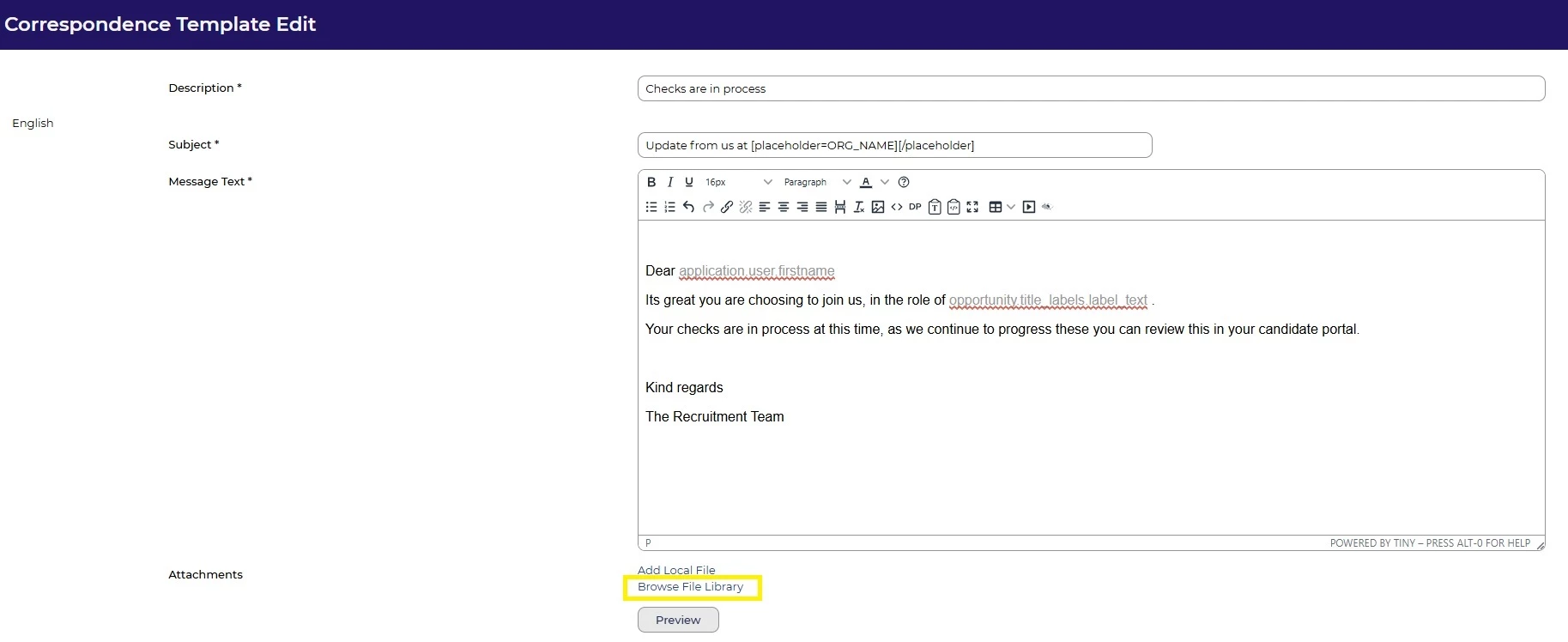
Once the email is saved and attachment added, you will see links to ‘remove’ and for ‘BBTag’.
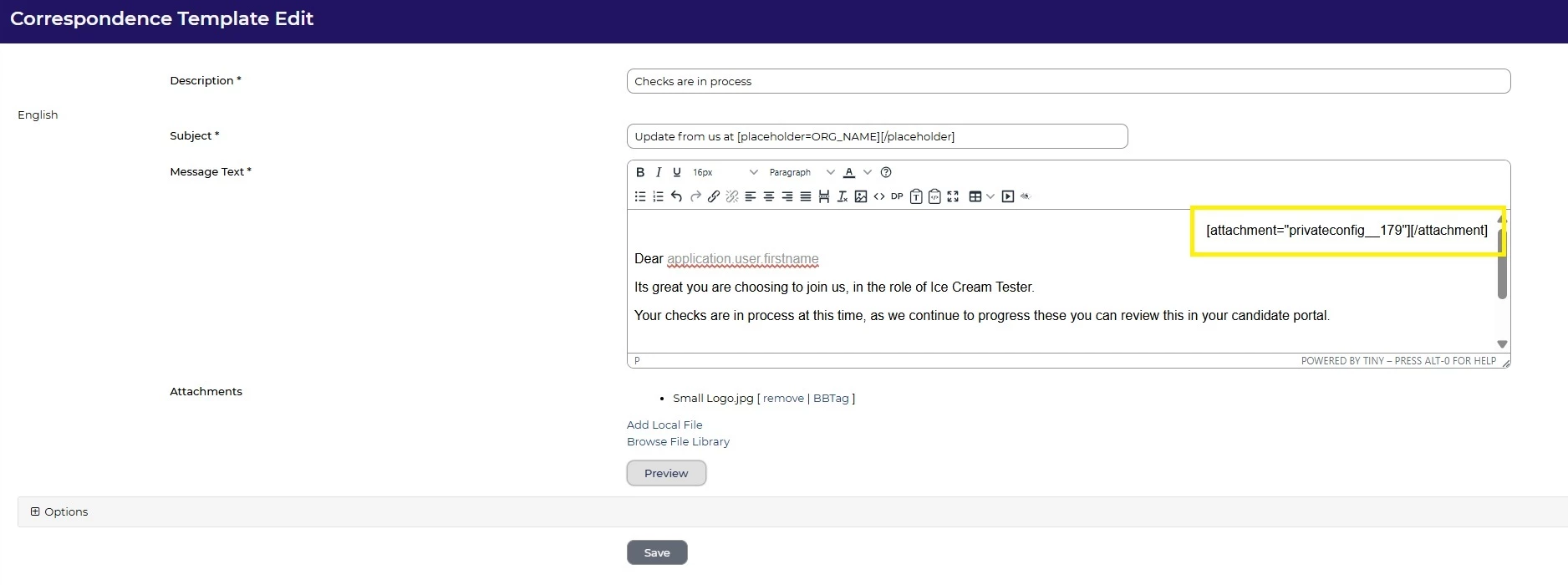
Click on ‘BBTag’ to expose the datapath/link.
Copy the link and paste in the Message Text box where you wish the image to appear in the template.

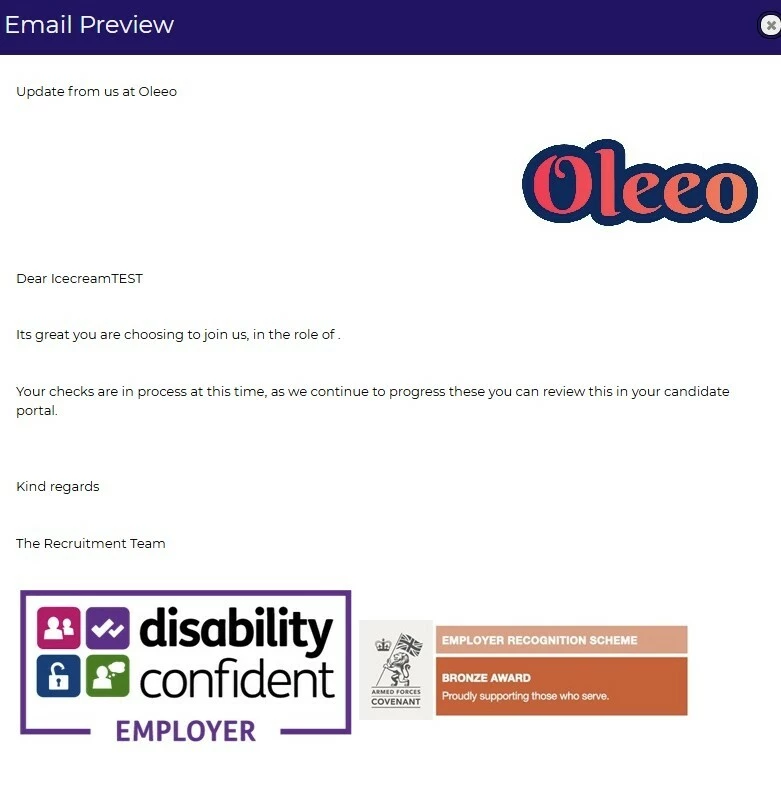
The example below shows a logo being added to the top right hand corner of the email using the BBTag relevant to the logo chosen.
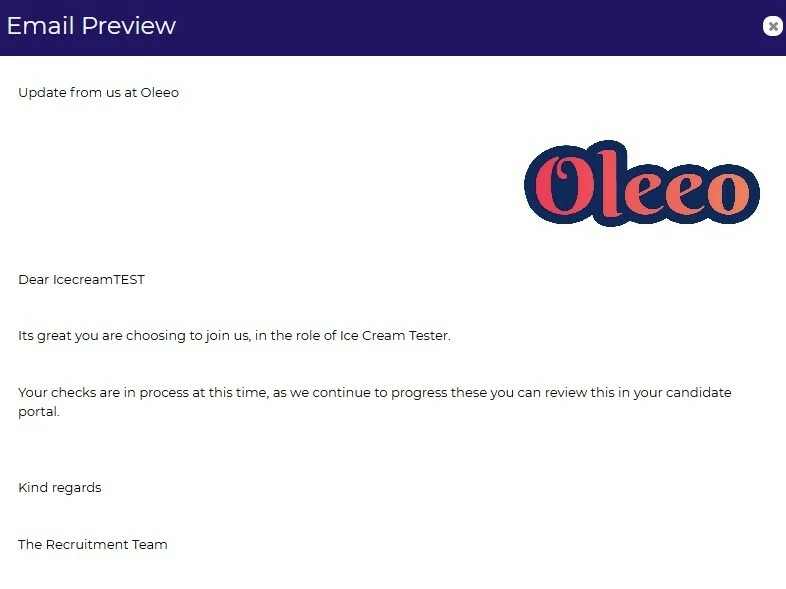
This is an example of the above email with the logo added.
🔧 Use case: Your Marketing team has brand guidelines around correspondence that the Talent Acquisition team need to follow. You need to add the imagery to all templates to align with the guidelines and to ensure the professionalism and credibility of the emails that candidates receive.
😊 Why not create some impactful email templates and then share them on our community pages!
BENEFITS
Any email with a brand logo tends to gain attention, it helps provide reassurance that the communication is genuine and gives a consistent look and feel throughout the candidate journey.
Adding in company achievements or a vision and values footer image demonstrates your commitment and direction.
CONSIDERATIONS
- The file library may need to be enabled by your Customer Success Manager, reach out to them for a demonstration on this feature.
- There is no size or shape editor in the File Library so ensure you size to correct dimensions ahead of uploading it.
- Images can not always be read by a text reader for someone with sight loss so consider the placement of images within your email for accessibility reasons.
COSTS
- This feature is part of the standard product offering.
NEXT STEPS
Speak to your Customer Success Manager.
ADDITIONAL INFORMATION:

