




TIP TUESDAY! Always Keep Your Column Filters ON!

WHAT IS THE TIP?
💡If you’ve ever found yourself re-adding column filters after leaving a screen or going back from a result, then this tip is going to be a game changer. You can now ensure your table layout filters stay on across sessions and searches - no more starting from scratch!
How to Use Column Filters
💡 In many places across the system (like viewing applications, opportunities, or events), you can add filters to your table layouts for quicker searches.
How to Turn on Filters:
- Open a table layout (e.g. viewing all applications).
- Click Filter Results and select Show Column Filters.
- This adds a filter to the top of each column for quick searching.
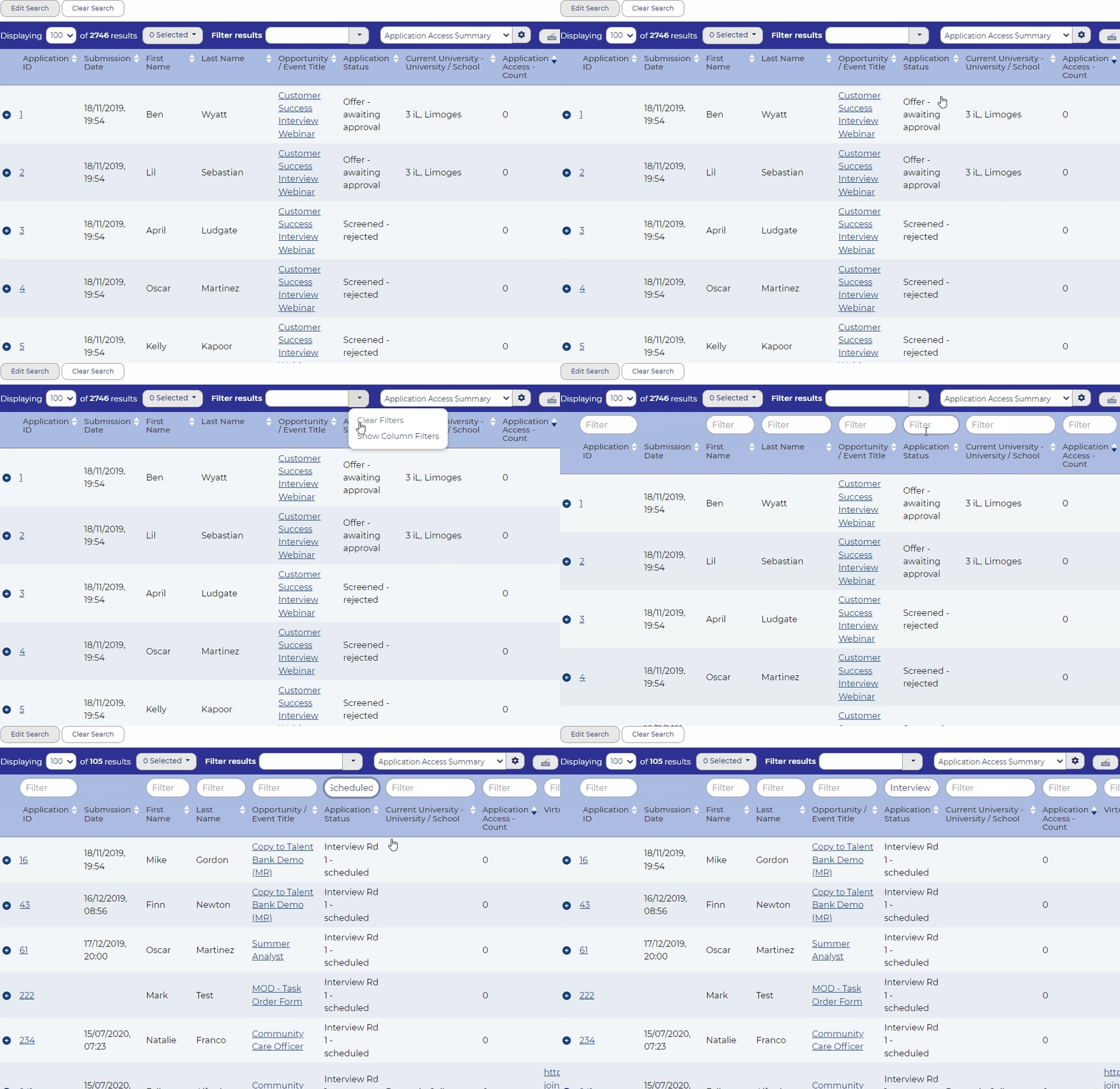
📌 Pro Tip: You can filter by any column, whether it’s candidate names, status, or vacancy details.
The Time-Saving Development: Filters That Stick!
💡 We heard you - re-adding filters every time you leave a screen was a pain. So now, with a simple tweak to your profile preferences, you can make sure your filters stay on until you switch them off. Here’s how:
- Go to your Profile in the top right corner.
- Click Preferences.
- Toggle Save Datatable Column Filters Between Sessions to ON.
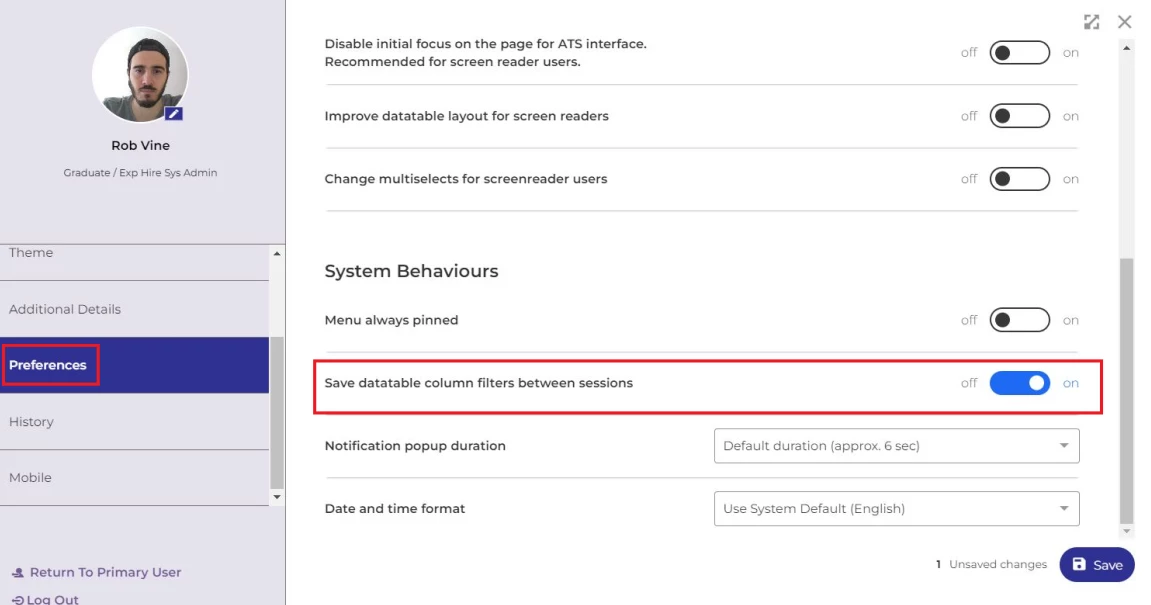
Now, when you apply filters, they’ll stick! Even if you leave the screen by going into a record, your filters will remain in place when you come back. It’s like hitting the ‘pause’ button on your filter settings.
🔧 Use case: When shortlisting candidates or reviewing multiple opportunities, using column filters allows you to easily search through specific criteria. Let’s say you’re filtering for candidates in the "Interview" stage - apply the column filter, go into a candidate record, and when you return, the filter is still in place! No need to re-filter every time.
😊 Try turning on your Save Datatable Column Filters today and see how much time it saves you! It’s a simple switch that can have a big impact, especially if you’re working through long lists of candidates or vacancies. Need help setting this up? Reach out to your Customer Success Manager, and we’ll guide you through!
BENEFITS
- Time saver: Your filters are saved across sessions, no need to reapply.
- Efficiency: Makes shortlisting and reviewing records quicker and smoother.
- User control: Switch the filters on/off depending on your needs.
CONSIDERATIONS
- If you disable this setting, you’ll have to manually re-add filters when navigating back to a screen.
COSTS
This feature is part of the standard product offering.
NEXT STEPS
Speak to your Customer Success Manager for more guidance and information.

