




Vacancy Multi-forms

WHAT ARE VACANCY MULTI-FORMS?
Oleeo’s Vacancy Multi-forms feature allows you to split up the vacancy/requisition & event creation forms into as many different forms as you wish. This allows you to complete different parts at different times without having to complete all the mandatory items all in one go!
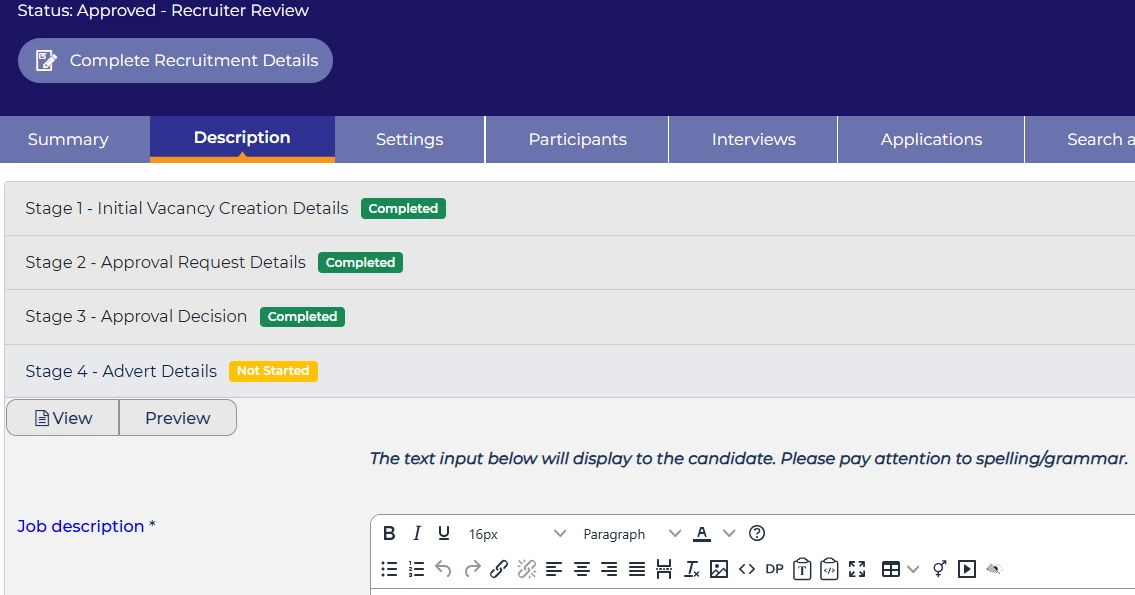
WHAT DOES IT DO?
- The feature allows you to split your vacancy creation form into as many different parts as you wish. This is very useful if you ideally want different users to be able to add different information into the opportunity form i.e. basic information by the hiring manager, approval information by the approver/departmental manager and cost information by the financial manager.
- Each form that makes up part of the multi-form process can also be set to be completed at a certain part of the opportunity process, so that you can ensure a certain form is completed before the next one can be accessed.
- You can also choose which user can see/edit which forms, ensuring that some users will not be able to self certify approval or add/see sensitive information, which can be really useful for opportunities where there maybe many internal applicants and it is imperative to disguise salary and bonus ranges.
HOW DOES IT WORK?
Once configured when a user navigates to the Description Tab in the Vacancy Overview they will now see the different forms that the vacancy creation form has been split into, the name of each new form and the status of that form (Not Started, Started or Completed)
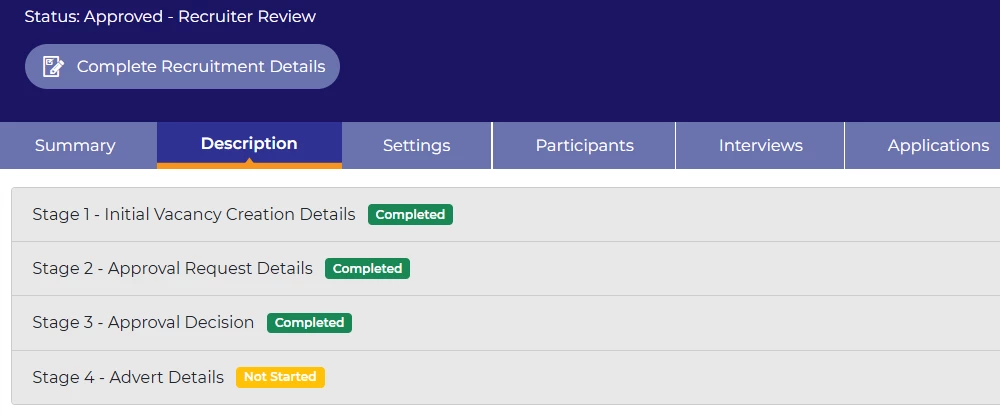
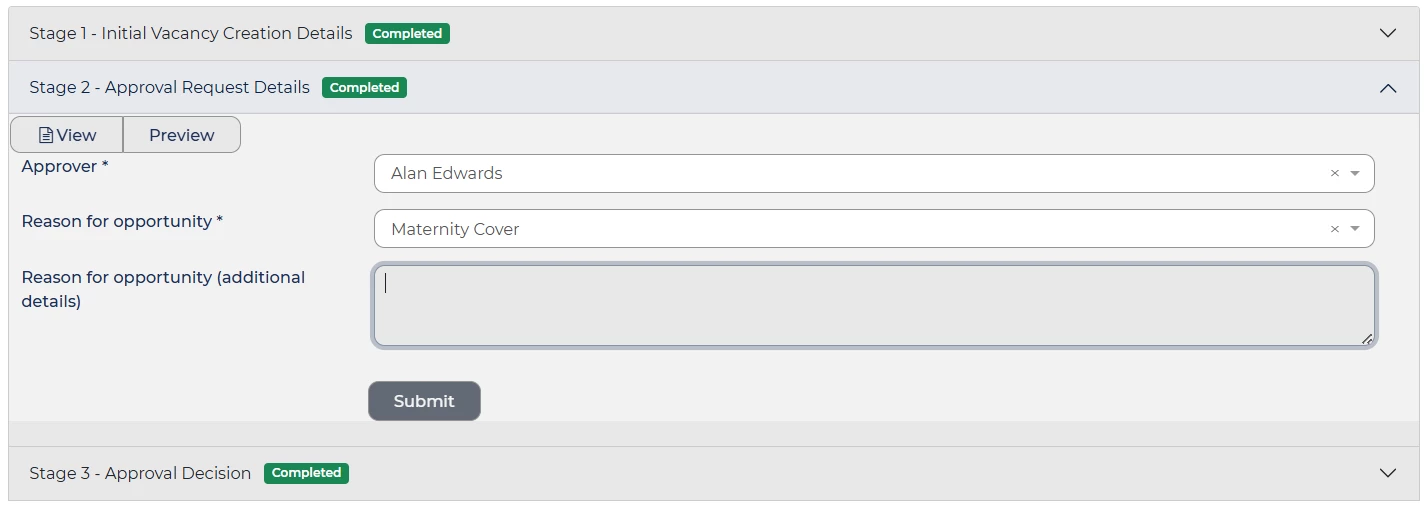
Please note: You can choose which forms / items must be completed prior to the opportunity being posted and put to live. Some elements can be added/amended after go live if that is your requirement.
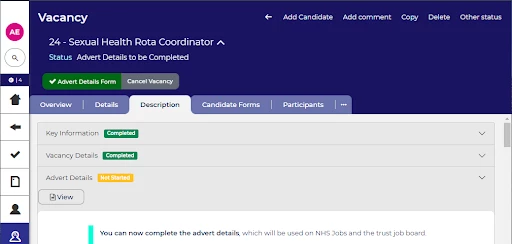
You can also add a button in the vacancy process flow that will take a specific user straight to the form they have the responsibility of completing. This will make system navigation easier and quicker.
CONSIDERATIONS
The main considerations are:
- How many different forms do you need?
- Which items should go in which forms?
- Which users should be able to access and complete which forms?
- Which items need to be completed before go live and posting?
- Which items can be completed after go live and posting?
- Which items are sensitive information and should be restricted to certain user profiles only?
NEXT STEPS
Speak to your Customer Success or Commercial Manager for any additional information.
COSTS
Please speak to your Commercial Manager for further information.
ADDITIONAL INFORMATION

