




Screen Applications User Interface

WHAT IS OUR NEW SCREEN APPLICATIONS USER INTERFACE (UI)?
Introducing our new Screen Applications UI, a revolutionary feature designed to empower your recruiters. We’ve listened to your feedback, creating a tool that lets you locate, access, and screen applications with unprecedented speed and ease. Say goodbye to unnecessary clicks and multiple page load times - everything your team needs is now in one super-easy-to-navigate interface.
WHAT DOES IT DO?
This new feature aims to revolutionise how you screen and evaluate applications on your Oleeo ATS:
-
Enhanced Efficiency & Productivity:
-
Screen more applications in less time, maximizing recruiter output.
-
Minimize manual effort with intuitive navigation and consolidated information.
-
Boost recruiter productivity by streamlining their daily tasks.
-
Reduce administrative burden so recruiters can focus on engagement.
-
-
Superior User Experience:
-
Enjoy a seamless, intuitive interface designed for optimal user comfort and speed.
-
Navigate with fewer clicks and reduce eye strain.
-
Access all essential information in one centralised location, eliminating tab-switching.
-
-
Cost Savings:
-
Lower your cost-per-hire by optimising recruiter time and reducing manual processes.
-
Reduce operational expenses associated with inefficient screening.
-
-
Scalability & Adaptability:
-
Easily manage high volumes of applications during peak hiring periods.
-
Future-proof your screening process with a modern, adaptable tool.
-
HOW DOES IT WORK?
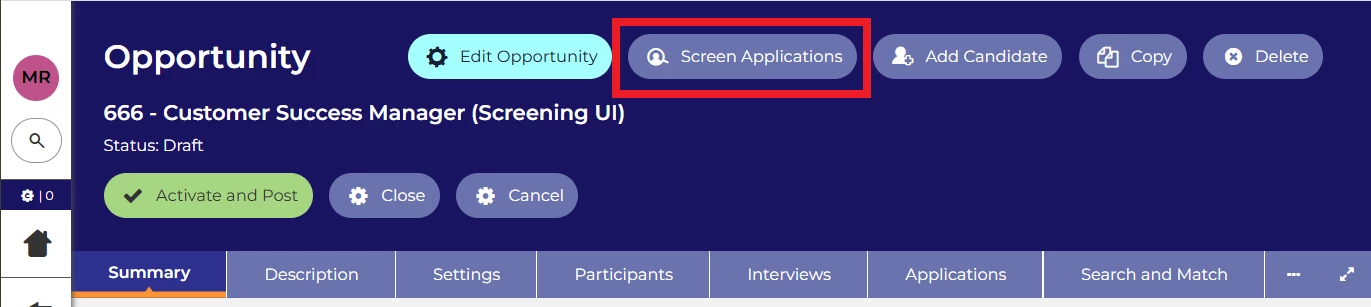
Access the New Screening User Interface via the new Screen Applications button from the Vacancy Overview Screen (no existing parts of the system is affected).
This takes you to our new view that has been optimised to ensure you have all the tools you need to screen each applicant fully without the clutter of tools that are not relevant for this stage.
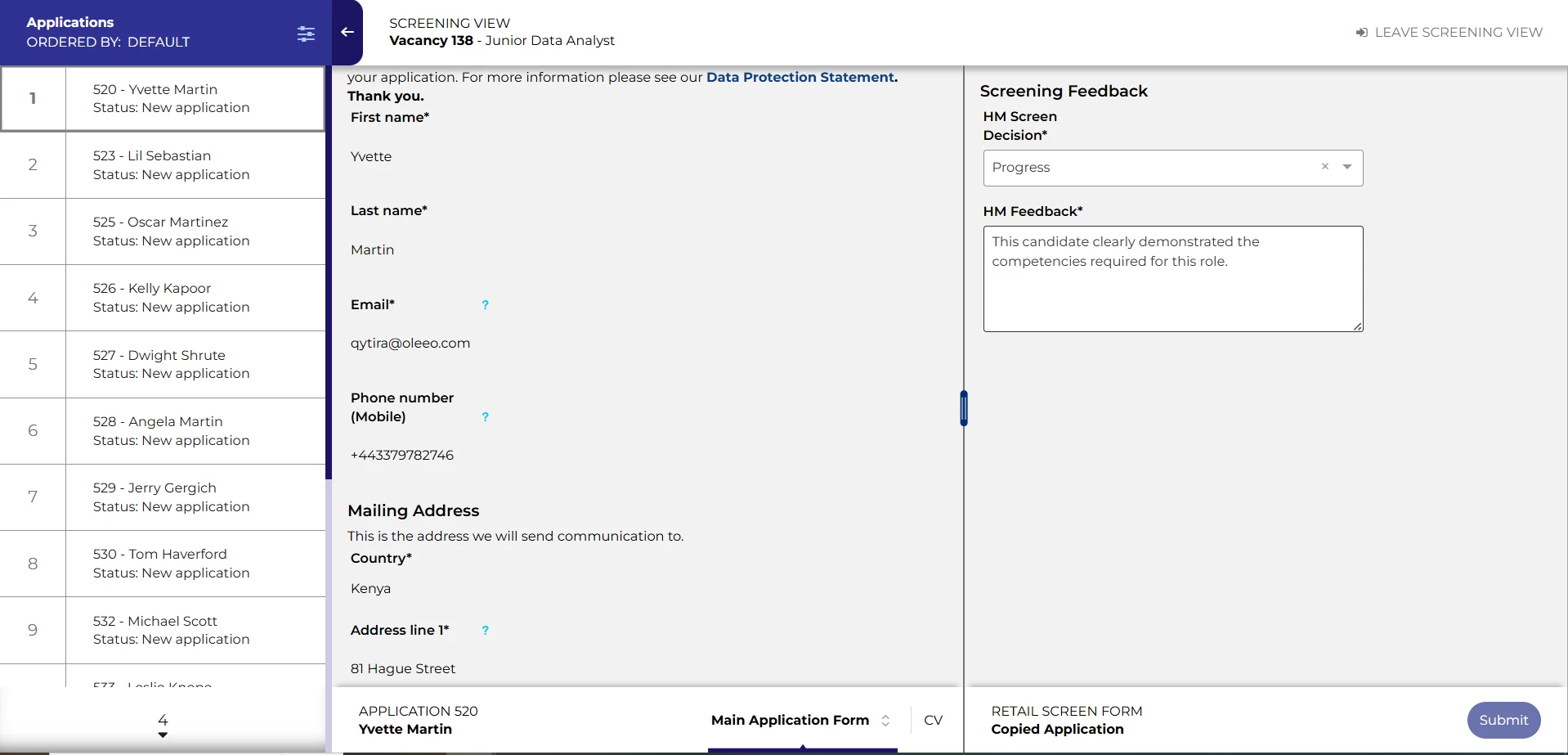
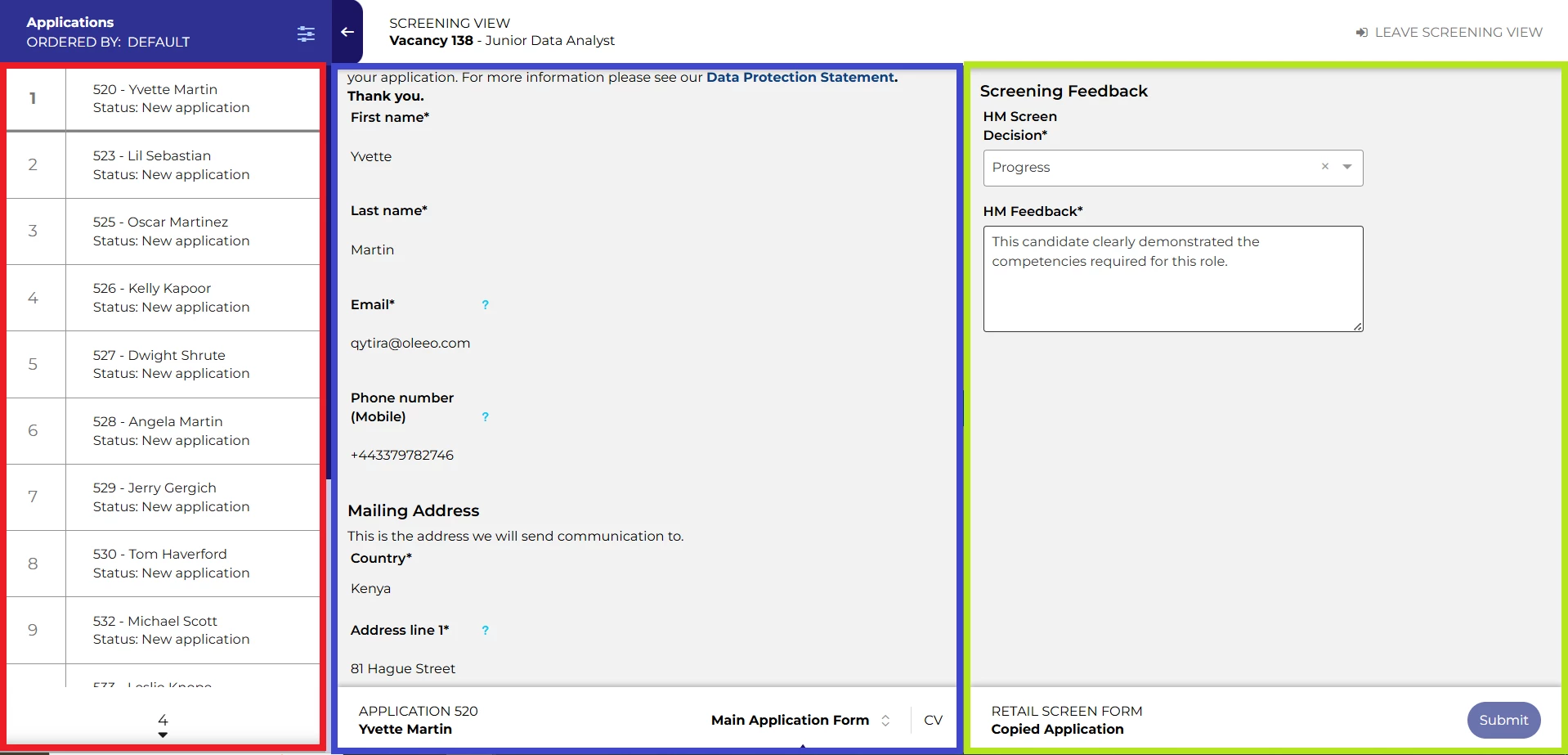
There are dedicated areas for your application list your application information and your screening feedback forms, each can be manipulated to suit your personal needs.
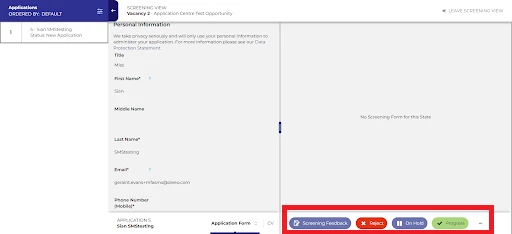
Screen your applications, complete feedback forms and progress or reject applications without having to change screen or reload the whole page.
CONSIDERATIONS
PLEASE NOTE: You must already have the new Vacancy UI added to your system and pushed to live to take advantage of the new Screen Applications UI.
NEXT STEPS
Speak to your Customer Success or Commercial Manager for any additional information.
COSTS
Please speak to your Commercial Manager for further information.
This feature is part of the standard product offering and the standard version will come at no extra cost.
ADDITIONAL INFORMATION

