




AI Assistant

WHAT IS THE AI ASSISTANT?
We are bringing the power of AI to your fingertips.
You can now interact with our Recruiter Guide in a completely new way. Powered by advanced LLM technology, our new tool allows you to:
- Ask complex questions in plain English.
- Receive instant, summarised answers.
- Trust that the data comes directly from our verified guides.
Smarter searching is just around the corner.
WHAT DOES IT DO?
The AI Assistant reads our comprehensive Recruiter Guide and delivers a concise, easy-to-read summary instantly. It’s like having our best expert sitting right next to you, ready to answer your questions 24/7.
Ask it a question and get:
-
Instant Answers: Ask natural questions, get immediate answers.
-
No More Jargon: The AI digests complex info and gives you clear, conversational summaries.
-
Efficiency: Get the info you need and get back to placing top talent.
HOW DOES IT WORK?
The AI Assistant will be displayed where your links to the existing online guides used to be in the left hand menu from within the system:
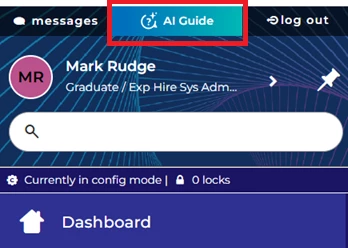
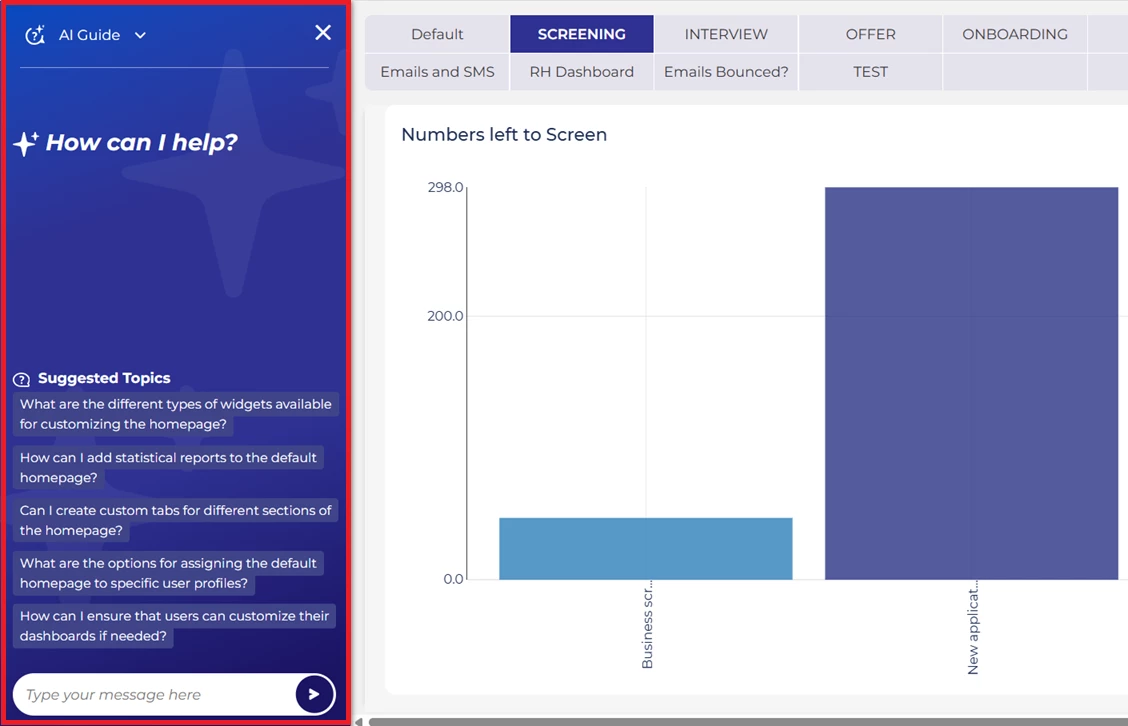
The AI Assistant will open and utilise the screen architecture of the left hand menu.
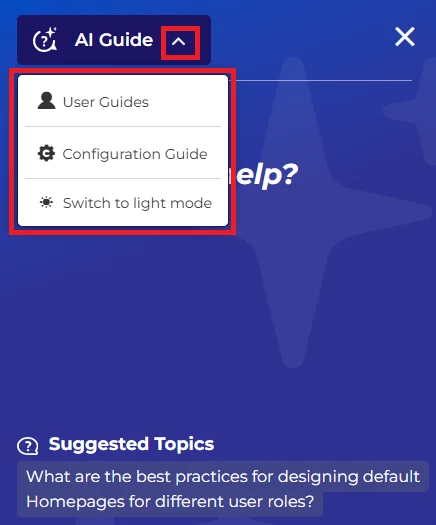
Though you can still access the original online guides by hitting the down arrow to the right of the AI Guide title. You can also change the AI Assistant to light mode if you find that easier to read:
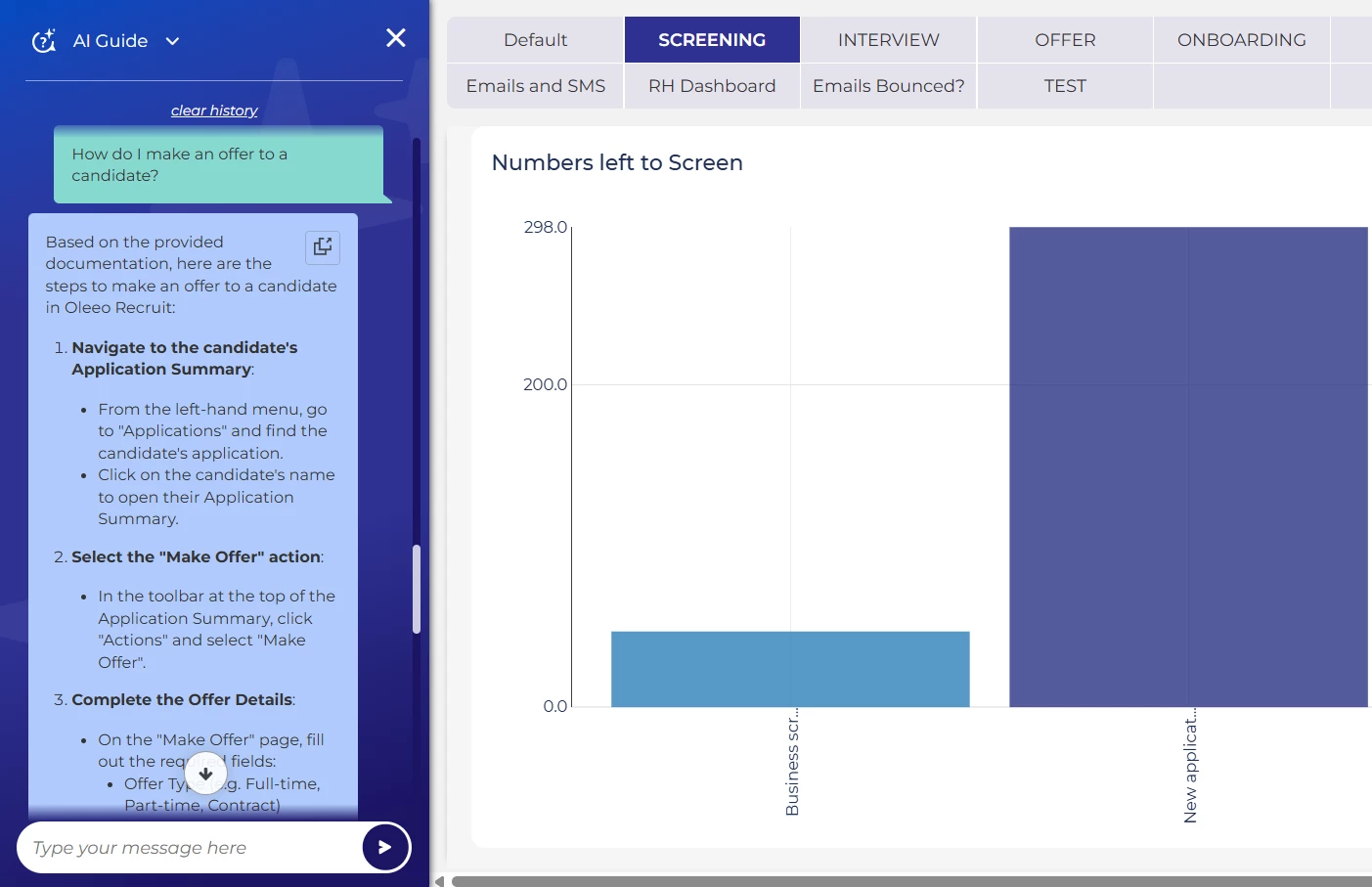
Recruiters can choose from a list of pre-defined questions that will be based not only on the current page the user is on but also previous user activity. This makes it really quick and easy for most users to immediately find exactly the support they are looking for.
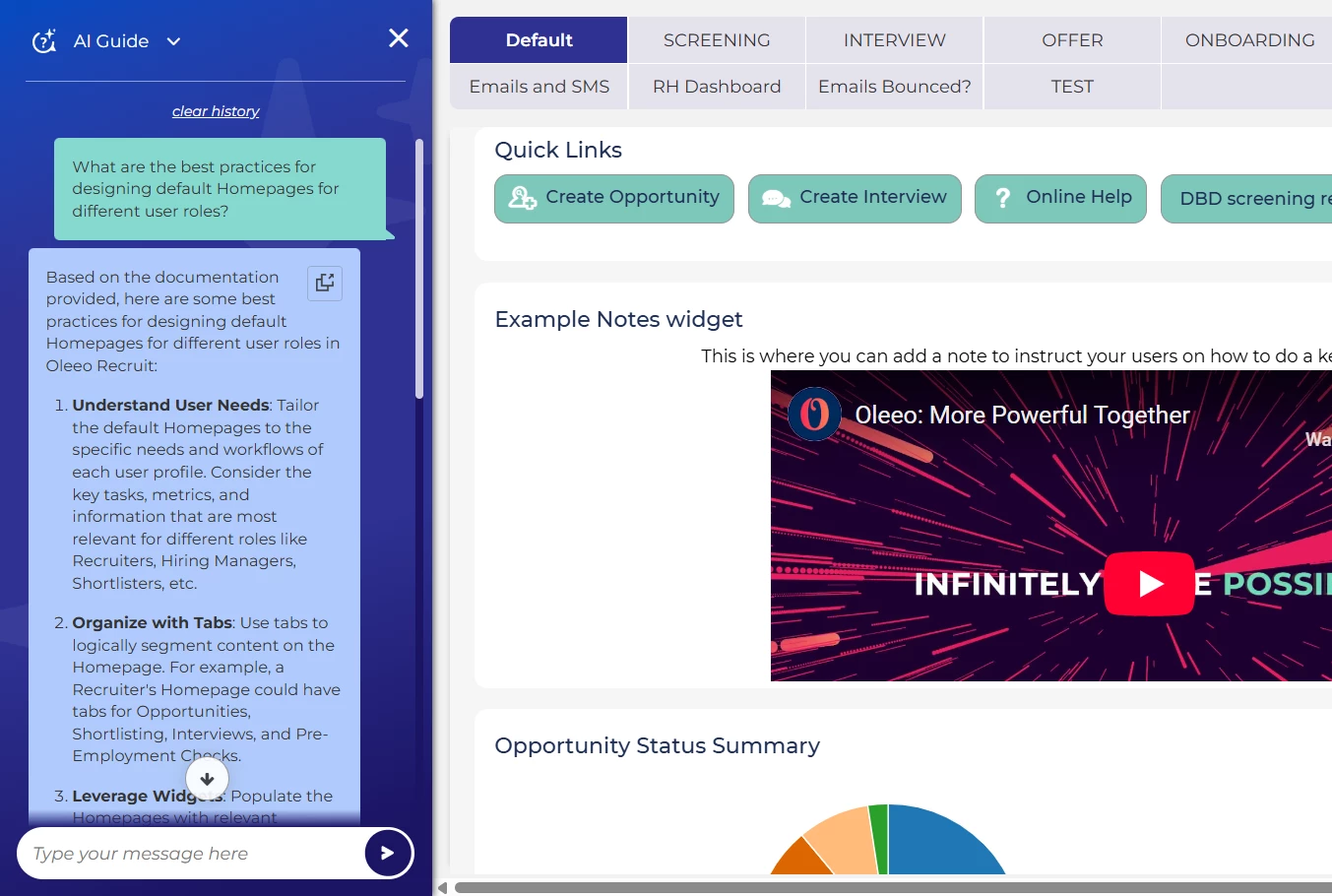
Or you can type in your own questions, and the AI Assistant will search through all Oleeo's Support guidance material to find and then collate the answer in the best, most conversational and easy to digest way.
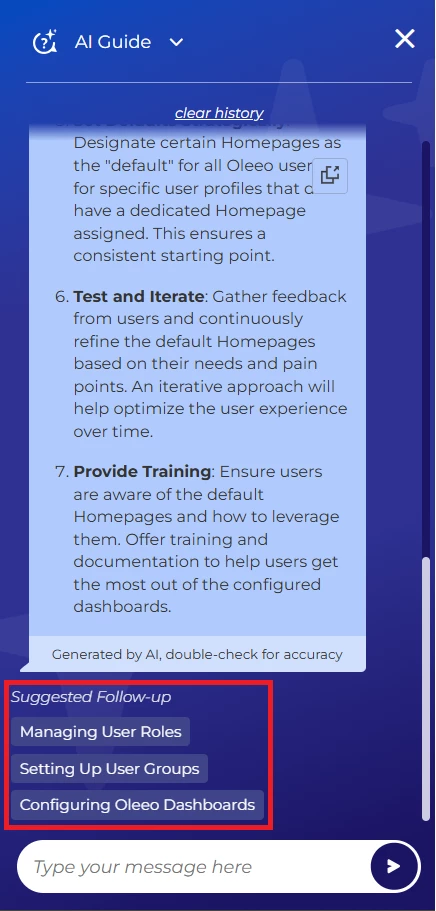
Often there will also be listed a number of related articles, for more follow up if you so need.
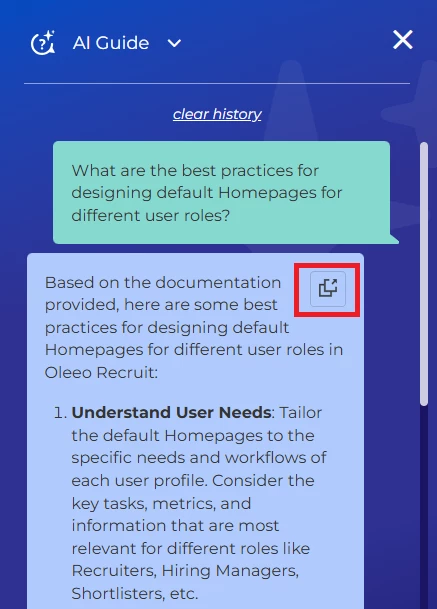
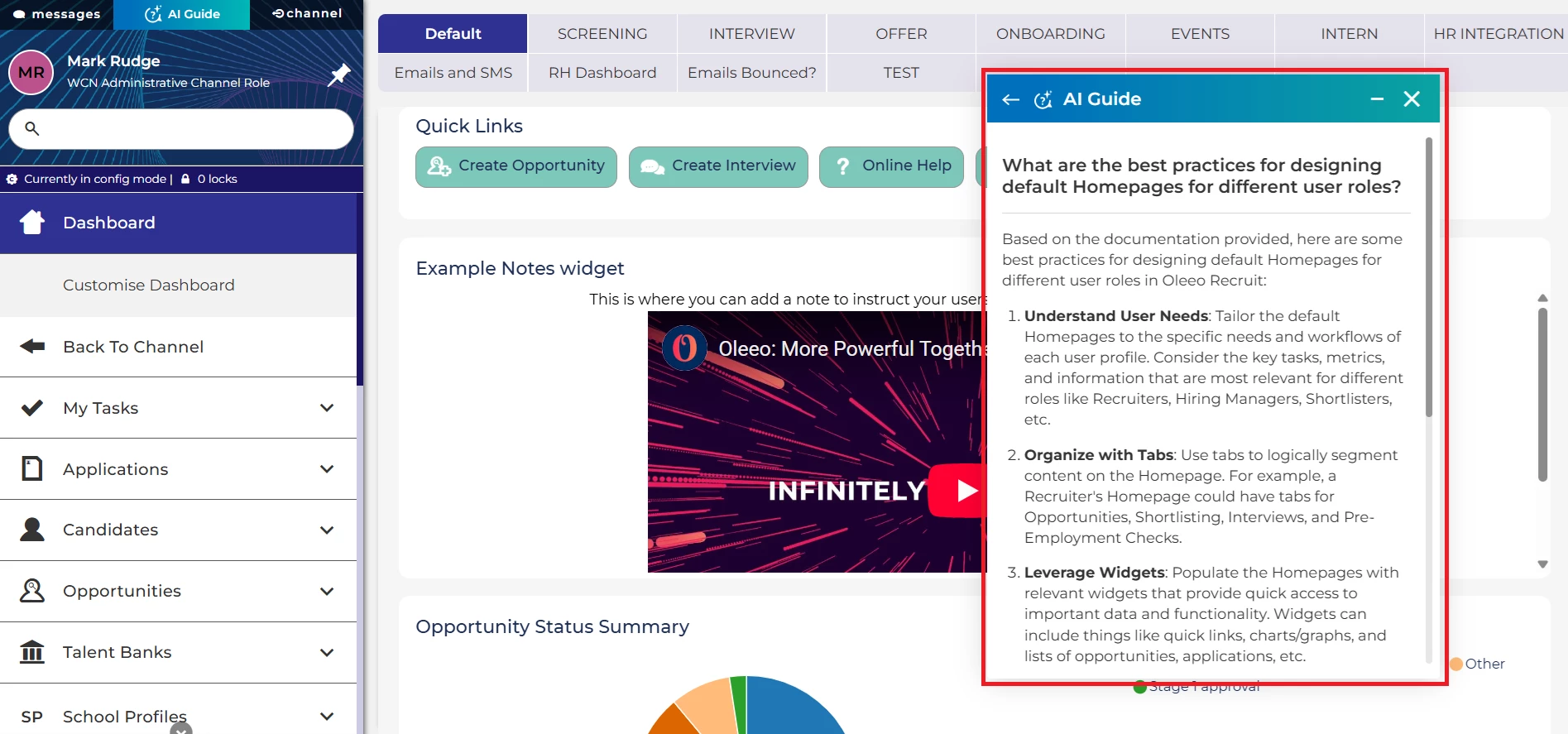
You can also pop-out the AI Assistant window into the main page area. This is particularly useful if the guidance you are given has multiple steps, involving left hand menu interaction.
The advice window will pop-out to the main page, freeing up the left hand menu for use. You can also minimise the new window or drag and drop it on the page so that you can perform any actions you need to while following the step-by-step guidance.
PLEASE NOTE: Answers can be very comprehensive and quite long on occasion, especially if there are copious source notes on that subject. As with any Large Language Model backed feature, users are able to ask the tool to be more succinct or to give a summary of the answer (though that obviously means important content could potentially be missed so its important to check for accuracy).
CONSIDERATIONS
This feature will be added at no extra cost to your organisation.
However, you may want to add your own process related content to the feature. This will make it super easy for your recruiters to not just learn how Oleeo works, but to understand how your organisation would like them to use it.
Speak to your Customer Success or Commercial Manager to get more information on how to add your own content to the AI Assistant and what costs may be associated.
Also as mentioned, your organisation will need to agree to our General AI Terms, so if you are interested in this feature, it may be a good idea to raise this at the earliest convenience with the relevant department in your organisation, to speed up the sign-off.
Chat sessions are securely logged for quality assurance and model optimisation (identifying gaps in the training documentation).
Data is primarily processed in the UK but in a small number of instances may be processed in the EU.
NEXT STEPS
Speak to your Customer Success or Commercial Manager for any additional information.
COSTS
This feature is part of the standard product offering.
This feature is free of charge.
ADDITIONAL INFORMATION

