User Guide
Deleting an opportunity/vacancy
OVERVIEW
In certain situations, you might need to remove an opportunity entirely from the system.
Example scenarios:
- You've created an opportunity and promptly realised it's no longer needed.
- You accidentally made a duplicate opportunity.
Please note:
- It is not possible to delete an opportunity that has applications attached to it. If the opportunity must be deleted, the applications will either need to be deleted or moved to another opportunity.
- Once an opportunity is deleted, it cannot be recovered.
- Your profile may not give you access to delete opportunities. If this is the case, contact a Super User.
STEPS TO DELETE AN OPPORTUNITY
- Navigate to the opportunity you wish to delete:
- If you know the opportunity's name or ID you can use the search box at the top of the left-hand menu.
- Alternatively, go to 'Opportunities' > 'Search' in the left-hand menu.
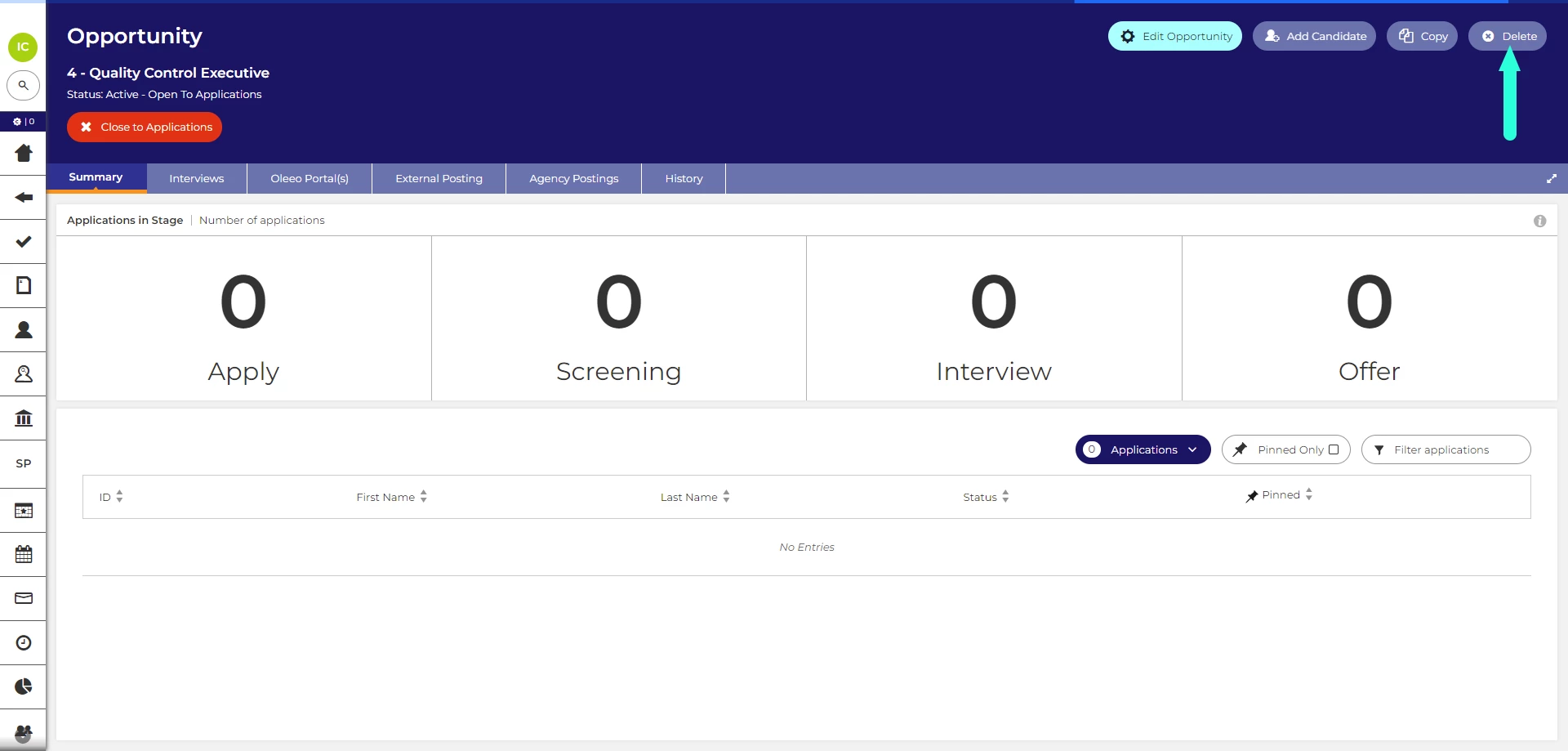
- Click the 'Delete' button:
- The button can be found in the opportunity's toolbar, located in the top-right of the page.
- In the box that pops up, click 'Confirm'.
- After deletion, you will be taken back to the list of opportunities.