




Unleash Your Recruitment Data: The Oleeo + Power BI Integration
WHAT IS THE OLEEO + POWER BI INTEGRATION?
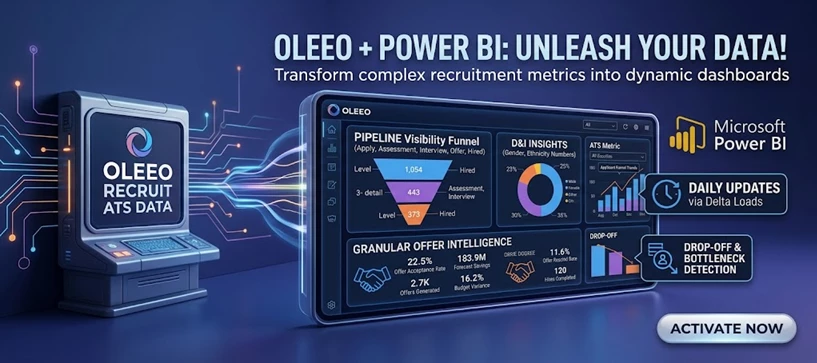
Stop guessing. Start knowing. Transform your Oleeo ATS data into dynamic, actionable Power BI dashboards that give you total control over your talent acquisition strategy.
In today’s competitive talent landscape, data is your biggest advantage. Our Power BI Integration effortlessly connects your Oleeo ATS to Microsoft Power BI, turning complex recruitment metrics into visually stunning, easy-to-read dashboards. Built on Oleeo’s robust, "API-First" architecture, this integration delivers the exact insights you need to hire faster, smarter, and more inclusively.
WHAT DOES IT DO?
360° Pipeline Visibility
Get a bird’s-eye view of your entire recruitment funnel, or drill down to the exact status of a single candidate. Our integration neatly packages your pipeline into three intuitive levels.
- Level 1 (The Big Picture): Overall pipeline health across all vacancies, locations, and student types.
- Level 2 (The Details): Stage-by-stage breakdowns (e.g., Assessment, Telephone Interview, Final Interview, Offer).
- Level 3 (The Granular Truth): Real-time tracking of exact candidate statuses (e.g., Online Assessment - In Progress, Final Interview - Scheduled, Conditional Offer - Extended).
Champion Diversity & Inclusion
You can't improve what you don't measure. Automatically pull D&I metrics, including gender and ethnicity, at every single stage of your pipeline. Easily pivot this data by Line of Business, location, or department to ensure your hiring practices are equitable and to track the success of your D&I initiatives in real-time.
Granular Offer & Onboarding Intelligence
- Never lose track of a hire again. The integration provides a highly detailed breakdown of your provisional and conditional offers, capturing:
- Candidate details (First, Last, Preferred Name)
- Program type, Line of Business, and exact Team
- Location and Intake cohort
- Crucial timelines: Opportunity Start Dates vs. Offer Start Dates
- The result? Perfect forecasting for your onboarding teams and hiring managers.
Drop-off & Bottleneck Detection
Understand exactly why and where you are losing talent. Track offer declines, rescinds, and application withdrawals with precision. By visualising where candidates exit the funnel, you can rapidly identify bottlenecks, adjust your strategy, and improve your candidate experience.
Always Fresh, Always Accurate (Daily Updates)
No more exporting spreadsheets or relying on stale data. The integration utilises smart "Delta Loads" to push daily updates straight to your Power BI dashboards. When you check your metrics with your morning coffee, you are looking at the latest possible data.
Customisable Candidate Feedback
Want to know how candidates feel about your process? We can map candidate feedback straight into your dashboards. Whether it's qualitative feedback or customised quantitative scoring, you can visualise candidate satisfaction and continually refine your recruitment journey.
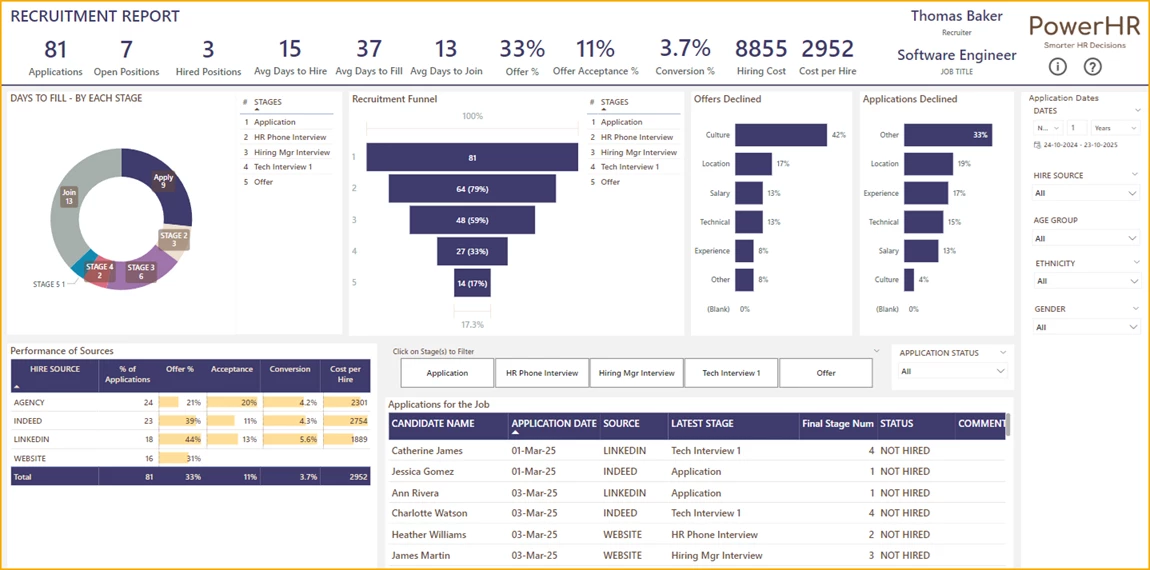
(Please Note: You will be responsible for creating your own Power BI Dashboards - we only ensure the data is shared)
WHY YOUR IT TEAM WILL LOVE IT
This isn't a clunky workaround; it's an enterprise-grade data pipeline.
- API-First Architecture: Built on Oleeo’s OpenAPI 3.0 standard for maximum reliability and future-proofing.
- Rock-Solid Security: Utilises industry-standard OAuth 2.0 (Client Credentials flow) to ensure your data stays locked down and compliant.
- Interactive Developer Tools: Your technical teams can use our built-in Swagger UI to visualise and test endpoints in real-time before pushing to production.
CONSIDERATIONS
You must have a Power BI account.
NEXT STEPS
Ready to turn your ATS data into a strategic powerhouse?
Speak to your Customer Success or Commercial Manager today to learn how to activate the Oleeo Power BI Integration.
COSTS
Please speak to your Commercial Manager for further information.