




TIP TUESDAY! - One Time Feedback Forms for Candidate Feedback

WHAT IS THE TIP?
💡Use One Time Forms to collect candidate feedback or sensitive application data without forcing candidates to log in! It is fast, secure and tied directly to the application record - perfect for candidate feedback, staged data collection, compliance and follow-up screening.
What is a one time form? A One Time Form (OTF) is a secure, single‑use, tokenised form instance that you send to a user (usually the candidate) by email. The link in the email bypasses the normal login and opens the specific form instance directly. Once the candidate submits, that token is permanently invalidated -any further clicks return “Form already completed” or “Link expired.” It also creates a record in the history!
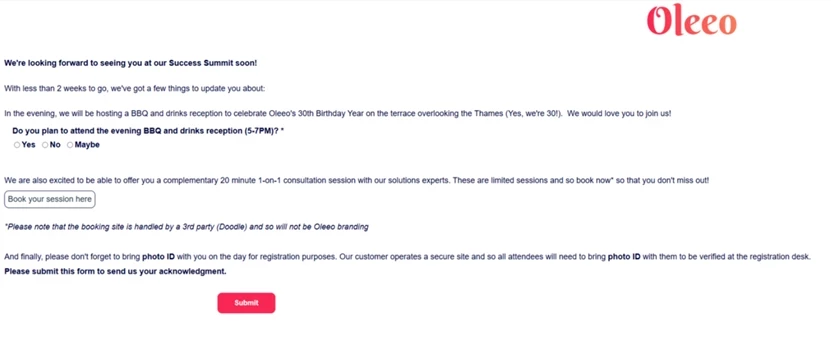
🔧Common Use Cases:
- Candidate Feedback: Send a short post‑interview or post‑process feedback form to capture candidate experience without creating a login requirement.
- Onboarding & Compliance: Collect bank details, NI/SSN, or uniform sizes after offer acceptance - keep the initial apply form light.
- Additional Screening: Ask for a code sample or portfolio after a recruiter requests it (e.g., “Request Code Portfolio” process rule).
- Equal Opportunities (DEI): Send a localised diversity questionnaire post‑apply, for example agency applications, to meet regional requirements and keep the application unbiased.
- References: Request referee names/emails only after final interview stages to streamline the front‑end apply experience.
🛠️ Build Along! Click below to show how you can build these one time forms in your system for application data.
- Create your form and set Purpose = Candidate Application so fields bind to the Application record.

- Add the required items (e.g., bank details, referee contacts, feedback questions) and set data sensitivity where needed.
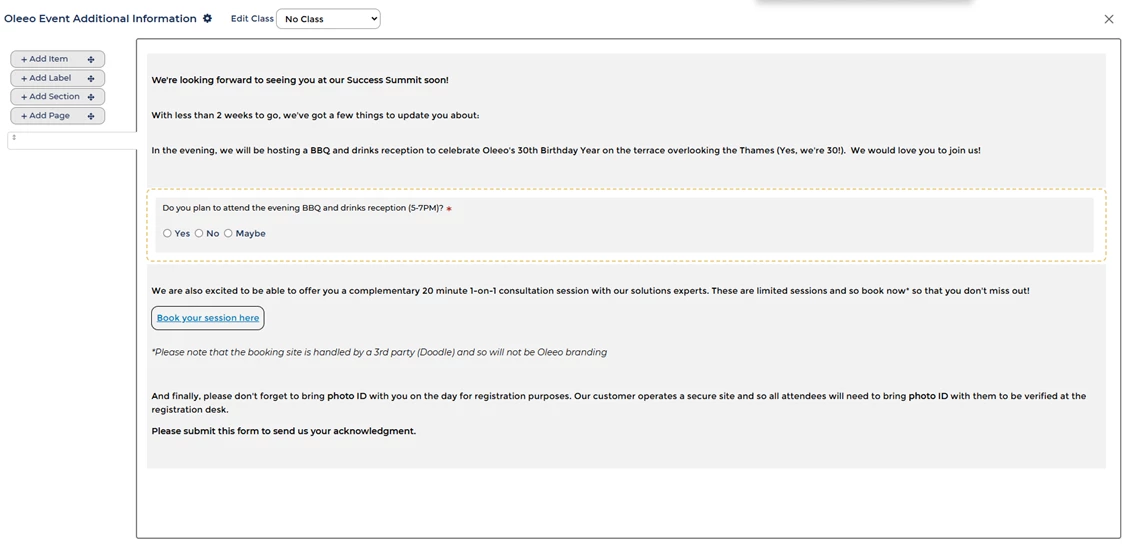
- Create or update a Process Rule with an Action Group that sends an Email template containing the One Time Form link token (e.g.
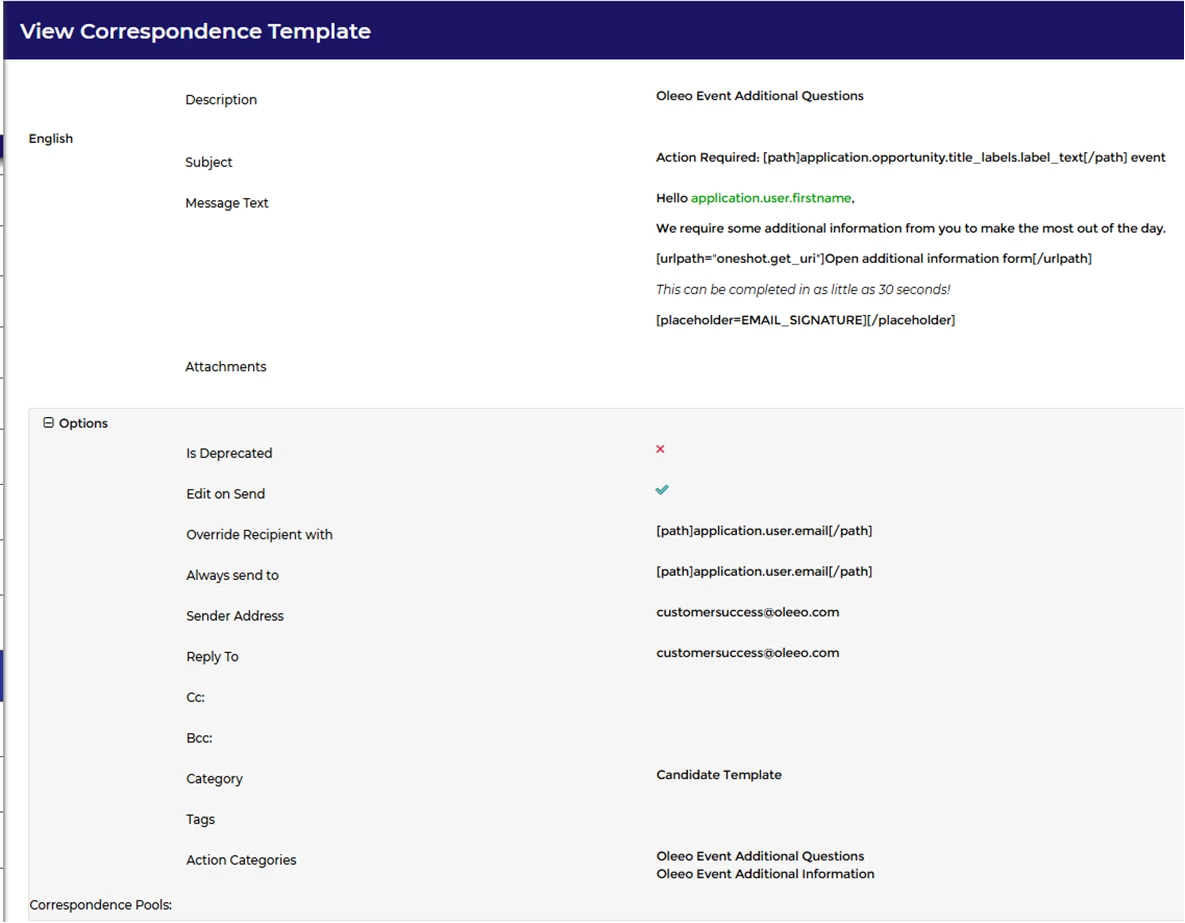
[urlpath="oneshot.get_uri"]Open additional information form[/urlpath]).
- Create an email with the Purpose = Candidate Template

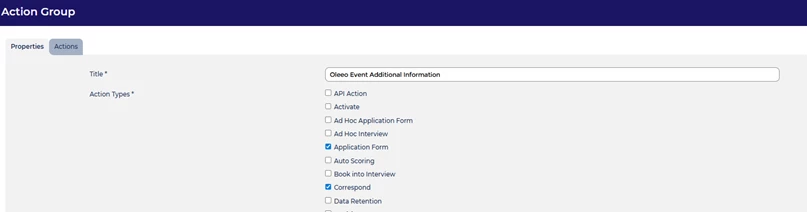
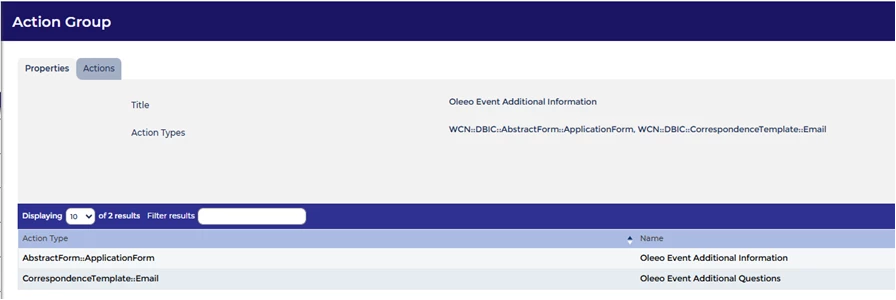
- Create an action category with Action types as Application Form (the One Time Form) and Correspond (the email) then add the relevant actions.
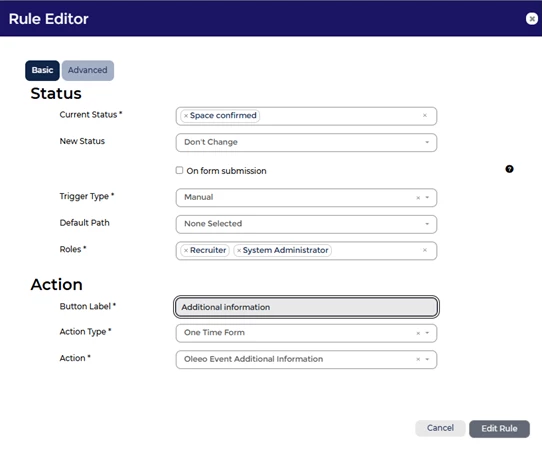
- Update the process flow to include the One Time Form Action, this can be Manual or Automated based on your requirements.

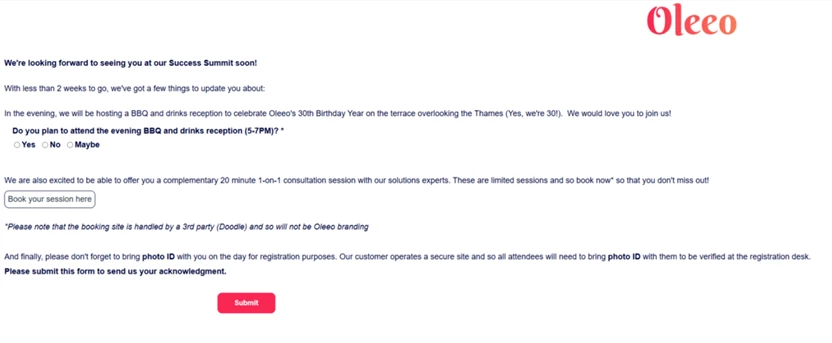
- Test in Config: trigger the rule, open the One Time Form link, submit, and confirm the Form Session is submitted and the History Entry token is consumed.
- Push to Live and use the same Process Rule to send One Time Forms at the right stage (post‑offer, post‑interview, or when a recruiter requests additional evidence).
BENEFITS
- No login friction: Candidates click the link and complete the form immediately - ideal for mobile-first experiences and improving response rates.
- Application‑bound data: All answers go directly into the application record rather than the candidate or vacancy record.
- Immediate recruiter access: Values (available via datapaths) show in application list views and reports without extra mapping.
- Secure & auditable: Oleeo stores the record within the application history - great for compliance and GDPR audit trails.
CONSIDERATIONS & BEST PRACTICES
When an One Time Form is generated the system it creates a history entry record (auditable entry)
- One Time Forms are single‑use: Communicate clearly to candidates that the link expires after submission. If edits are required, plan a workflow to issue a new token or use an authenticated update route.
- Purpose matters: Always set Purpose = Candidate Application when you need answers to live on the application.
- Data sensitivity: Mark sensitive items appropriately and control recruiter visibility via data sensitivity settings.
- Test thoroughly: Test in Config to verify datapath values appear in application views and that history entries are created and consumed as expected.
- Audit & retention: Include One Time Form history entries in your data retention/anonymisation policies for GDPR compliance.
Quick wins: Move heavy or sensitive fields off the initial apply form and use an OTF post‑offer. Send post‑interview feedback forms via OTF to capture timely candidate insights (no login required).
COSTS
This feature is part of the standard product offering.
NEXT STEPS
- Speak with your Oleeo Configurator (Level 3) to build an One Time Form template with Purpose = Candidate Application and the correct datapaths.
- Create a Process Rule and Email template with the One Time Form link token and test the full lifecycle in Config.
- Roll out to Live with a clear candidate instruction message and internal guidance for handling expired links or re‑issues.
😊 Where could you move heavy or sensitive questions out of your initial apply form and into a One Time Form to improve apply conversion and data quality? Share your use case - we’d love to feature great examples in the community!
ADDITIONAL INFORMATION:

