




TIP TUESDAY! How To Improve Candidate Engagement: Communication

WHAT IS THE TIP?
💡 What do you do to keep your applicants engaged? Could you improve the look and feel of your communications to help prevent drop out and keep an applicant up to date on their application?
We have collated some of the top tips related to communications that may help you keep your interested candidates engaged. Some of the suggestions we have added below have Tip Tuesday! content of their own, check out the bottom of this article for links.
Brand Your Emails
💡 Increase your chance of an email being noticed in a busy email box by including your company name in the subject and a logo or crest in the body of the email.
🔧 Use case: Any company who would like their emails to stand out amongst the noise in a candidate's busy inbox.

📌 Pro Tip: Don’t feel limited to just a crest or logo. You can also include a footer in your emails that highlights certifications or partner organisations you align with—such as Disability Confident Employer.
Deep Links
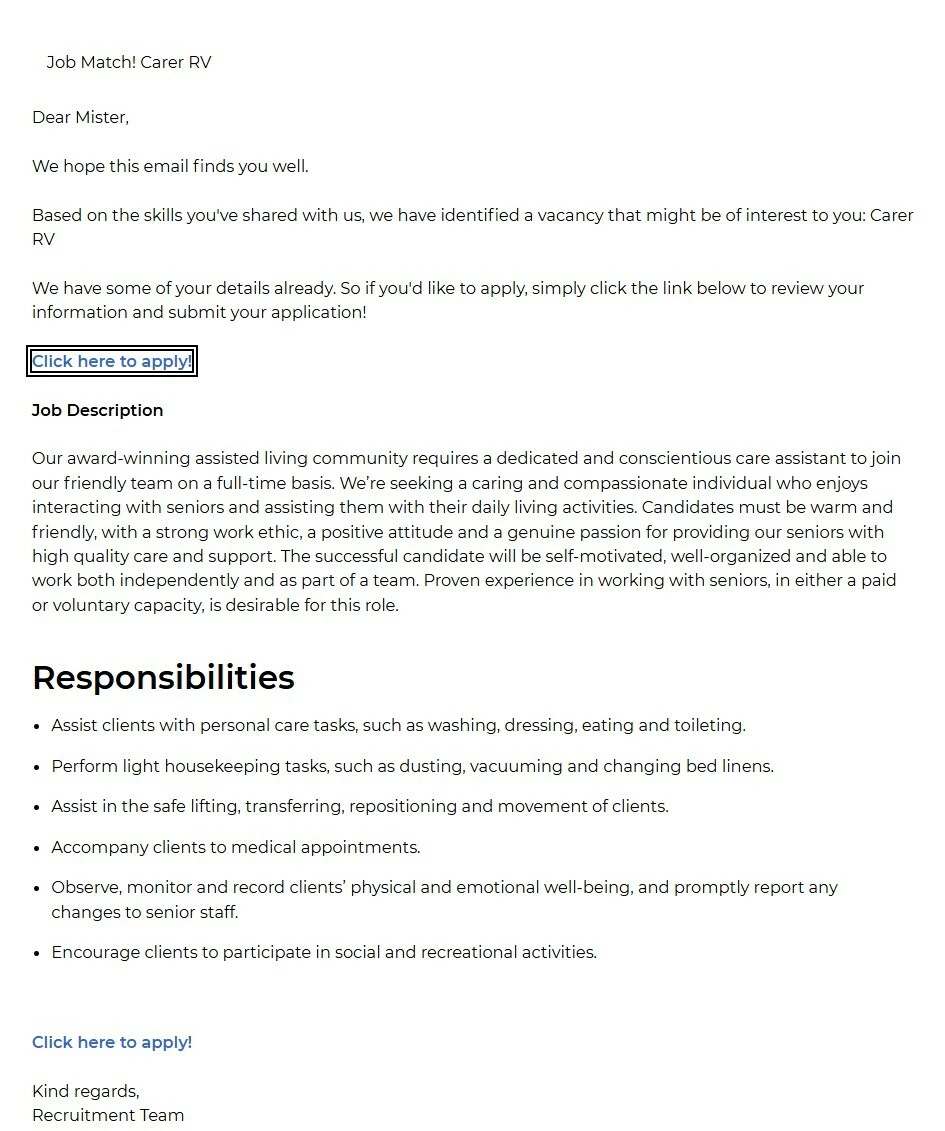
💡 Make it easy for an applicant to get to where they need to be from the email you have sent. If there is a call to action, utilise the deep links functionality to allow them to move seamlessly to this area of the platform.
🔧 Use case: When asking an applicant to go to their portal, provide a “go to” link on the email. This is a great link to add to your application received email.
Email Signoff
💡 Including a signoff such as a team or a department head in your email can provide clarity on who the candidate is liaising with in the business and who they need to keep in touch with.
🔧 Use case: Perhaps you’re sending out confirmation emails on behalf of different hiring teams, such as interview confirmations or offer letters.
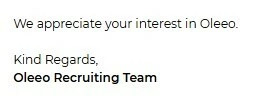
📌 Pro Tip: Use placeholders in your email templates for consistency and efficiency. Rather than manually updating the signoff with each team lead’s name, you create a placeholder. This pulls in the correct contact (e.g., “Kind regards, Sarah Smith – Head of Marketing”) depending on which department the candidate is liaising with. If the department lead changes, you simply update the placeholder value once, and all related templates update automatically—ensuring accuracy and saving you from editing every email manually.
Reminder Emails & Keep Warm
💡 Encourage your candidates to continue to interact with you by putting in reminder emails at those key stages - it may just give them the nudge they need to complete the action in a timely manner. Reminders are also useful ahead of a booked appointment.
🔧 Use case: Do you have trouble with candidates completing a stage of their application process? Do you have to chase people manually? Do people struggle to meet deadlines or ask you to grant them an extension?
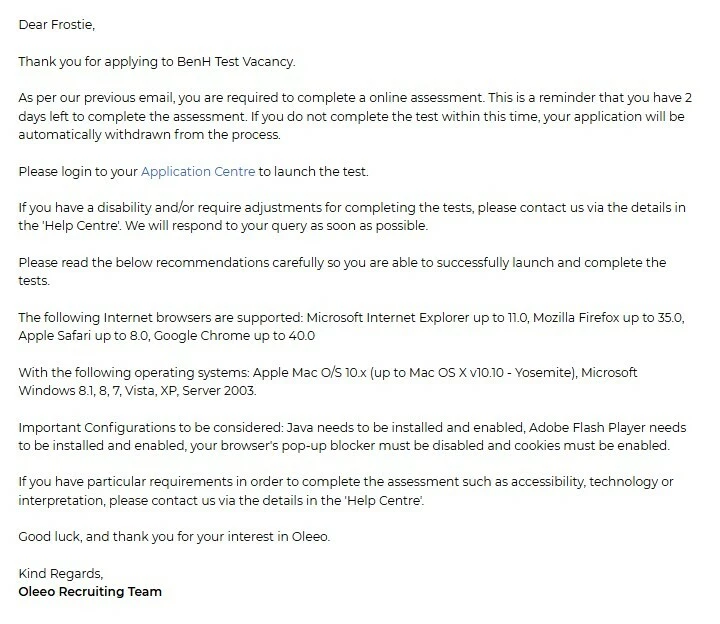
📌 Pro Tip: When applicants remain at a particular stage for an extended period—such as during employment checks—use the process to automatically send regular updates or “keep warm” messages. This helps them feel valued and reassured that they’re still being actively considered. In these messages, let them know when they might expect to hear back or where they can find more information.
You can also leverage our CRM tool (additional bolt on) to elevate and automate your communication —sending engaging, welcoming content that keeps applicants connected and informed throughout the process.
EDI/ Positive Action
💡 Applicants may not always disclose their need for reasonable adjustments or EDI support during the initial application. Including clear guidance from your Support or EDI team in recruitment emails — at any stage — helps create a more inclusive environment where candidates feel comfortable being themselves. Outline the types of support available and provide a direct contact method or link so applicants can easily request the adjustments they need.
🔧 Use case: When sending interview or assessment invitations, especially for in-person or timed tasks, including EDI or support guidance ensures candidates feel safe to request adjustments. This is particularly important when recruiting at scale or across diverse roles, where accessibility needs may not be disclosed upfront.
Timelines and Stages
💡 I’ve applied – now what? Silence and lack of clarity after applying is a key reason why candidates look elsewhere. Once someone has submitted an application, do you provide guidance on the next stages of the process or what to expect? Consider including some detail in your emails or linking to where this information can be found on your website.
A loose timeline is better than no timeline. Even stating that applicants will hear back in 4–6 weeks provides helpful clarity. Including this information in both initial and reminder communications keeps the message top of mind for applicants.
🔧 Use case: Do you do high-volume recruitment or have a multi-stage recruitment processes? Do elements of your process take a while such as pre-employment checks or onboarding?
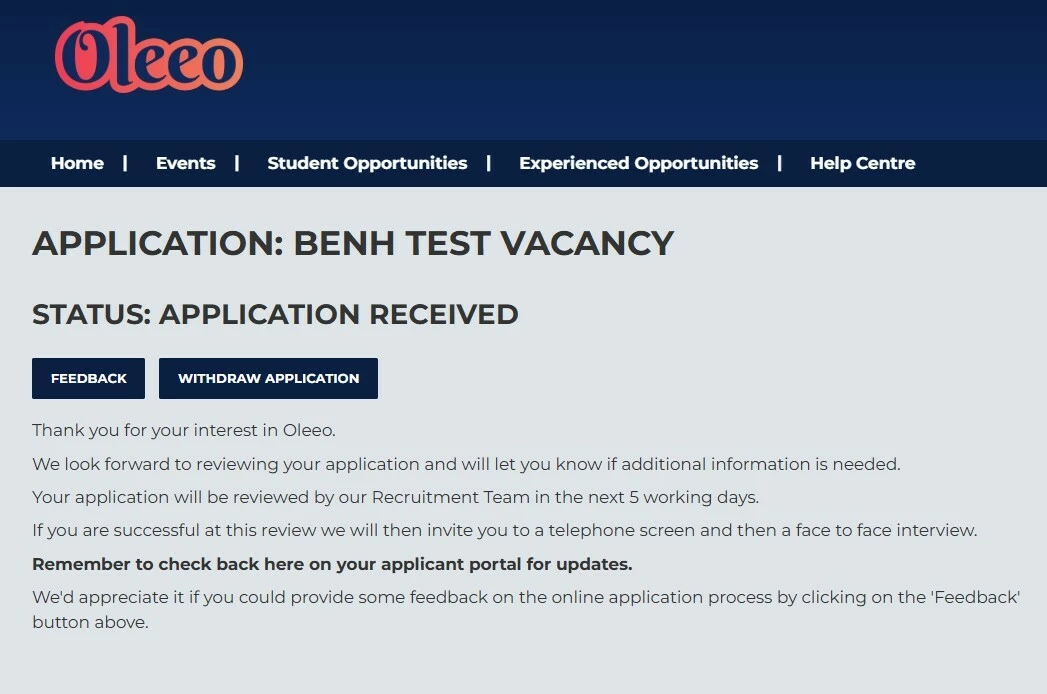
📌 Pro Tip: Adding a “Steps to Being Hired” guide is a great way to show candidates how far along they are in the process. It helps manage expectations and avoids awkward situations where someone assumes an offer is imminent, without realising there may still be, for example, a three-step interview process ahead.
📌 Pro Tip: You can also check out our recent TIP TUESDAY! around setting up a visual tracker for candidates (see additional information below).
Interviews and Assessments
💡 What is the format of the interview? What should I prepare for the assessment? These are common questions your recruitment team likely hears every day. Do you have a guide to help applicants? If so, how is it shared? If it’s available on your website, do you reference it in the emails sent to applicants when booking or confirming formal interviews or assessments? Providing applicants with clear, full information at this stage allows them to shine—because well-prepared candidates perform better.
🔧 Use case: Giving applicants clear information about what to expect in their interview means they are at their most relaxed. Telling them there will be a number of competency questions and one about their motivation to apply for the role for example gives them a framework to work on.
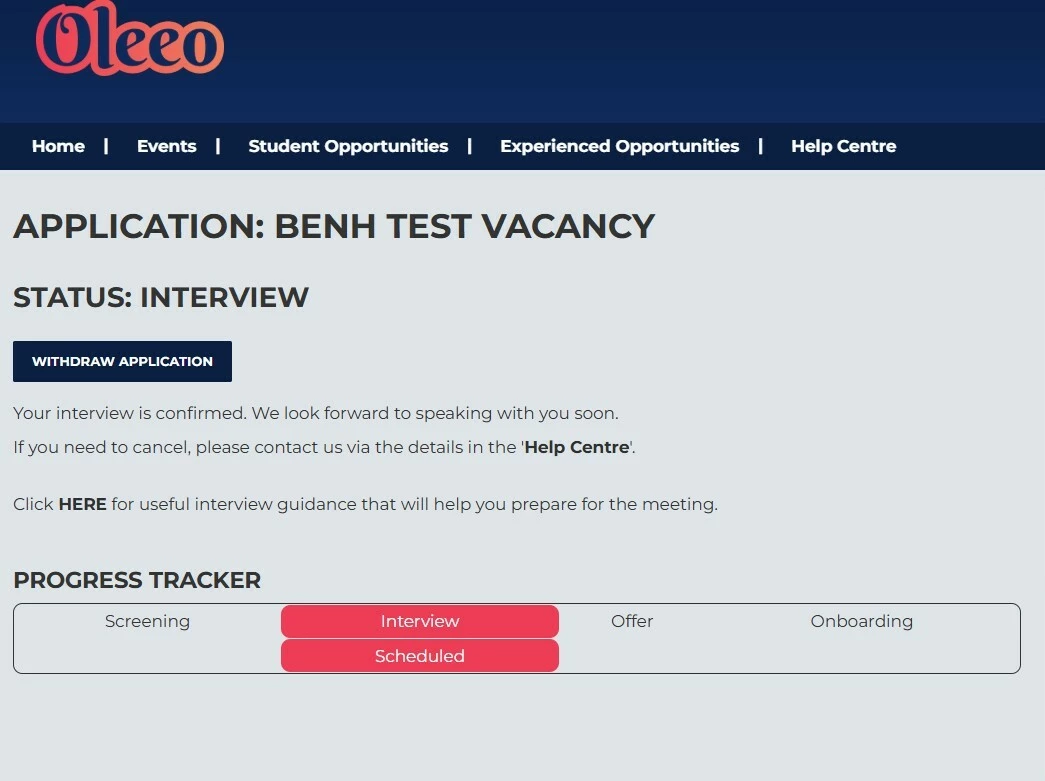
📌 Pro Tip: The format and style of an interview can significantly influence how a candidate behaves during assessment. For example, a neurodiverse applicant may benefit from having advance access to the questions they’ll be asked. Could this be something you automate as part of your recruitment process?
😊 We are sure there are 100’s of other great tips relating to communication to candidates, please share your ideas so we can all help others!
BENEFITS
Good candidate communication that keeps them informed has direct links to retention and motivation of applicants. The more you keep good applicants in process, the less you need to attract and process.
COSTS
These features are part of the standard product offering.
NEXT STEPS
Speak to your Customer Success Manager who can demonstrate these features to you.
ADDITIONAL INFORMATION:

