




AI Candidate Screening

WHAT IS AI CANDIDATE SCREENING?
In a high-volume hiring landscape, finding the perfect match feels like looking for a needle in a haystack.
Our new AI Candidate Screening feature transforms your Oleeo ATS into an intelligent partner, not a replacement.
Designed with a strict "Human-in-the-loop" philosophy, it automates the administrative heavy lifting while ensuring you retain full control over every hiring decision.
WHAT DOES IT DO?
Precision "Hard Skill" Suggestions: Our Large Language Model (LLM) analyses candidates against up to 20 specific technical criteria defined directly in your Vacancy Template. It provides a preliminary assessment, flagging potential matches for your review, allowing you to focus your expertise where it matters most.
Transparent Evidence (No "Black Box"): We don’t just suggest a match; we show you the evidence.
- Clear Recommendations: The AI offers a "Met/Not Met" suggestion for each skill, ready for your verification.
- Smart Citations: The system highlights up to 3 top matching quotes directly from the candidate's application. You see exactly why the AI made its suggestion, with the most impactful evidence listed first.
Merit-Based Prioritisation: Stop reading applications in random order. Our system organises applicants by "Merit," bubbling up candidates who appear to match the highest number of your screening criteria. This helps you identify top talent faster, without removing anyone from the process automatically.
The "Human-Centred AI" Commitment: Aligned with our company AI mission, this tool is designed to support recruiters, not replace them.
- Review & Verify: The interface requires a recruiter to validate the AI’s suggestions. You are the final arbiter.
- Override Capability: Disagree with the AI’s finding? You can instantly override the suggestion and provide your own assessment.
- Compliance Ready: Every agreement or override can be commented on and logged, creating a robust audit trail that keeps your process compliant and human-led.
HOW DOES IT WORK?
- Define: In the Edit Description view, list your required hard skills e.g., "Java," "Spring Boot" etc. (Max 20).
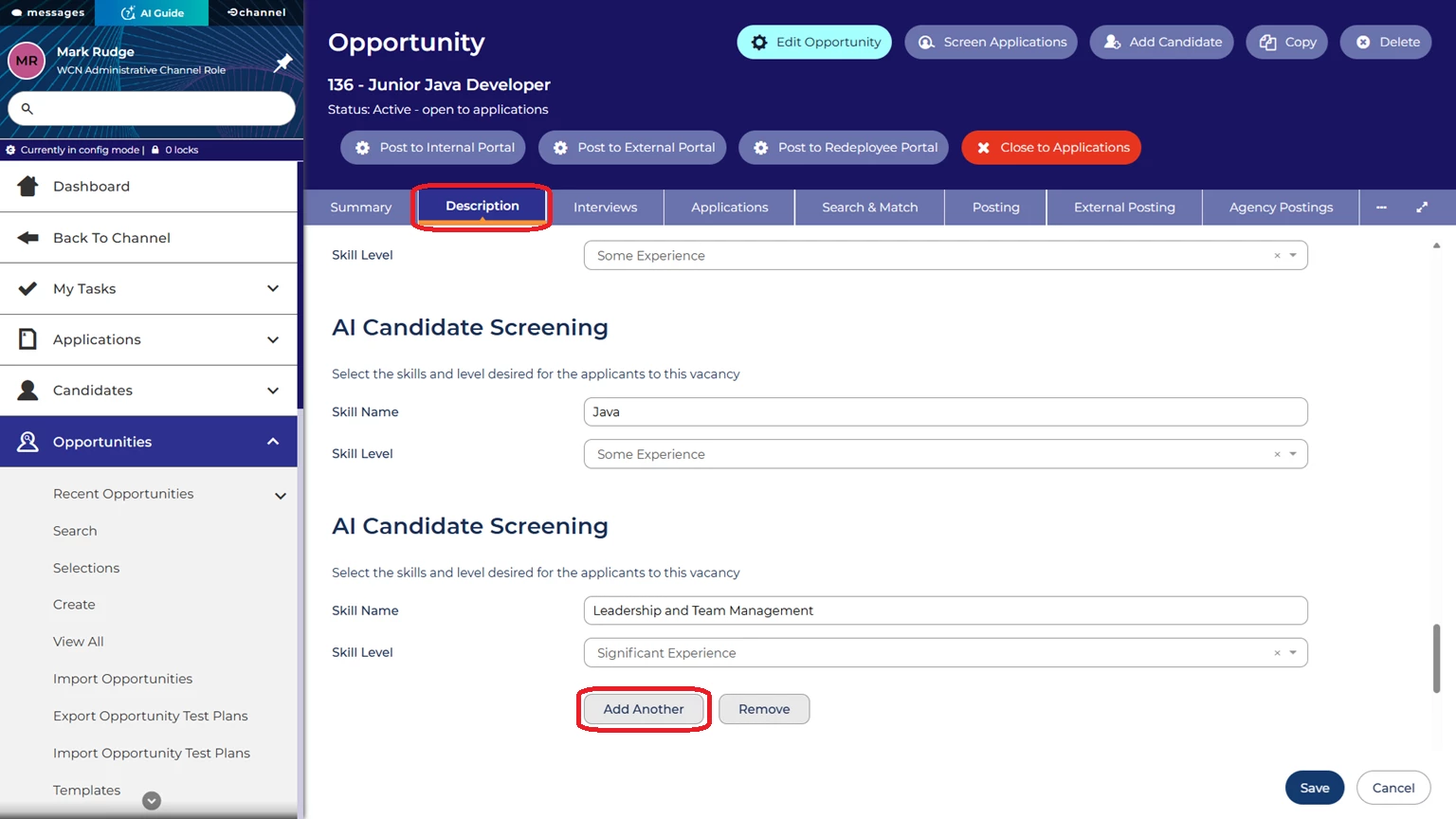
You can add up to 20 hard skills for the AI to highlight and prove. - Analyse: The AI scans incoming applications and prepares a suggested assessment.
- Review: Open the Screening Interface. The AI presents its findings for your approval.
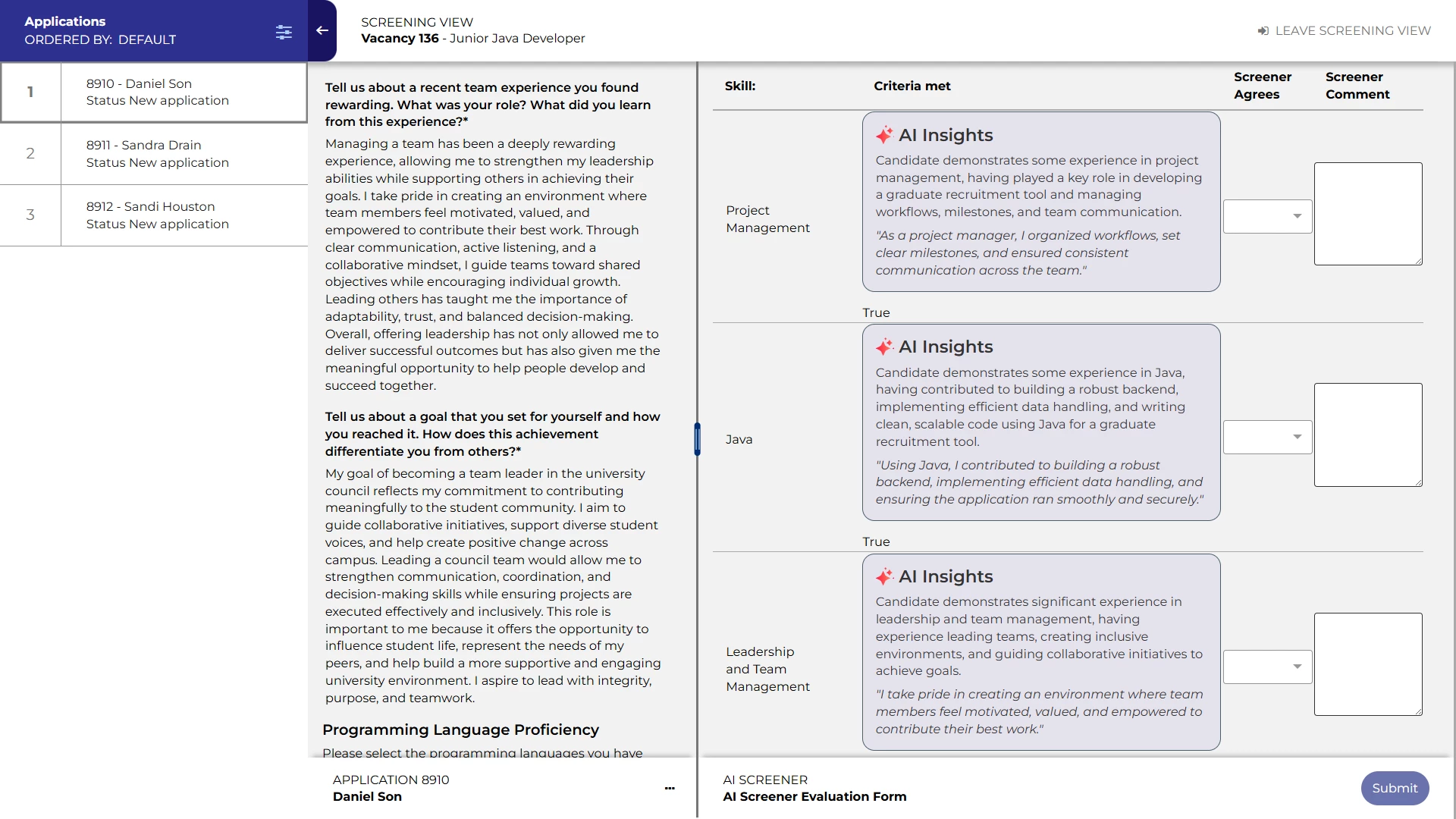
The AI will highlight which skills have been demonstrated by the candidate in their application, and the level to which they have demonstrated it. - Verify: Read the "AI Insight" summary and check the quoted evidence from the application.
- Decide: Confirm the AI’s suggestion or intervene to correct it. The final decision is always set by you.
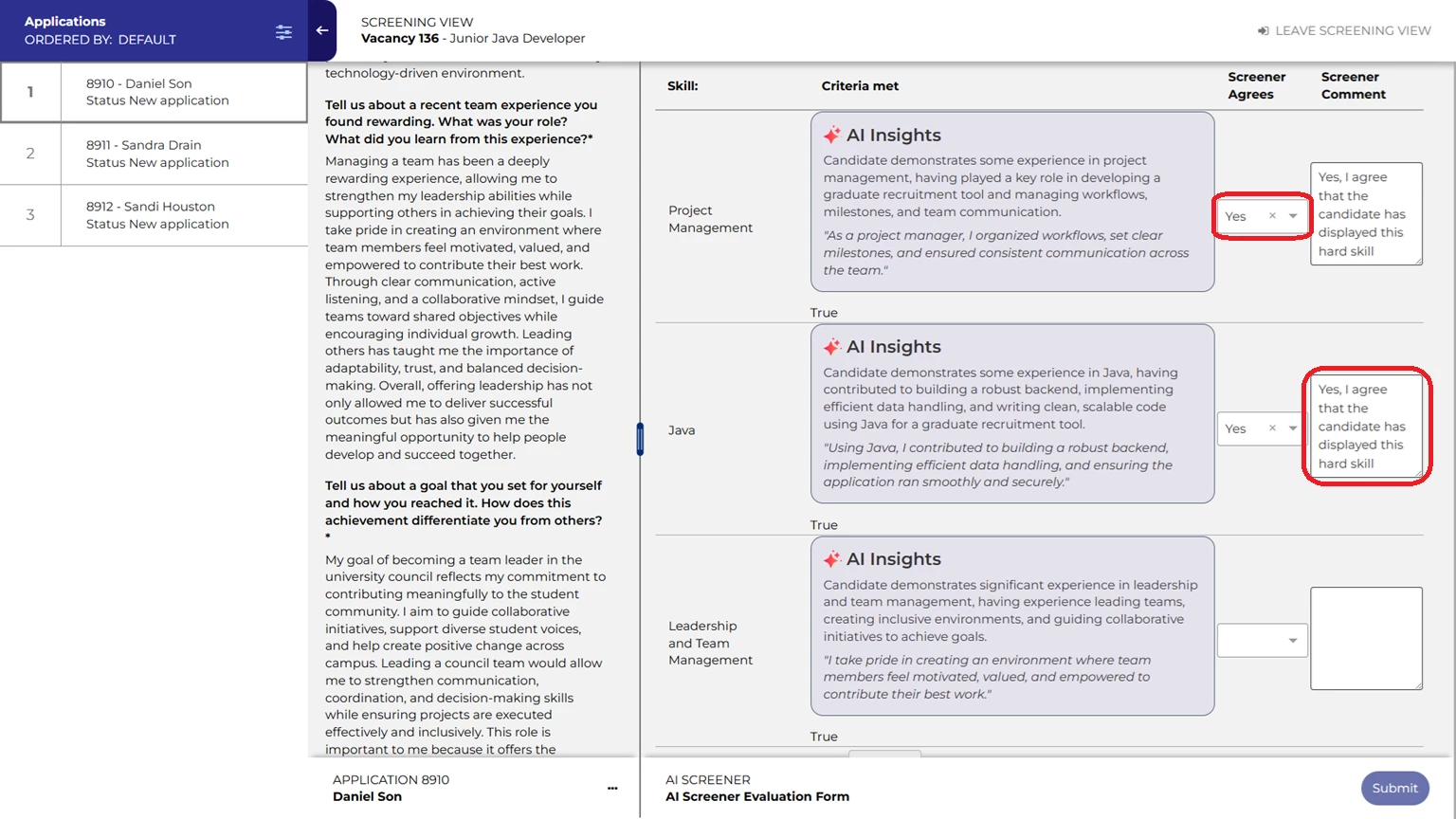
The screener will need to agree or reject the AI’s insights. The tool is always Human First.
WHY YOUR TEAM WILL LOVE IT!
- Standardised Consistency: Ensure every candidate is initially reviewed against the exact same criteria, reducing unconscious bias.
- Workflow Integration: The tool sits right inside your existing workflow, no new logins or external windows.
- Speed with Control: Instantly identify the most qualified technical candidates while maintaining the personal oversight your role demands.
- Ready to enhance your screening process? Contact your Customer Success Manager today to discuss how our "Human-in-the-loop" can support your next vacancy.
CONSIDERATIONS
Also as mentioned, your organisation will need to agree to our General AI Terms, so if you are interested in this feature, it may be a good idea to raise this at the earliest convenience with the relevant department in your organisation, to speed up the sign-off.
NEXT STEPS
Speak to your Customer Success or Commercial Manager for any additional information.
COSTS
Please speak to your Commercial Manager for further information.
ADDITIONAL INFORMATION

